

Just like my last post on Adobe alternatives,
this one actually is not a real alternative either, simply because it can do things I have never seen in any Adobe program.
To achieve the shown results in Photoshop would take days, while this is done in minutes in Ultrasnap and / or Real Draw.
How did I do it?
first I downloaded a svg of the elephant icon
I imported the svg in Ultrasnap:

Then converted it into a "polynome" which I think is an internal special vector format in Ultrasnap and Real Draw.
Then I changed the color of the elephant to white and I put a black background behind it:

Now with the elephant selected, I changed its style to gold:


And now the fun begins!
with just the background selected, I just selected all the different NPR presets ( and recorded this in Snagit to make the video...)

here are some of the first presets:


and after some experimenting with the settings, you can achieve these kind of results in minutes:


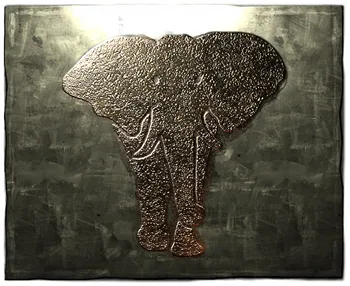
The file format of Ultrasnap is the same as that of Real Draw, also by the software developer Mediachance: *.rdw

This means that al vector parts of the drawing remain vectors and can be manipulated in Real Draw:


And in Real Draw we can change colors and NPR styles per object, instead of all together as it is in Ultrasnap:


So the conclusion is
that the possibilities are virtually endless and these programs are rather addictive to use and experiment with! Lots of things that can be done with Photoshop or Illustrator are NOT possible with these programs by Mediachance, but what these programs can do, is impossible with anything Adobe makes...
So no alternatives, but welcome additives to the toolbox of the creative digital artist of today!