
Hello!
Today I'll show you how, in the Mandelbulb program, you can easily change the color and texture of objects using maps.
In fact, the maps here are pre-prepared images that are loaded into a certain daddy. The folder is called M3Maps. Here you can download any image you want to use in the future. The main thing is that only numbers must be present in the file name, otherwise the program will not see them. After installing the program, daddy is not empty, so for this experiment you can even download nothing and use the standard set.


To start experiments, you need to open / create a fractal.
I will use this one:

You need to open the Lighting panel and in the tab where you set the lighting for your fractal to find the sublayer Object. I have this tab Global Light.

To use a third-party image for painting, check Use a map for the diffuse color. If there are any numbers in the card selection box and the file with such number will not be in the M3Maps folder, then you will see the inscription Map not found.
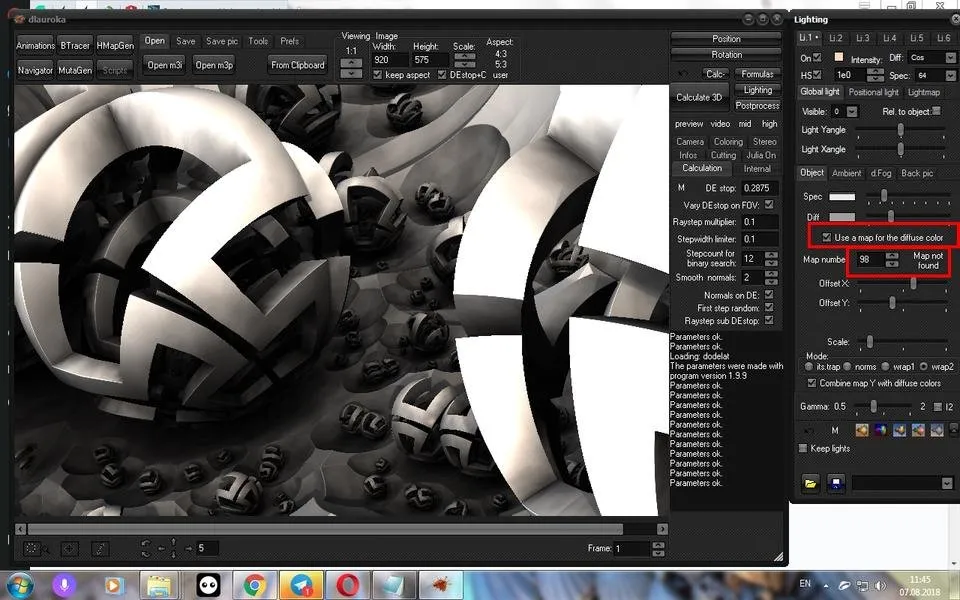
Then there are two ways to use images:
- only as a texture or pattern on the surface of objects, when you retain the originally selected shade;
- when in addition to the pattern, the objects are also transferred from the selected file.
First, I show you the effect of the first option. To do this, you should have a tick in the box Combine map Y with diffuse color:

Go to the Map number field and put the number of the desired file there. You can also right-click on the window and select the file directly from the Windows Explorer window.

Result:

I used a file with the texture of porous concrete, but I do not like the result, the drawing on the surface of the objects turned out to be blurry, so you need to correct the scale so that the image does not stretch over the surface, let it be compact and duplicated, but the joints on this texture will still not be visible. For this, I move the slider Scale. You can also move the image on the surface of objects using the X and Y sliders and change the blending scheme in the ** Mode ** field:

So much better:

Of course, not all images fit well on the surface of objects, you have to sort through different options.
Now uncheck the box Combine map Y with diffuse colors and see what happens:

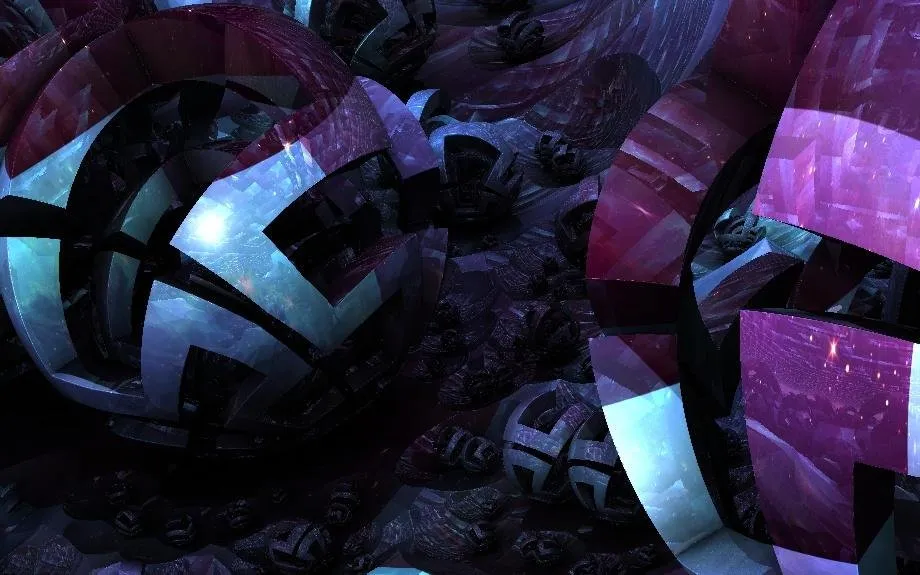
Or here:

You can get a lot of enemies, a truly endless field for fantasy and experimentation.
Sorry for any mistakes in English, this is not my native language
Author:

You can find us in: Telegram: https://t.me/joinchat/GZmeKA5cSfYip429CpiMjA
E-mail: fractalteam@mail.ru
Also read us at Golos: https://golos.io/@fractal