
I haven't been on here a whole lot the last few days. I've skimmed through and voted on a bunch of great posts, but time just seems to be flying by lately. Mostly, I think, because I've been here taking care of 
I did get one drawing done this week, although it took me a while.
I bought Affinity Photo for my iPad a little while ago. It's a great photo editor and I was thinking about getting it for the PC since I don't have a Photoshop subscription anymore. I was on their site looking at it and I noticed they also have Affinity Designer. It's basically their Adobe Illustrator version.
So I decided, since I already had Affinity Photo on the iPad, I'd pick up Designer for the PC to see how it worked. The reviews and YouTube videos looked really good, and for only a fraction of a yearly subscription for Illustrator, I couldn't pass it up.
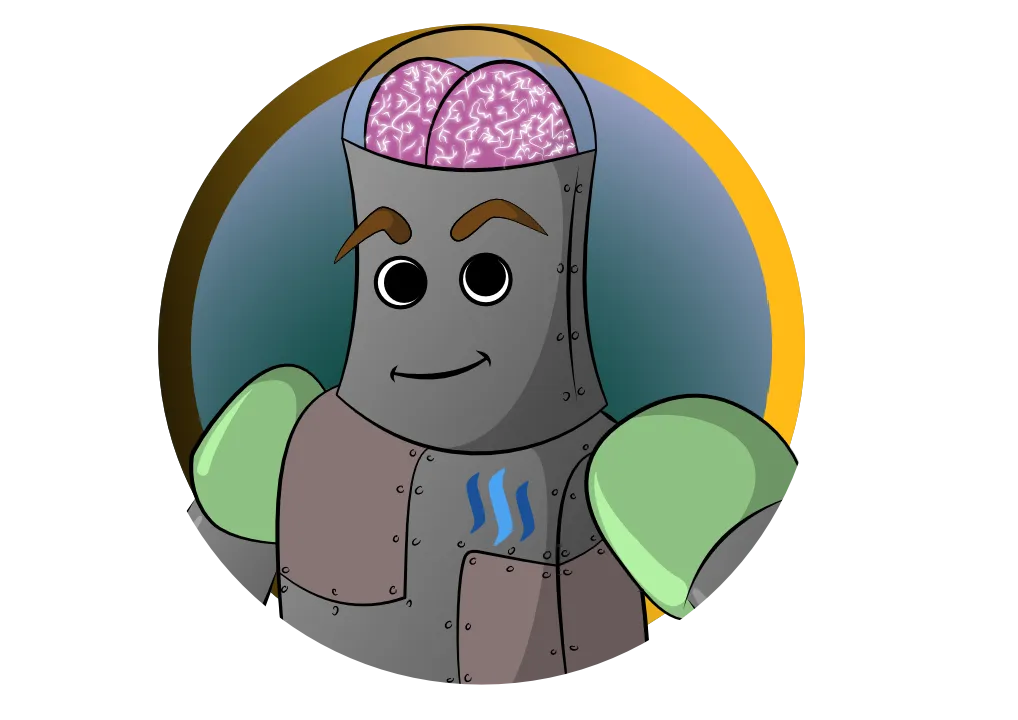
So after downloading, I sketched this robot out on the iPad. I wanted something easy that I could use to get the feel of the program. Nothing really detailed, but enough to be a bit of a challenge for the first attempt.

This took me a few days to finish the vector drawing. I had almost the whole thing drawn but I wanted to start again because the layout was a complete mess and I felt I could do better if I just started again - so I did.
In the end I came out with this.

I learned a lot of little tricks along the way. The first try, I was trying to get the line work drawn so that I could fill it in using the lines but that really messed me up when it came to adding multiple colors over top. The linework needs to be on top, by itself, so the colors can be underneath. The program has a very powerful snap tool though, so when you go back through to fill it in, it's actually a lot quicker than I thought to fill in the color. I do wish there was a blob brush tool like Illustrator, but it's not the end of the world.
The next thing I sort of figured out was that layers and groups are key to organizing the drawing in this. Keep things on their own layers and then group different layers together as you need them to stay together.
It turned out pretty good for my first Affinity Designer drawing and, although it took me a while, I figured out quite a bit of the program and I know there is a ton more to learn. I only just touched the basics with this drawing to get a feel for it. Something I'm really going to enjoy about this program is the fact that you can switch to pixel painting with just a click of the mouse. You're able to add brush strokes and texture to the vector drawings to really bring them to life.
I think I'll still eventually pick up Affinity Photo at a later date, too. The two programs look like they'll work great together. Both programs are only about 3-4 months of a Photoshop/Illustrator subscription so the price is definitely right. I'm also going to grab Affinity Designer for the iPad as soon as it's available. I was watching some sneak video of it on YouTube and it looks like it's going to bring vector graphics on the iPad to a whole new level.