

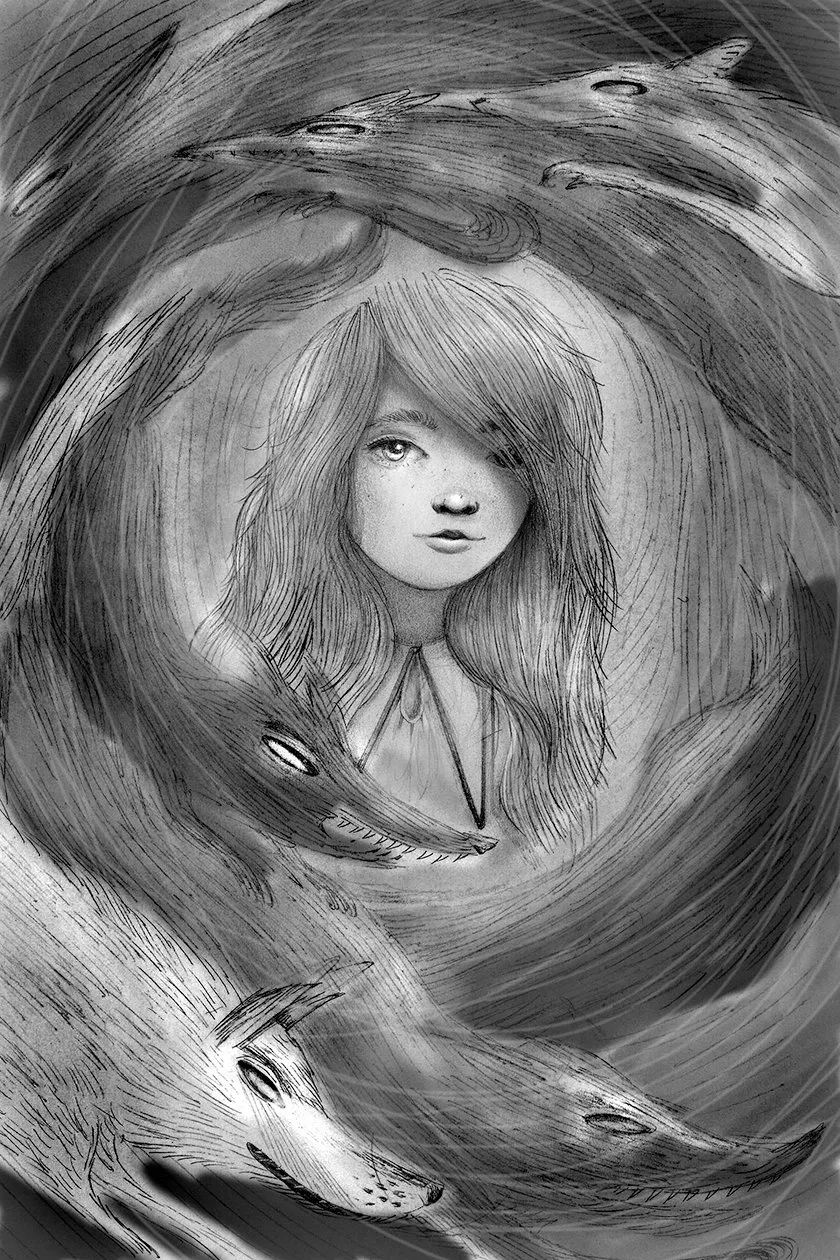
Meet Quicksilver! She is the lead character in the book Foxheart by Claire Legrand, which is officially on shelves today. I had the unique opportunity to bring her to life for the book's cover and an interior portrait. Pinning down a portrait can be tricky, and Quicksilver was no exception.
Quicksilver is an orphan who's not so good at making friends. The girls at the orphanage poke fun at her and call her "Pigwitch" because she has strange gray hair and a little turned-up nose. Without going into too much detail, this dark and magical story includes a Wolf King and his seven magical (and terrifying) wolves. Quicksilver must go on a quest to defeat him and his beasts and meets unlikely new companions along the way.
I usually start character designs in my sketchbook, doodling lots of faces until I get something I gravitate towards.

I first focus in on her unruly witch hair and hardened expression. At this stage I look for a window into her thoughts. Usually that window is through the eyes. If the eyes connect, the portrait will most likely work. In this case, my eyes connect with the large Quicksilver sketch in the upper-right. She is looks right at me and her subtle smirk tells me that I will not affect her. She is a good start.
I like to add a second element to my portraits, something that begins to tell a story. That addition is meant to ask questions so that the reader will want to find answers. In this case, the magical wolves with glowing eyes will provide some interest and context.

Now the portrait as a whole is more interesting, but I lose her purposeful gaze in the re-draw. This happens often, but I don't worry about it just yet because we are still in sketch phase.
I add some value behind my drawing by scanning it and "multiplying" the layer in the layers palette in Photoshop. I paint behind it in broad strokes. I pitch this image as a cover concept, and although some prefer it, the publishing team opts for another. That said, I get to draw this as a frontispiece, or title page image, and jump at the chance. I want to see this one through. One thing I notice about this sketch is how the lines moving in a circle create a nice energy overall. I note that in the final drawing I will try to exaggerate that directional line even more. I also note that although I want to keep Quicksilver looking strong, I also want to see a bit more vulnerability. I'm ready to draw the final portrait.

I use a very sharp 4H (very hard - and therefore light) pencil. The original piece is about 5x7". I soften her look and maintain the sharp directional lines in the wolves. I will use Photoshop to darken the pieces and add value and contrast.

This is a scan of the drawing with added contrast in Photoshop, and no additional manipulation. The next step is where this becomes a new technique for me; a situation where the computer will allow me to do something I would not have been able to successfully accomplish without digital manipulation.

I am intimidated by drawing in the computer. Before this image I had not dared try. BUT for the sake of experimentation (and facing one's fears) I add a white layer of digital drawing on top of my scanned drawing. The wolves are racing around Quicksilver, and adding a layer of a "white pencil" on top achieves more movement and makes the piece a touch more magical. While I could use a white pencil traditionally, it would have been impossible to get the sharp white line that Photoshop offers. I may just employ this new little trick again one day.

The final step here is adding some value behind some of the wolves. In the book, these wolves each shine a different color. Because this image is be printed in black-and-white, I mix up the values and use them to add a bit more dark mystery and variety to the final portrait.
And there she is, Quicksilver. She named herself as such because she was left in the orphanage without a real name. Finding out who she is would only be the beginning of her quest...
Do you have a secret to pinning down a portrait? I'd love to hear how you tackle finding the soul in your subjects. This step can be difficult to describe.
Images © Jaime Zollars