
I hope its still not too late for my entry, below will be the step by step procedure on how i made this banner. I had Adobe Photoshop Lessons on my 2nd Year of Junior High School, and im still refreshing now all the things that I learned before. Im still not a proffesional in making graphics arts like this so im willing to accept any suggestion. So to start:

Software used:
Adobe Photoshop CC 2017
Step 1:
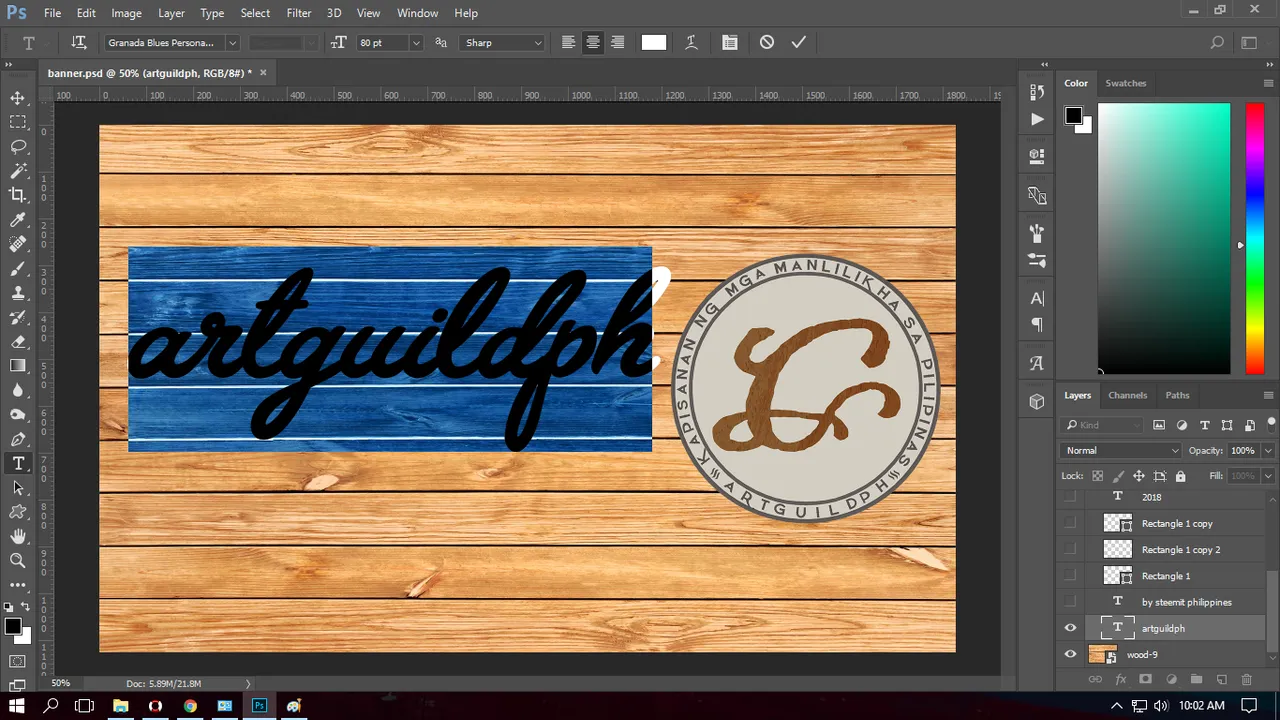
I added a wood backgroud. Source image from: Here
Step 2:
I placed the official logo of the artguildph on the right side of the banner.
Step 3:
I added the the text "artguildph" with the font style "Granada Blues" with a font size of 80pt.
Step 4:
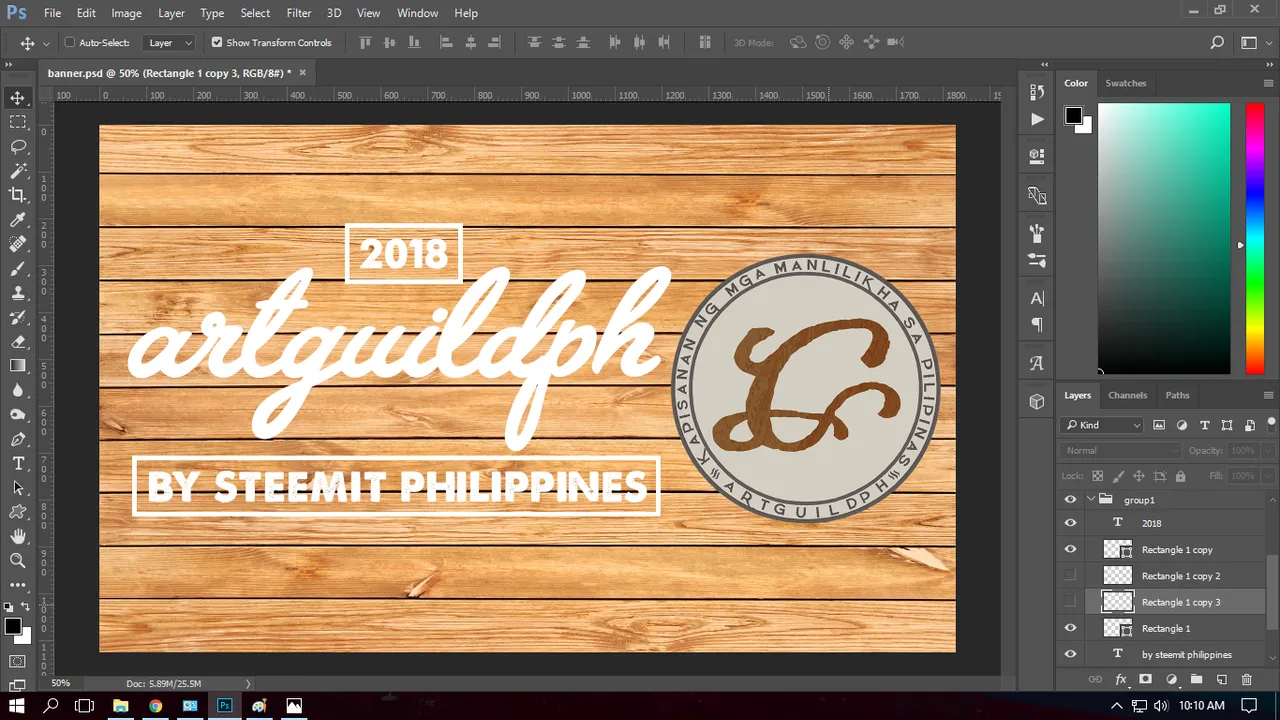
I added the text "BY STEEMIT PHILIPPINES" with the font style "A love of Thunder" with a font size of 23pt.
Step 5:
I made a rectanglular box using rectangle tool with a stroke of 10px.
Step 6:
I added the text 2018 and placed it in a rectagular box (duplicate of the first) with stroke same as the last step.
Step 7:
I added a new duplicate rectangular box and positioned it diagonally to connect the two rectangular boxes.
Step 8:
Using the eraser tool I erased the extra lines.
Step 9:
As you can see there are lines at the back of the text, so to emphasize the text I erased some lines of the diagonal positioned box.
Step 10:
I selected all layers and made a group from it for backup purposes,then I duplicated another group and merged all the layers.
Step 11:
Using the marque tool I, right click on the merged layer then select warp, then I set the warp style to flag.
Heres how it will look after using warp.
Step 12:
I changed the blending option to Multiply to have a wooden effect on the text, to make it more clearer and emphasized I added a stroke with size of 5px.
Step 13:
For the backdrop I'll add a dripping paint effect.
Step 14:
I moved the layer to the background then I added a gradient overlay, with colors yellow, blue and red to symbolize the Philippine Flag and my dedication for my country.
Step 15:
Lastly, I changed the blending option to multiply to retain the wooden effect of the backdrop.
And here's the how it will look when its finished.






Because of the wooden backdrop, I thought of retaining its texture to have a unique look. Thanks for your time reading about my entry. I put to effort in making this, I hope you like it.
Special thanks to 

Post was updated due to my confusion, instead of writing artguildph I had written artguideph, thanks to 
