
We've updated the BitShares wallet hosted on https://bitshareswallet.beos.world to allow directly purchasing BitShares-related tokens from BlockTrades using the wallet. This feature is mainly useful to BitShares token holders, because it simplifies trading with us: for example, there's no need to copy/paste memos to make trades.
New landing page for the BlockTrades bridge
When you first visit the BlockTrades bridge page of the wallet, you'll see a screen like this:
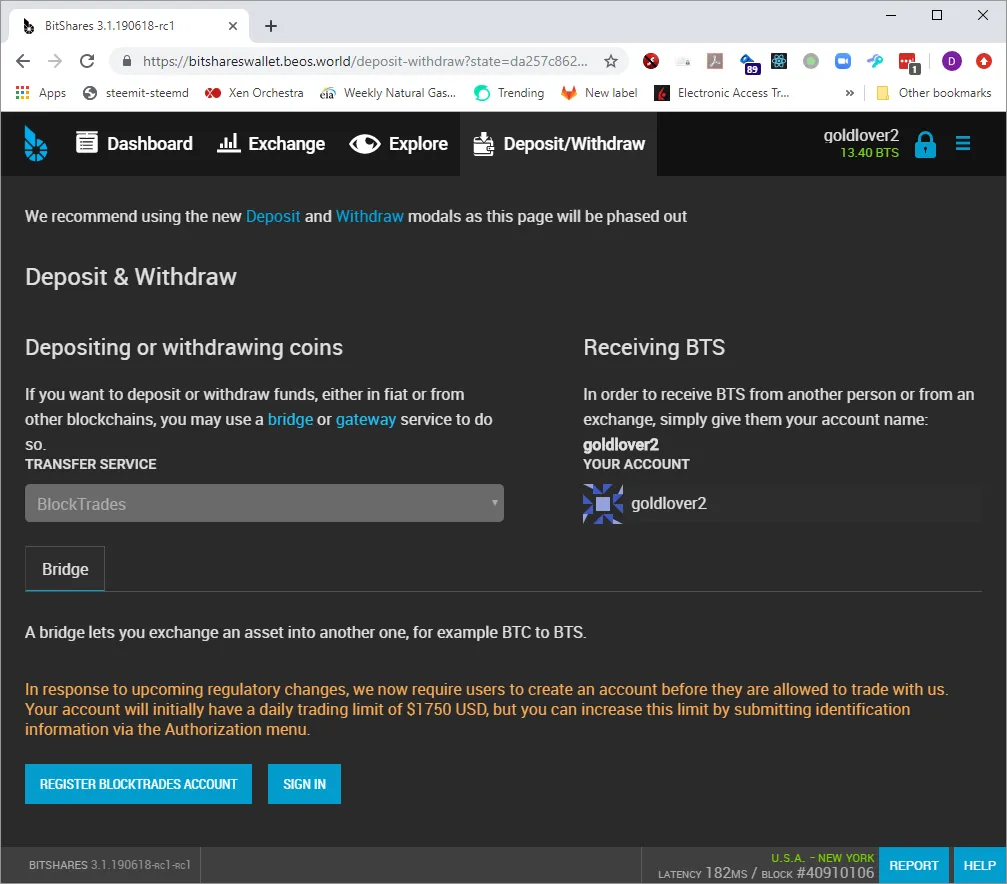
Login page
From here, you can click on one of the buttons to create an account or login to your existing BlockTrades account. After clicking on the login button, you will see our standard login page:

Trading Page (familiar sight to BitShares wallet users)
After you login, you'll be redirected back to the BitShares wallet, but the bridge will now have all the old options for directly making trades with us from within the BitShares wallet:
The only change on this page is the addition of a "Logout now" button to end your login to BlockTrades.

Deposit/Withdrawal/Internal Conversion Trading Options
The trading page is divided into three sections to simplify the purchasing steps required for different types of purchases:
- Deposit section allows purchasing BitShares-hosted tokens using tokens from other blockchains (for example, purchasing BitShares with Bitcoin).
- Withdrawal section is for the reverse operation (purchasing tokens from other blockchains such as Steem using tokens from the BitShares blockchain).
- Internal Conversions section is for purchasing BitShares-hosted tokens with other BitShares-hosted tokens.
Currently the new interface is only available on the BitShares wallet hosted by BLCA (the association behind the BEOS blockchain), but we hope to see it get integrated into the BitShares reference wallet as well.