
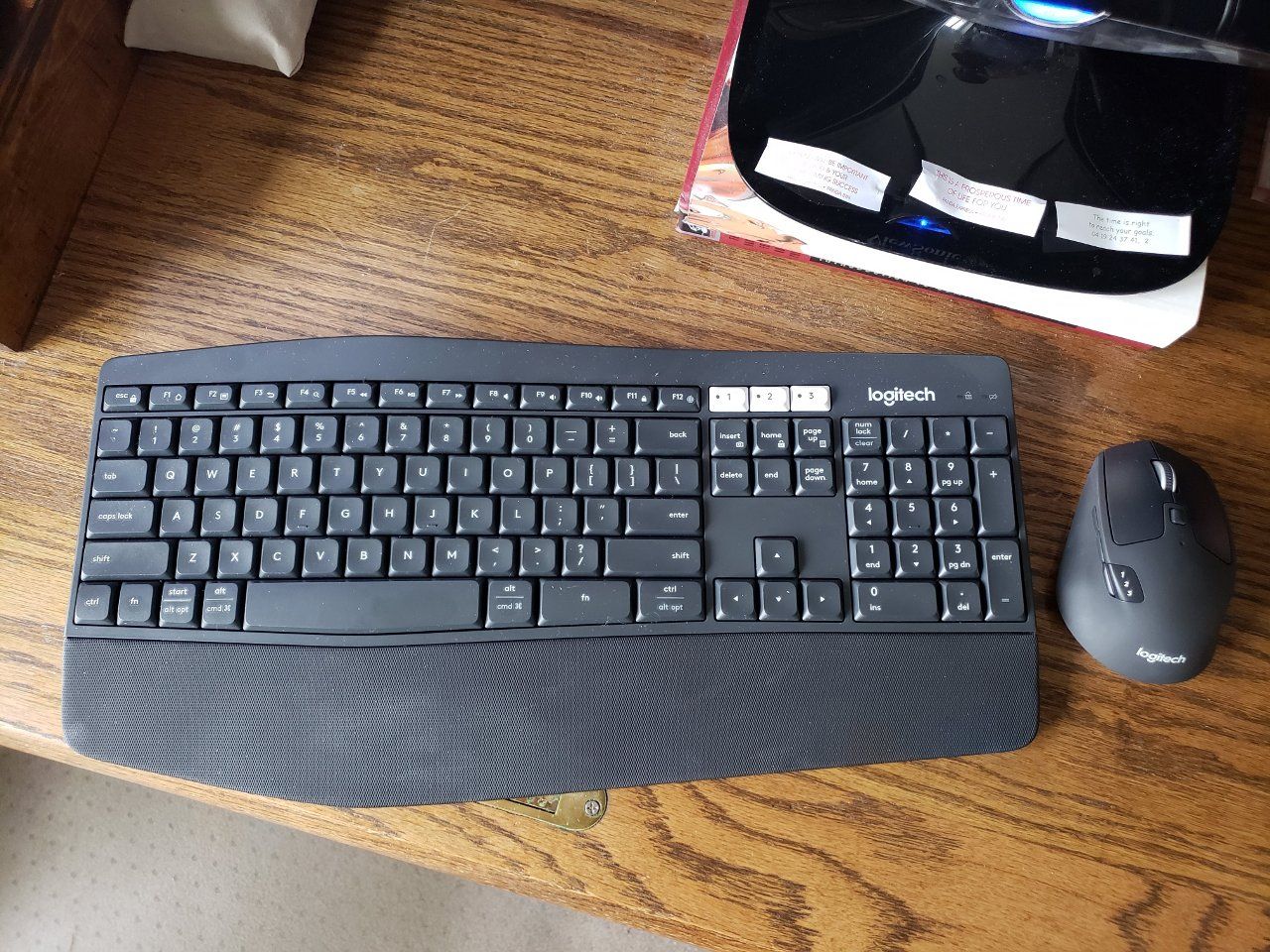
The last time BTC topped up I managed to take some profits and banked enough to feel like getting a few items I’ve always wanted and pay off some of my debts. One of the things I just got recently was a Logitech MK850 keyboard and mouse.
“Your cryptocurrency at work” is a play on words because I think of myself as kind of “working” with cryptocurrency investment. The government likes to put up signs for months alongside highway repair cones on lonely deserted roads that say, “Your taxes at work.” So I figured you might enjoy the humor of it. :)
Logitech MK850 Review
Honestly, I almost took the Logitech MK850 back to the store unopened after I purchased it because I had some second thoughts about if I could get it to work with my older systems and Linux. The box does not say it is compatible with Linux or Windows XP and searching on the net shows some mixed results.
I did find some support for Windows XP on Logitech’s website so I decided to go ahead and try it out. I’m glad I did. This keyboard has a really nice feel to it and the mouse fits great in my hand. I’m in general very pleased.
The keyboard and mouse are wireless devices that can work with up to three different devices through a single button press. They support Logitech Unifying USB dongle and Bluetooth devices.
Both of my machines are dual boot machines so I just set everything up on the Windows side and the mouse and keyboard worked just fine in Linux when I booted into that. My new Galaxy S9+ smartphone works fine with the keyboard and mouse too.
I had an extra Logitech Unifying USB dongle that I got when I purchased a M585 mouse that set-up nicely to support the new mouse and keyboard using the Windows software. So now I have a single dongle in each machine that can control both mice and the keyboard.
I could not get some of the fancy features to work though, like copying text between the machines with the mouse. The Linux machines did not support this at all and trying to do it between Windows 7 and XP would not work either.
The mouse has all the standard buttons plus a new button by the mouse wheel that allows it to rotate freely or operate with some restriction. When it freely rotates you can really spin it fast. There is also a new button that is kind of hard to spot by the notch where your thumb would be if you use your right hand. This button cycles you between the last two applications that you used.
If I could change anything about it I would get rid of the ‘fn’ key on the keyboard and have a few new buttons for commonly used things like adjusting the sound. The keyboard uses the ‘fn’ key to do additional actions with the function keys when you hold down the ‘fn’ key. You can lock the keyboard so the new actions are done instead of the usual function key actions but this can get confusing. I use the function keys a lot.
There has only been one time where the keyboard didn’t operate correctly and it quickly fixed the connection issue. I think this is good considering all the devices that might possibly conflict with it. I was a bit concerned about this after reading some of the reviews.
Logitech MK850 keyboard and mouse – click for viewing full screen
Purchase
I spent about a bit penny, (.01 BTC) on the keyboard and mouse. Perhaps one of these days some kids might laugh at me for that. Kind of like the 10,000 BTC pizza story you know. Oh, well, I feel like I gotta good deal. There’s more where that came from and money really needs to flow if it is ever going to do anyone any good. Plus who really knows what will happen, .01 BTC might buy a condo in the future, or perhaps not.
My guess is that crypto is going to continue to grow and this video below is a good one to view for understanding why this might be:

It gets really exciting at that point in the video (around 17 minutes in) and shows why the next generation of investors might be considering a .01 BTC keyboard to be in league with the legendary pizza story.
Geeking Out++
Alrighty then, armed with a new plush keyboard and mouse I finally have all the things I need to write epic blog posts, software, do digital editing, ect. - no more procrastinating, lol.
I can kick back with my feet up in the air and the keyboard straddled across my legs while hunting and pecking at the keys with one hand and drinking coffee with the other. Nice. :)
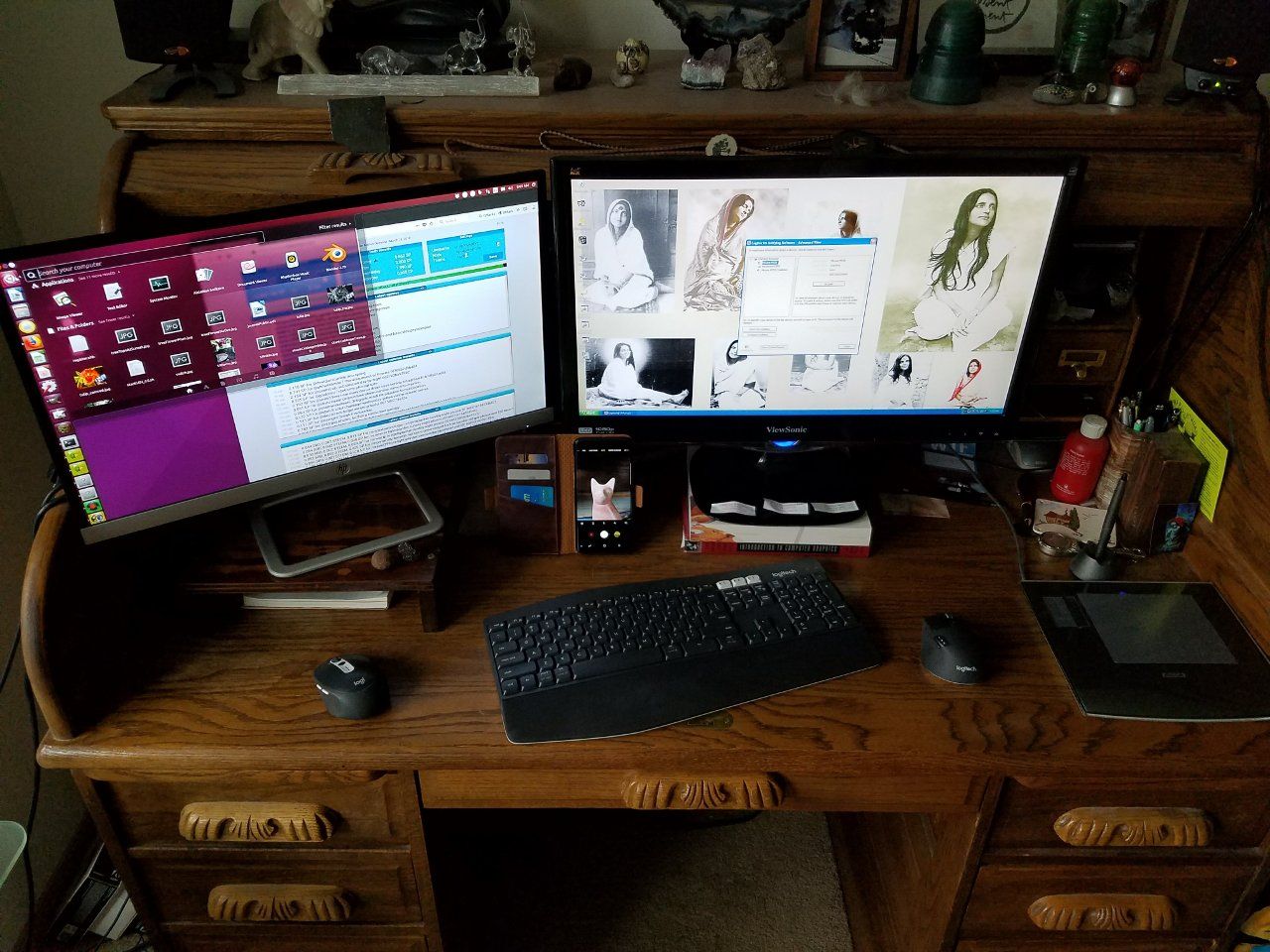
You can see my dual monitor setup below:
My Work Area – click for viewing full screen
So why would anyone want to control three devices with one keyboard? Glad you asked.
It saves a lot of desktop space. Moving keyboards around gets to be a hassle and it is hard to keep straight which keyboard goes where when you are frequently switching back and forth between the machines.
It is a lot faster to type anything on the smartphone using a keyboard and mouse. This combination is much more portable and easier to use than a laptop in my opinion.
When I’m loading big blockchains on my primary machine I like to turn on my other machine and do other things. It can take a long time to get everything on my main machine running again after a reboot. (Mining proof of stake coins can be a virtually dirty and thankless job but somebody's gotta do it, lol)
Perhaps if the Steemit guys solve the database sharding issue the blockchains won’t take so dang long to load.
I generally don’t run more than one device at once but now that I have this new keyboard I might use Windows XP a lot more or boot it into Linux to test software, or do other things that might be a security issue. I like to keep my main machine operating with only things that I trust.
I can run either computer with both monitors at once if I want. I generally only use one monitor but two monitors is really handy to read manuals on one monitor while running programs on the other. Many 3D software packages and compilers are complex enough to run better using two monitors depending on what you are doing.
Thanks for reading! I always value your support and comments. The pictures were taken by me with my Galaxy S9+ and S7. The video linked on Youtube is not my work.