
DIGITAL ART CONTEST ANNOUNCEMENT!!!!
ROUND #1
Hello Fellow Steemians.
This blog is to announce the start of my new Daily Digital Contest and to provide a Step by Step lesson on how to create your first Digital image if you have not done so before. Not so long ago, I didn't have a clue about how this was done and because I really loved the versatility and end result of Digital Manipulation, I began (through trial and error) to produce Digital Art which has brought me a lot of satisfaction and some images that I am really proud of.

A few Steemians have shown interest in my Digital Art, and for a while now, I have been contemplating organising a weekly contest. I have decided that there is no time like the present. My biggest motivation is knowing how much you are going to enjoy experimenting and working to achieve goals you didn't think were possible.
Steemit is all about creating challenges, stepping out of our comfort zones and developing new skills. Some of you reading this will be writing yourselves off before even trying this new skill of Digital Art because you've already programmed the negatives into your brain about your perceived difficulties. Please don't do that because I am here to tell you......IT IS A LOT EASIER THAN YOU THINK!

Before I show you the first steps to doing 'Digital' I'd like to share a few rules of this contest. I will be testing the waters to begin with and will no doubt need to change things as we go. The tag I am using for this contest is #digitalartcontest You can post your entries on any day of the week but the judging will take place on Day 7, with entries closing on midnight, Monday AEST (Australian Eastern Standard Time) The winner will be announced on the following day.
(This contest finishes next midnight, Monday 23rd July AEST)
Here Are The Rules For This Contest.
All of your original photos MUST be taken by yourself. You'll need to display your original photo with your digital image with each post. But for the first few contests, I will provide an image for you to use as a template.
Only two entries per contest. Include both in the same post to make judging easier.
Include #digitalartcontest as your first tag.
Create a post featuring your entry/entries and attach the link to your post and a copy of your photo/photos in the comments section of this blog.
Upvote my (Weekly) Digital Art Contest.
Resteem my (Weekly) Daily Digital Art Contest blog to get the word out. The success of this contest will be dependant on the activity and involvement of yourselves and others as they learn about it.
Entries close on midnight Monday AEST (Australian Eastern Standard Time) each week. The winner will be announced on the following day.
Your entries will be disqualified if these rules are not adhered to.
To begin with there will be one winning prize of 1 SBD per contest. It's peanuts, I know. But hopefully we will be able to advance to brazil nuts before you can say, "I'm a digital artist!"
This prize will increase if there is enough interest in the contest and naturally I will introduce 2nd and 3rd prizes as soon as it is viable for me to do so.
Ok...…...ARE YOU READY TO RELEASE YOUR INNER DIGITAL DESIGNER????? Here goes!
This heron image (below) is your template for this week. Go ahead and download this photo.
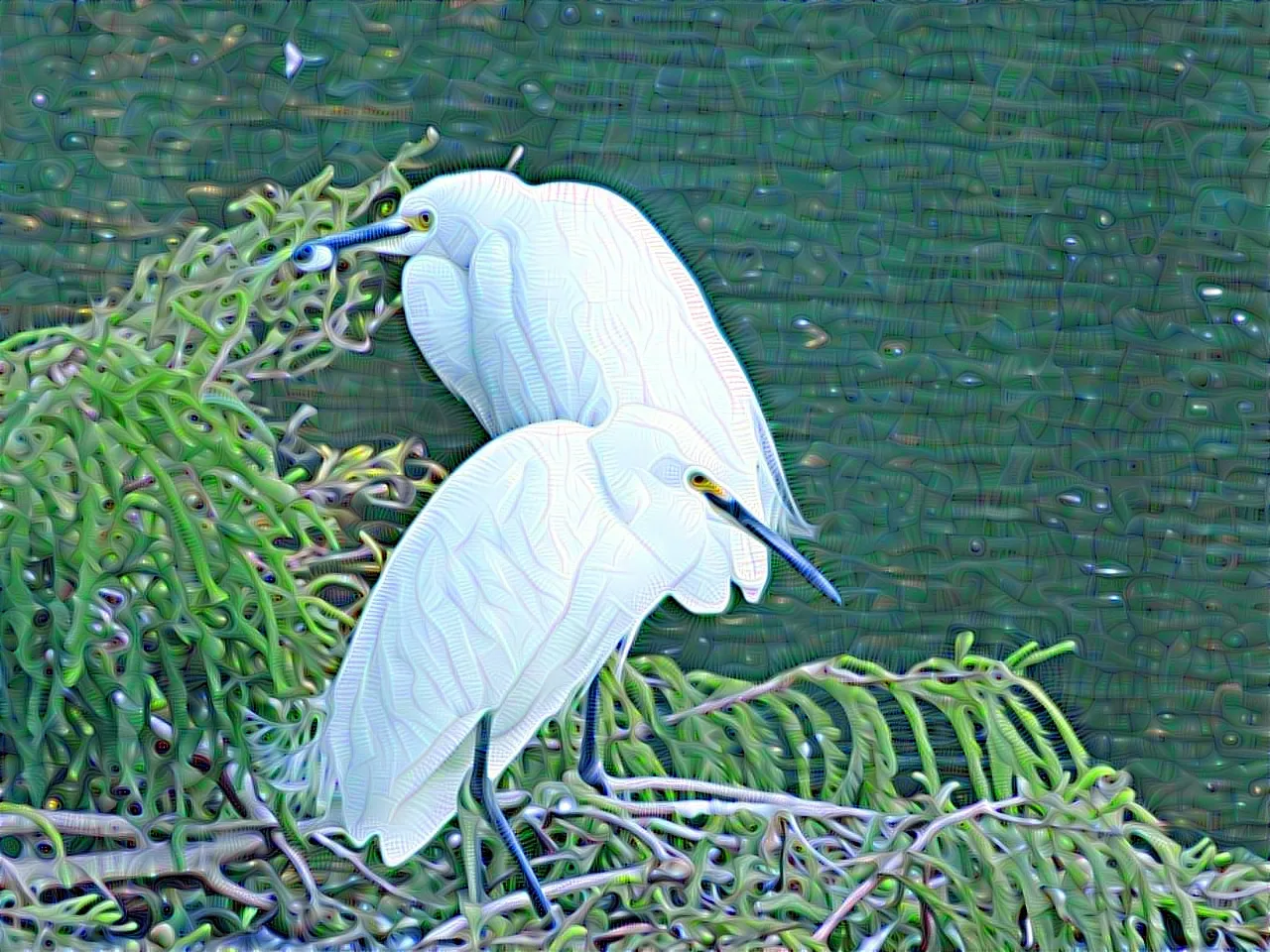
You might be wondering why this image has little wriggly lines running through it. Good Question! First rule of thumb before choosing which image to add a digital filter to.
DO NOT THROW AWAY YOUR DUD PHOTOS.
Let me explain. These two beautiful white herons were standing close together on some branches quite a distance from where I stood with my camera. I really loved their artistic pose and thought they made a very handsome couple. They would have been an even more handsome couple if I'd managed to focus properly, but the distance was too great. Did that deter me? No......because I understood the power of Digital Enhancement.
DO NOT CLEAN YOUR GLASSES.
This photo is as Dud as Dud can be. You'd have to agree.

After a bit of textural tweaking (we'll go into that at a later date) I decided that this 'dud' photo was going to come in very handy. There are many Photo editing sites which provide a wonderful array of interesting digital filters and effects but for today, we will be using Prisma Photo editing. And guess what? It's free to use and you don't have to download it.
This is what you'll see when you click on the link. These 6 images are just a few of what is available in Prisma. Scroll down and get familiar with what is there and make a mental note of which one you'd like to try after completing your entry for this contest.

STEP 1. I've chosen the image with the arrow pointing towards it. I have no idea how the herons are going to look but we'll give it a go. Find it and click on the little girls face.

STEP 2. Click on browse to download my Heron photo you should now have on file.


Wait a few seconds for it to process. This is how your photo should look after it is finished. Do you like it? I don't. I'm sure we can do better. Before we try another filter, just remember that digital editing is all about trial and error. Even after I have been doing this for 2 or 3 years, I still can't pick the finished result at times.
N.B. Don't forget to crop that watermark on the top right hand corner of your edited image. It's annoying but unavoidable although I'm pretty sure it is not there every time I use Prisma.

This is my 2nd choice. I think the darker colours may prove to be a little more successful. We won't know until we try. Click on the image of the girl in the middle. Then repeat the process above of clicking 'Browse' and upload the Heron image again.

That's a lot better. Don't you agree?

Lets try another one to show you how versatile digital art can be. Those Moody Blues look very mysterious don't they?

Waiting......waiting...…...VOILA!!!!
Do I love this one? It's not one of my favourites.

So don't stop there. Go to your usual editing site and sharpen it up a bit.

And while you're at it change the colour...….just for fun.

The second edit is my favourite out of the 3 and I'm almost tempted to try another one...….because I'm addicted to Digital Art, and I am also a bit of a perfectionist but what one person likes, another will only take a cursory glance at; which is the case with all art when you think about it. AND NOW...…. its your turn!
Check out the rest of the filters available in Prisma and choose your best one (or two) to submit for our very first Daily Digital contest. I have just realized that it is quite possible for two entries to be the same if you all use Prisma, so if that happens, it will be a case of, the first entry with the same filter is the one I will accept for the contest. Please feel free to use other editing sites but remember your entries can look very unique when you change the colour.
I can't wait to see you Digital Art. I really hope this tutorial has been beneficial and my biggest wish for you all, is that you HAVE FUN!
