
Hi Friends!
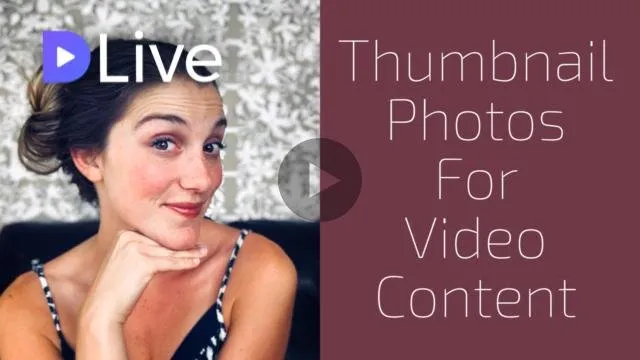
Does the below image look all too familiar?

We've all been there... we think we have the perfect thumbnail image designed - and then after it loads, we realize it either chopped off the text, our head - or both!
I used to have a few "work arounds" I would do to make sure this happened less, but I have recently started using a new tool that has been a game changer for me!
Getting the Right Shape and Dimensions
This is one of the biggest struggles with making good cover images. Our phones and camera's don't produce images in the same rectangular shape that video sharing sites require. This means we have to do some editing to get the right dimensions.
Luckily the tool i've been using takes out the guess work and gives you designs that are perfectly sized and ready to go.
Enter... Canva

I have actually been using Canva for years, but recently discovered their "YouTube Art" setting. There are literally hundreds of free, gorgeous layouts that you can use that are perfectly proportioned for video content.
Wether you are posting on Dlive, Dtube or YouTube - the cover image will show up exactly how you want it to look every time.
What is Canva? It is an online design tool that allows you to make gorgeous designs in seconds. They can be used either in the browser, or through their mobile app.

Other Random Tips
This may sound silly, but before I started using a tool that was specifically designed for video thumbnail design (Canva) ... I was getting a little "homemade" with my strategies.
I would purposely take a photo that had extra space above my head, to compensate for the fact that I knew it would cut down the image.
Another thing I would do - would be to purposly add white bars to the top and bottom of my images. This may sound funny, but when I actually went to upload the video - you wouldn't see the white bars and the picture turned out great. I would use Pixelmater for this. In the video, I give a quick demonstration to show how easy it really is! Warning... Pixelmater is not free.
I Can't Wait to See Lots of Beautiful Dlive and Dtube Videos Now!
I really hope some of you found this helpful! I know there are tons of video content creators on the platform that are smashing it with their thumbnail photos - but I also know there are those out there (like me) that struggled with this a bit.
I hope you guys have fun checking out Canva - I should warn you - it's easy to go down a rabit hole of playing with designs!
I hope to see even more beautiful thumbnail images here on Steemit! If you have any tips to share on how to make good thumbnail images - feel free to shoot them in the comments below so we can all learn from each other.
Xo, Lea

Equipment Used in this Vlog
In order to add an extra layer of transparancy and value to my vlog's, I will be adding a list of equipment used at the bottom of each one! If you ever have questions about the gear I use, or how I use it - please don't hesitate to ask.
Microphone – Apogee Professional Microphone for Iphone/Ipad/Mac
Pop Filter - Earamble Studio Microphone Pop Filter
Microphone Stand - Cowboy Studio Stand
Mic Stand Adapter - Apogee Adaptor
Camera – Iphone X
Camera Tripod – Amazon Basics Tripod
Smartphone Tripod Adaptor - KobraTech Tripod Adaptor
Lighting – LimoStudio 700W Softbox Lights
Video Editor – Imovie
Thumbnail Photo Editor – Snapseed and Canva
My video is at DLive