
Please read this: Advanced EOS Multisignature Tutorial to understand EOS Multisignature
1. Set up permissions on your account:
Loginyour EOS account on bloks.io => Wallet => Permissions Manager
When completed, check out your account permissions
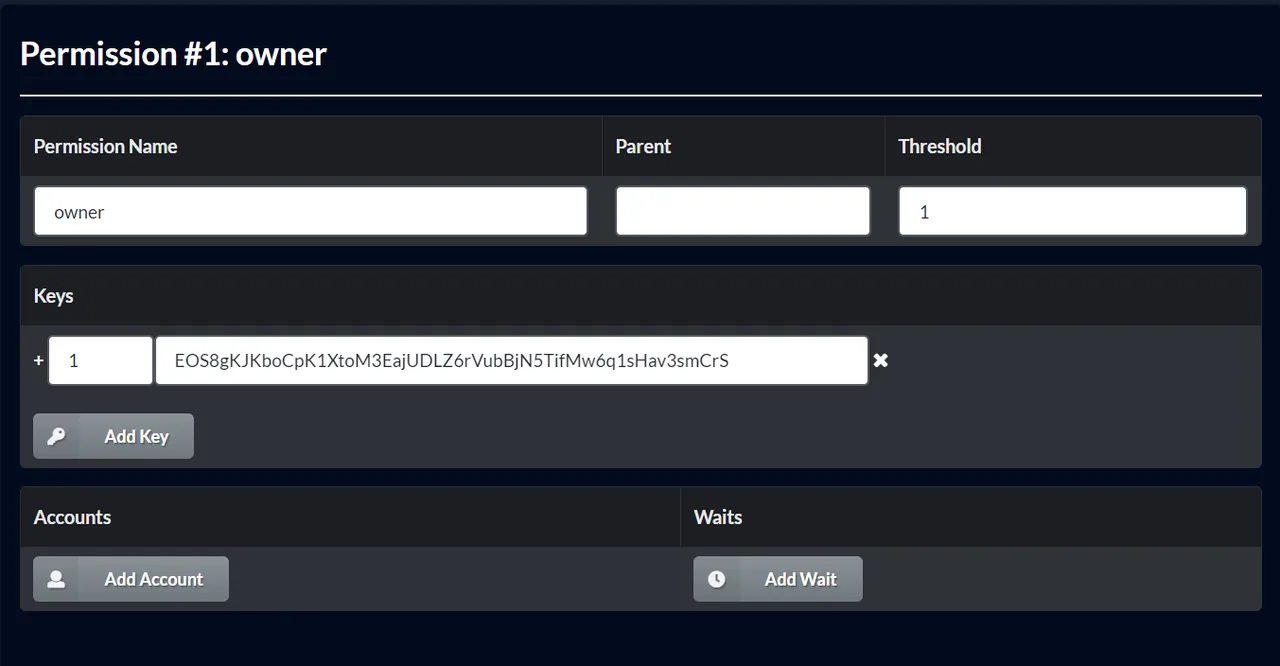
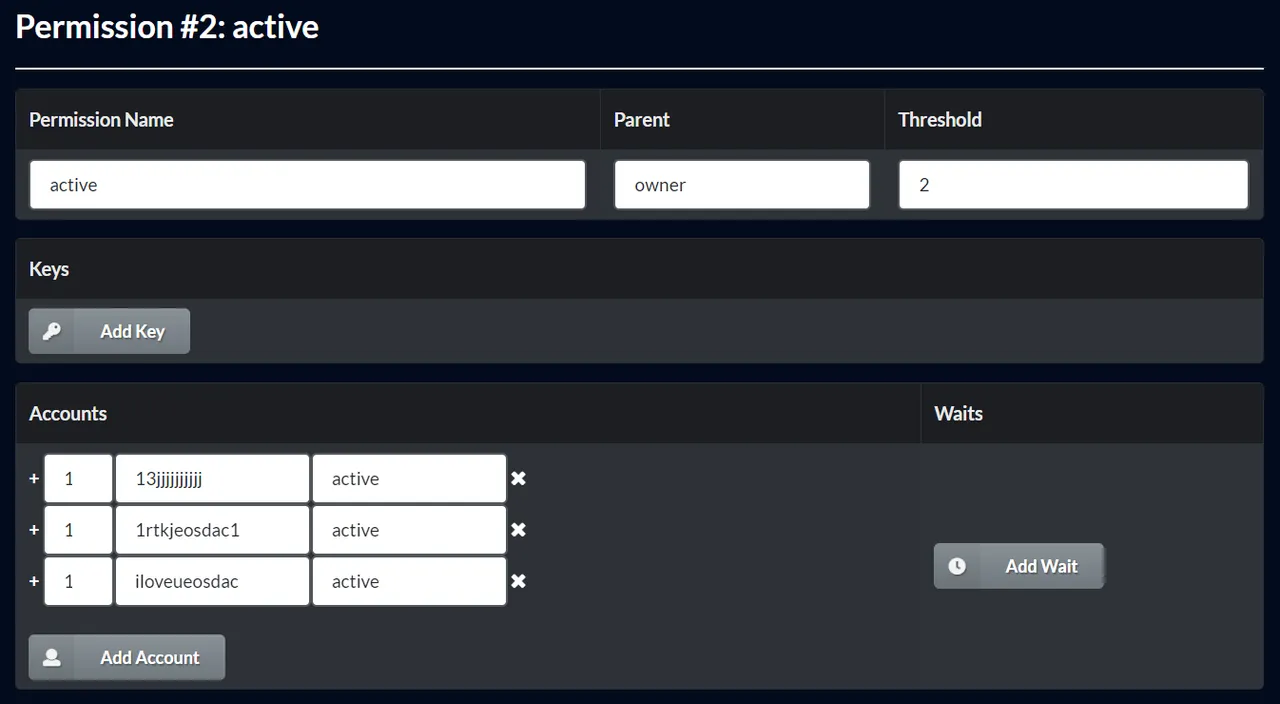

2. Create a msig transaction:
Turn on
Multisig Mode
Go to Wallet => Transfer Tokens
Click
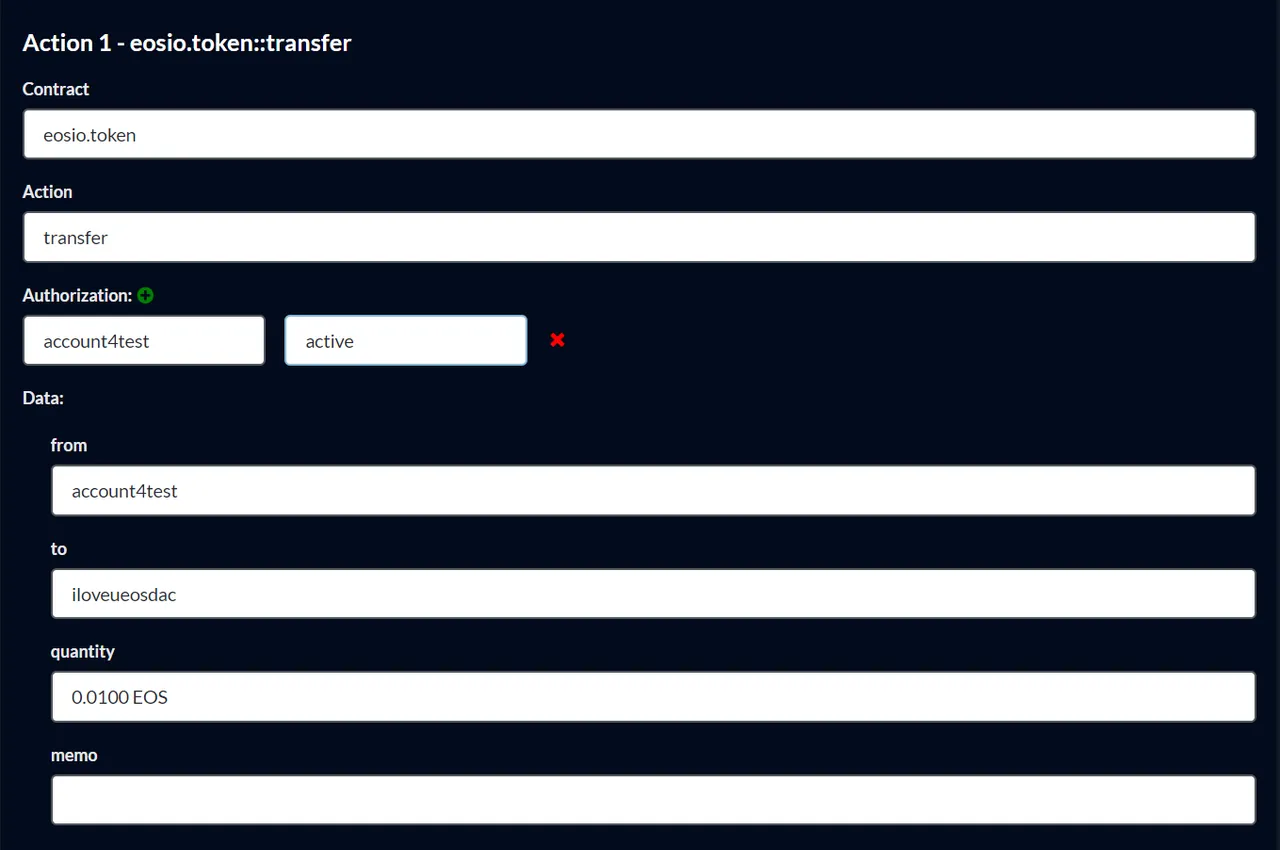
Transfer 0.01 EOS to iloveueosdacThen, you will turn to Propose Multisig Transaction
Put on the transaction information


* Proposal name: put on anything you want, but it is not longer than 12 characters
* Requested Approvals: my Active Threshold is 2, so just pick up 2 of 3 accounts

* Authorization: put on your Sender account. Here is account4test and active (I put on active because all of my Requested Approvals are on Active Permissions - please look at the picture below)

Click
ProposeWhen completed, click on
msigtxtest


Turn off
Multisig ModeandLogout
Loginthe first approval account13jjjjjjjjjjand clickApprove Transaction
LogoutandLoginthe second approval account1rtkjeosdac1and clickApprove Transaction
Now you have 2 approvals, then click
Execute Transaction


- When completed, click F5 and you will see

Congratulations! Your msig transaction is done!

Hãy bỏ phiếu cho eosdacserver
Đăng ký bản tin của chúng tôi để nhận thông báo và theo dõi chúng tôi trên các nền tảng mạng xã hội yêu thích của bạn:
Steemit | Discord | Telegram | Facebook | Twitter | Google-plus | Github | Instagram | Linkedin | Medium | Reddit | YouTube | Weibo| VK| Bihu