

Hello Steemian…
On this occasion I will make a tutorial to design a business card, What is a business card ?. A business card is a small piece of paper that contains identity, whether it is the personal identity or the identity of a company.
Although on the internet our corporate identity can be widely distributed, but business cards are also important to introduce ourselves and our company to the public, via a small paper containing messages, descriptions, logos and contacts.
Design Process
In this tutorial, I will design a simple steemit business card, here is the design process:
- Open the CorelDraw program and create a new document with millimeters and set the length and width of "90 mm X 50 mm".

- Create a box with a size of 90mm X 50mm using the Rectangle Tool, then fit it on paper documents.
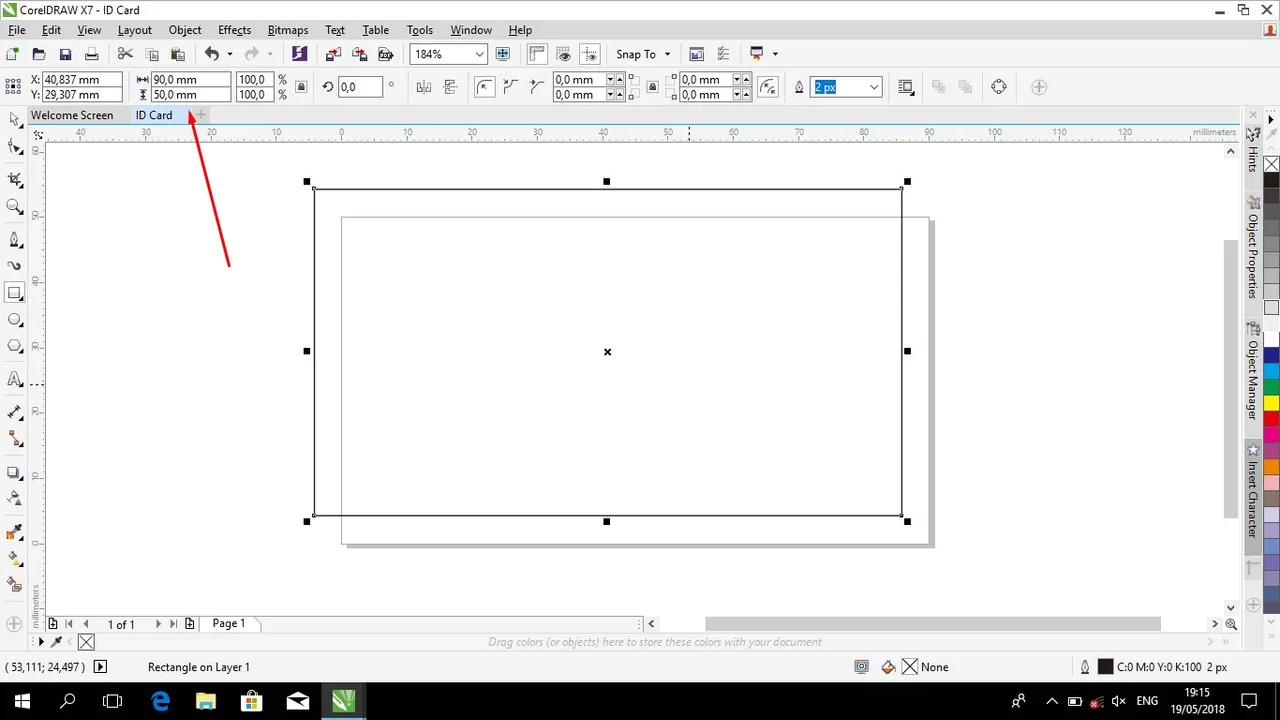
- Then create the box again using the Rectangle Tool and adjust as in the image below.

- Then change the small box shape like the picture below using Shape Tool.

- Add color and remove the color on the line of the object as in the picture below.

- Create an object like in the picture below in the way as above or can also use the Pen Tool and give color.
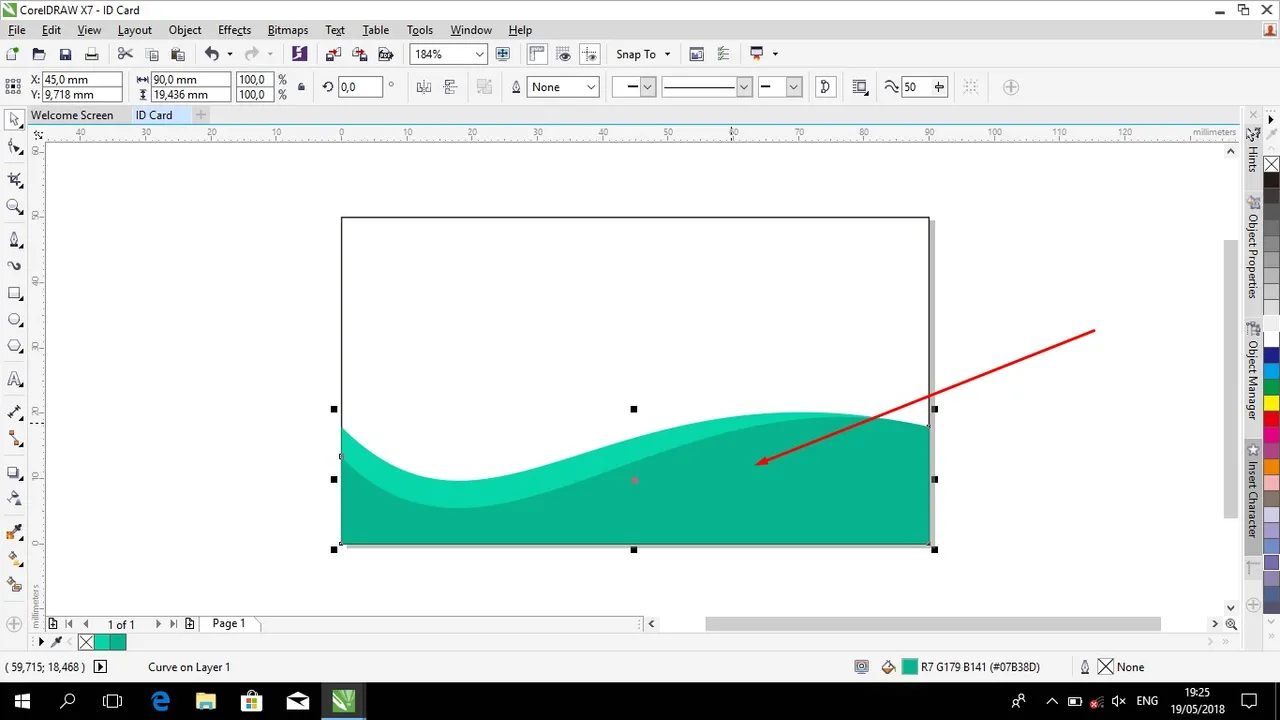
- Add a triangular shaped object as shown below.

- Then create the Email icon, Whatsapp and Location, then place it according to the image below.

- Next enter your Email address, your Whatsapp Number, and your real address. And place and trim as in the picture below.

- Form a circle using the Ellipse Tool, placed as in the image below and insert your photo into the circle.

- Then write your name and your work under the circle containing your photo.

- Change the line color on the business card as shown below.

- The last step enter the steemit logo and place it according to the image below.

The result:

The tools used
- CorelDraw X7 Software
- Laptop
So my process is designing a simple business card steemit, Hopefully this tutorial is useful for you all. If you want to ask about this tutorial, you can ask directly through comments.
