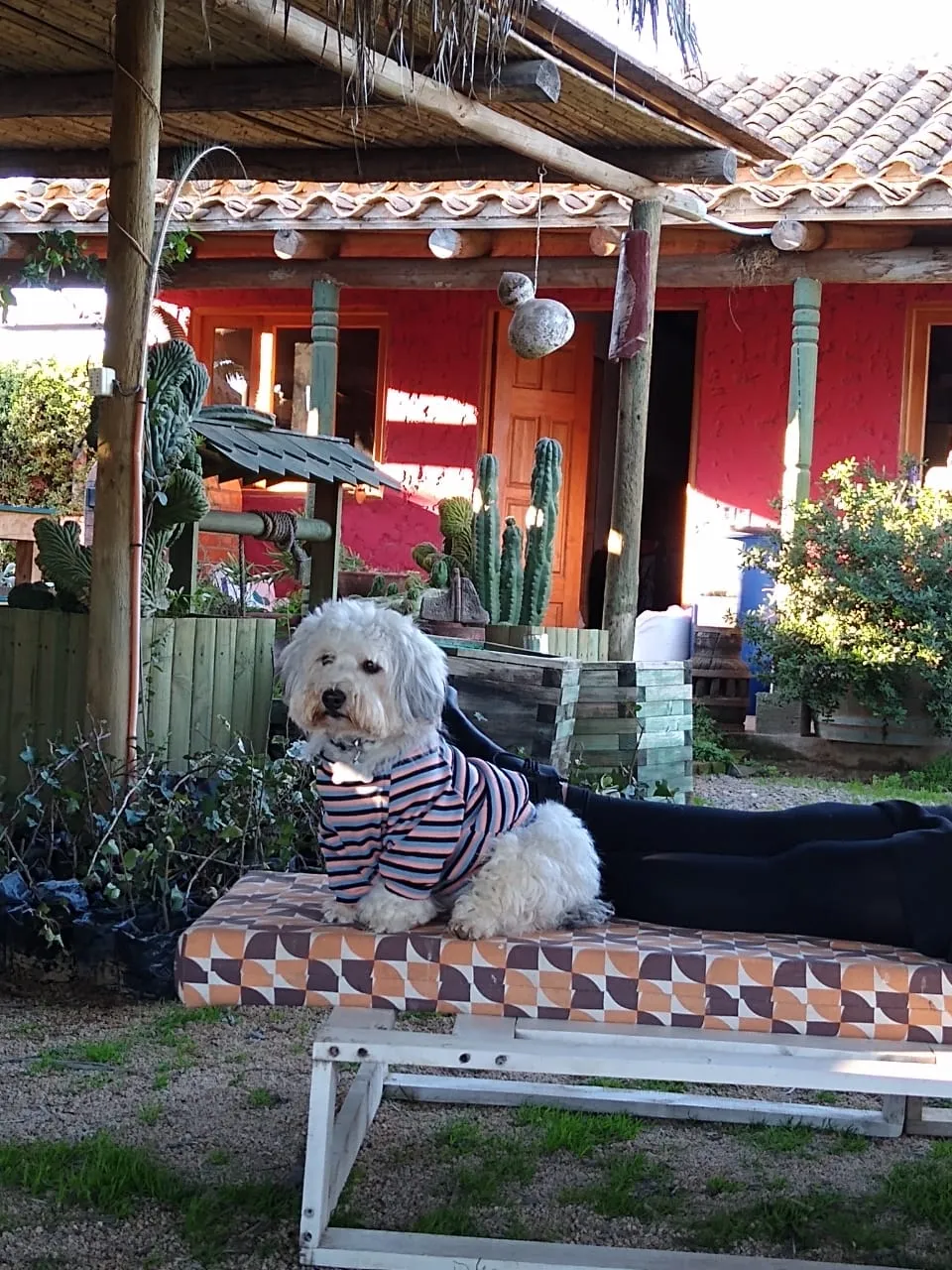
This time i'm glad to present Otto to you, a little poodle and companion of a friend of mine 💖 this is my second portrait as the title says :3 so would you like to accompany me in the process? 😊 let's begin
Esta vez tengo el gusto de presentarles a Otto, un pequeño poodle y compañero de una amiga 💖 este es mi segundo retrato como dice el titulo :3 así que les gustaría acompañarme en el proceso? 😊 empecemos
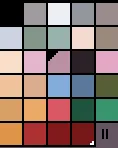
Above as always is the color palette that i used on this composition, and below a sketch of the head, i always start with the eyes and from there start to set everything else in place, usually i make some changes in the position of the eyes and nose as the work progress, you'll see 😊
Arriba, como siempre está la paleta de colores que usé en esta composición, debajo un boceto de la cabeza, siempre empiezo con los ojos y desde allí empiezo a colocar lo demás en su lugar, usualmente hago cambios en la posición de los ojos y la nariz mientras el trabajo progresa, ya verán 😊
you can compare this one to the previous and will notice that the eyes are in different positions, i was just testing some base colors for the head and making quick lines to emulate the hair, i'm using a mouse so this can be a little tedious XD
Pueden comparar esta con la anterior y notarán que los ojos están en posiciones diferentes, solo estaba probando algunos colores de base para la cabeza y haciendo lineas rapidas para emular los pelos, estoy usando un mouse asi que esto puede ser algo tedioso xD
it was kind of messy at this point, the little rectangles to the left are some brush samples that i made for the shirt. In ASEPRITE you can make brushes really easy, just select the pattern that you want to make as a brush and then press ctrl+B and done! i will leave an example below :3
Se ve algo desordenado en este punto, los rectángulos a la izquierda son algunos ejemplos de pinceles que hice para la franela. En ASEPRITE puedes hacer pinceles de una forma bastante sencilla, solo selecciona el patrón que quieras usar y presiona Ctrl + B y listo! dejaré un ejemplo debajo :3
The C in the forth step means cursor, that is the final brush after you use the ctrl + B command on the selected pattern.
La C en el cuarto paso quiere decir cursor, ese es el pincel final después de que usen el comando Ctrl + B en el patrón seleccionado.
It's almost done, what i found as the hardest part of this one was the hair, because it's white was very difficult for me to emulate it x.x
Está casi listo, lo que encontré como lo más difícil de este fue el pelo, porque es blanco... se me hizo muy difícil emularlo x.x
🐶 Otto! 🐶
making this one was really fun as always, hope you liket and if want to see more of my work please check my profile Hive account@andielor n.n thanks for reading me! below i will leave the image in its original size (it's upscaled by 10x) and the process gif
Hacer este fue muy divertido como siempre, espero que les haya gustado y si quieren ver mas de mi trabajo por favor entren en mi perfil Hive account@andielor n.n muchas gracias por leerme! Debajo dejare la imagen en su tamaño original (esta aumentada en un x10) y un gif del proceso
original size 250w x300h pixels
process gif 🐶
Pet portrait #2 - Otto 🐶| Retrato de mascota #2 - Otto 🐶





 n.n thanks for reading me! below i will leave the image in its original size (it's upscaled by 10x) and the process gif

