
Español

Hola Amigos de Geek Zone ¿Cómo estás? Espero que estén super bien y sean bienvenidos a una nueva publicación hecha por mí. Hoy les quiero hablar de una nueva adquisición, una adquisición importante que ya pedía a gritos, una de las cosas fundamentales para poder publicar cosas es mi block es la PC, pero la Computadora es completamente inútil si no tienes un monitor o un dispositivo para poder ver la imagen, y una de las cosas que me hacían falta era eso, un monitor nuevo y lo pude conseguir.

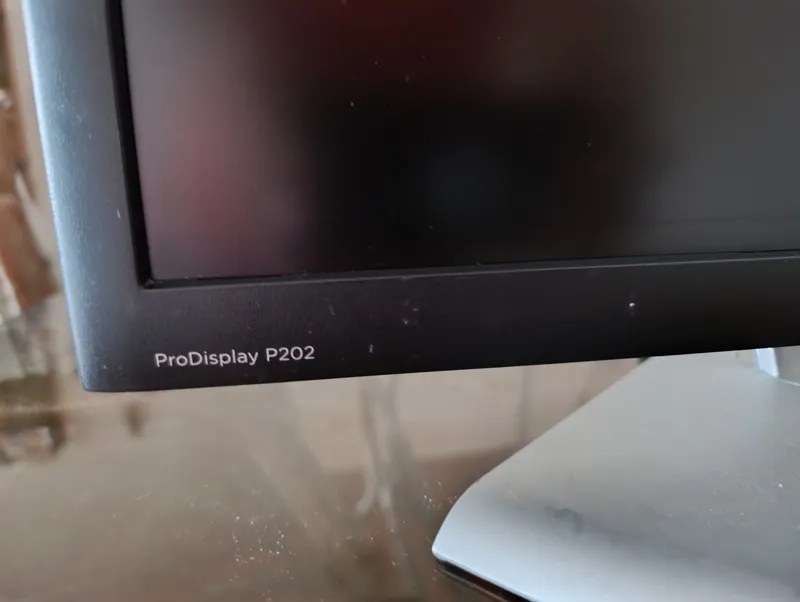
Dicho monitor es un HP de 20 Pulgadas con disponibilidad para ProDisPlay P202, ¿por qué me compres este monitor? Muy fácil, mi monitor anterior que era un Samsumg ya estaba muy viejo, dicho monitor tenía rayas en la pantalla y algunas sombras que me incomodaban la vista, entonces vi este monitor en una tienda, lo compré por 30$, lo probé, y me gusto como funcionó y en este post les hablare de forma breve sobre este monitor que tiene algunas funciones interesantes.

En mi opinión personal este monitor me gusta más que el que tenía antes, primero porque tiene base jaja, si aunque ustedes no crean estoy festejando tener una base para el monitor, ya que con mi monitor anterior tuve que improvisarle y construirle una base con anime, ese monitor lo compré sin base porque ya no habían disponibles con base, y era incomodo a veces y se llenaba bastante de polvo pero funcionaba, ahora que tengo este monitor HP puedo tenerlo mejor ubicado, más cómodo y más presentable a la hora de que las visitas lleguen a mi habitación, si ven en las imágenes se darán cuenta que la base del monitor se ve resistente y tiene la función de moverlo a la altura y orientación que tú quieras, yo prefiero tenerlo bajo para no estar moviendo mi cuello jaja.

Lo segundo que más me gusta de este monitor es que refleja mucho mejor la calidad de los colores, en juegos como Minecraft o CS2 se pueden ver más nítidos y vivos los colores, aparte de tener una mejor gamma o mejor dicho iluminación predefinida, muy útil para jugar videojuegos donde debes meterte en ambientes oscuros para poder avanzar o conseguir cosas, lo malo es que cuando es de noche y quiero apagar la luz de mi habitación el monitor refleja tanta luz que me incomoda los ojos, claro puedo activar la luz nocturna, pero prefiero usar una lampara que tengo aquí a la mano para hacer un poco de luz y que mi vista no se enfoque tanto en el monitor.

También puedo decir que la calidad de la imagen y de los vídeos es mucho mejor, al principio me costó un poco configurar el monitor a su resolución ideal que es 1600 x 900, la otra resolución que tenía era la estándar de las laptops, cuando lo configuré por primera vez funcionó pero había un detalle en la imagen y era como una sombra que se podía apreciar en los iconos de la barra de tareas, dicho sombreado era molesto hasta tal punto que podía marear, llame a un amigo que es técnico y me dijo que eso no era del monitor, era del cable vga, entonces el cable nuevo que venía con el monitor HP estaba malo y entonces usé el cable anterior del otro monitor y corregí el problema de ese sombreado molesto.
Quién lo diría compre un nuevo cable de mejor calidad y resulto estar defectuoso jaja. En cuento a experiencia de con los videojuegos, el monitor es una pasada, ya lo dije antes es genial cuando lo uso en juegos donde necesito ver en la oscuridad, el monitor es capaz de correr a los 60fps por segundo, lo que hace la experiencia más fluida y disfrutable, en este último tiempo he estado jugando a muchos emuladores de consolas en mi pc y me recuerdan a la imagen que se emiten en los televisores, los juegos de consola se ven mejor en el monitor que en el televisor una cosa de locos jaja.

Sin embargo, aun no he probado toda la calidad de esta belleza, ya que este monitor incluye una conectividad versátil, en su nombre dice que tiene ProDisplay, puedo conectarle un cable de este estilo a mi grafica y ver mejor calidad, aunque en estos momentos todavía no he comprado ese cable, lo haré pronto, entre otras cosas este monitor también contiene una fuente de alimentación integrada que facilita la gestión de cables y el montaje.

Bueno amigos de Geek Zone, espero que les haya gustado este post sobre mi nuevo Monitor HP, con este monitor también da gusto editar vídeos y hacer creación de contenido para seguir creciendo en la plataforma, realmente recomiendo un monitor como este porque tendrás las imágenes con colores vivos, frecuencias fluidas y buena resolución, claro no se compara con un monitor para Gaming, pero con este puede bastar e incluso sobrar jaja.
Gracias por leer.
🔋¡Adiós!🔋
¡¡Muchas Gracias!!

Translated with www.DeepL.com/Translator

English
[Es/En]🤓My new HP ProDisplay P202 Monitor💻
Hello, Geek Zone friends! How are you? I hope you're doing great, and welcome to my new post. Today I want to talk to you about a new purchase, an important purchase that I really needed. One of the fundamental things I need to publish on my blog is a PC, but a computer is completely useless without a monitor or a device to view the image, and that was one of the things I was missing: a new monitor.
This monitor is a 20-inch HP ProDisplay P202, with availability. Why did I buy this monitor? Very easy. My previous monitor, which was a Samsung, was already very old. It had lines on the screen and some shadows that bothered my eyes. Then I saw this monitor in a store, bought it for $30, tried it out, and liked how it worked. In this post, I'll talk briefly about this monitor, which has some interesting features.
In my personal opinion, I like this monitor better than the one I had before, first because it has a stand, haha. Yes, even if you don't believe it, I'm celebrating having a stand for the monitor, since with my previous monitor, I had to improvise and build a stand out of cardboard. I bought that monitor without a stand because they were no longer available with stands, and it was uncomfortable at times and got quite dusty, but it worked. Now that I have this HP monitor, I can position it better, more comfortably, and more presentably when visitors come to my room. If you look at the pictures, you'll see that the monitor stand looks sturdy and allows you to move it to the height and angle you want. I prefer to have it low, so I don't have to move my neck, haha.
The second thing I like most about this monitor is that it reflects color quality much better. In games like Minecraft or CS2, the colors are sharper and more vivid, in addition to having a better gamma, or rather, better predefined lighting, which is very useful for playing video games where you have to go into dark environments to advance or get things. The downside is that when it's nighttime, and I want to turn off the light in my room, the monitor reflects so much light that it bothers my eyes. Of course, I can activate the night light, but I prefer to use a lamp I have here at hand to provide a little light so that my eyes don't focus so much on the monitor.
I can also say that the image and video quality are much better. At first, it took me a while to set the monitor to its ideal resolution, which is 1600 x 900. The other resolution it had was the standard for laptops. When I set it up for the first time, it worked, but there was a detail in the image that looked like a shadow that could be seen on the taskbar icons. This shadowing was so annoying that it made me dizzy. I called a friend who is a technician, and he told me that it wasn't the monitor, it was the VGA cable. So, the new cable that came with the HP monitor was faulty, and I used the old cable from the other monitor and fixed the annoying shadowing problem.
Who would have thought that I would buy a new, better quality cable and it would turn out to be defective, haha. In terms of my experience with video games, the monitor is amazing. As I said before, it's great when I use it for games where I need to see in the dark. The monitor is capable of running at 60 fps, which makes the experience more fluid and enjoyable. Lately, I've been playing a lot of console emulators on my PC, and they remind me of the image displayed on televisions. Console games look better on the monitor than on the TV, which is crazy, haha.
However, I haven't yet tested the full quality of this beauty, as this monitor includes versatile connectivity. Its name says it has ProDisplay, so I can connect a cable of this type to my graphics card and see better quality, although I haven't bought that cable yet. I'll do so soon. Among other things, this monitor also has a built-in power supply that makes cable management and assembly easier.
Well, friends at Geek Zone, I hope you liked this post about my new HP monitor. With this monitor, it's also a pleasure to edit videos and create content to continue growing on the platform. I really recommend a monitor like this because you'll have vivid colors, smooth frequencies, and good resolution. Of course, it can't be compared to a gaming monitor, but this one is more than enough, haha.
Thanks for reading.
🔋Bye!🔋
Thank you very much!!
Translated with www.DeepL.com/Translator