

Hello Gamers, as always, it is a pleasure to write for the community. Today I bring more content about Apex Legends, but this time focused on the hardware and its configuration, specifically the controls. Even though we are PC gamers, we can opt for control and play even more comfortably and efficiently than with the mouse and keyboard.

Regardless of what our command is, the important thing is that it can be recognized by the game without the need for extra programs, that it is comfortable, and that we feel comfortable with that model to play. Personally, the model that I like the most and have always liked since I arrived on the scene, is the Xbox 360 control, excessively adaptable to the hand and ergonomic. However, this will depend on each person.

Configuring Control and graphics
Control and graphics, what do they have to do? As I explained in one of my first Apex posts. We don't do anything with a well-configured controller if we don't run the game optimally. Since this post is about the controls and not the graphics part, I'm going to be very concise here; use a graphic configuration that allows you to run the game at a stable 60 fps, forget about aesthetics and always try to run the game at this level no matter what.
Once this has been modified, we can go to the controls menu where I am going to leave the images as I have them configured and you will be able to copy exactly my configuration and from there modify it.


Advanced Control View Settings


The idea is to have the feeling of a weapon that is stable, heavy, and does not falter when aiming. A low sensitivity that allows precision as exact as possible and avoids any type of unnecessary movement due to the ricochets of the weapon.
Is everything to shoot?
Although this configuration is mainly designed in the search to improve mainly the appearance of the shots and their stability. It is also designed to optimize all other aspects of the game. The way we run, hit, reload and use everything else is also focused on being efficient and fast as you can see in this image. Evolved is my config.

It will depend on you whether to keep this form or not, you must find which is the best for your game mode.
What is the best way to practice?
Apex has the “firing range” here we can come and test every configuration that we make in our setup before going out into the battle royale.


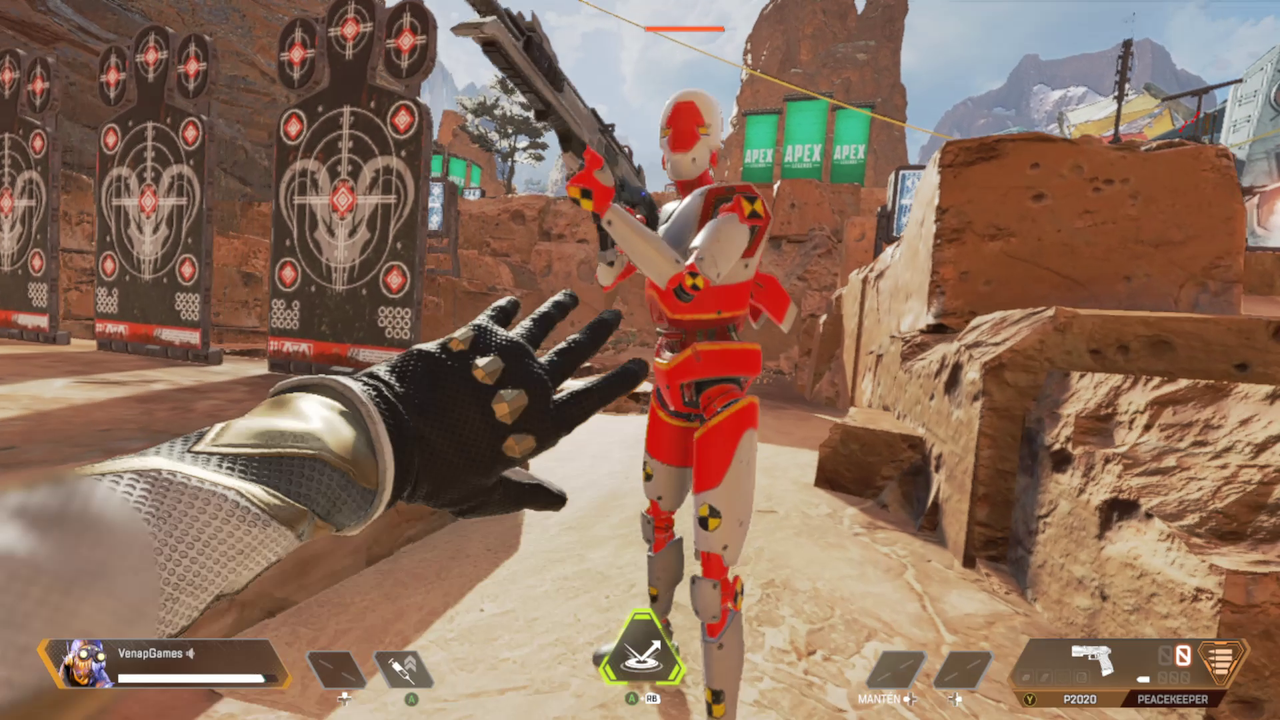


I hope this little guide will help you improve your game, see you in the next post.
All images are my own, captured with Stream Labs Software and AMD Adrenaline Software. The game is Original from my Steam Library.
PC I use to run the game:
- Processor: Intel(R) Core(TM) i3-10105F CPU @ 3.70GHz 3.70GHz
- RAM: 32.0GB DDR4 TeamCore Gaming
- GPU: AMD Msi Radeon Rx 570 4gb
- Hard Drive: M.2 Pci express 3.0 1TB
Be part of Venap Games and its communities:
My other articles on HIVE GAMING
Apex Series:
From Rookie to Predator. My path and experiences in Apex Legends
Apex Gameplays
Insane Arenas in Apex Legends. My best match in ALL APRIL
Other Articles
A Gaming MASTERPIECE and a Relic at the same time. Gears of War 2 Limited Edition
The Great Collection of games that Epic Games has given me
Fortuna III's frontier in The Cycle: The Frontier [ENG|ESP]
Spanish
Hola Gamers como siempre es un placer escribir para la comunidad. Hoy traigo más contenido sobre Apex Legends, pero esta vez enfocado en el hardware y su configuración, específicamente los controles. A pesar de que seamos jugadores de PC podemos optar por el control y jugar incluso de una manera más cómoda y eficiente que con el mouse y el teclado.
Sin importar cual sea nuestro mando, lo importante es que este pueda ser reconocido por el juego sin necesidad de programas extra, que sea cómodo y nos sintamos a gusto con ese modelo para jugar. En lo personal el modelo que más me gusta y siempre me ha gustado desde que llego a la escena, el control de xbox 360, excesivamente adaptable a la mano y ergonómico. Sin embargo, esto ya dependerá de cada quien.
Configurando el Control y los gráficos
¿Control y gráficos, que tienen que ver? Como explique en una de mis primeras publicaciones de Apex (puedes leer aquí) no hacemos nada con un control bien configurado si no corremos el juego de manera optima. Como este post va a los controles y no a la parte gráfica voy hacer muy conciso aquí; utiliza una configuración gráfica que te permita correr el juego a 60 fps estables, olvídate de la estética y busca siempre correr el juego a este nivel sin importar lo demás.
Una vez modificado esto podemos ir al menú de los controles donde te voy a dejar las imágenes tal cual yo lo tengo configurado y podrás copiar exactamente mi configuración y a partir de allí modificarla.
Menú de configuración avanzada
La idea es tener la sensación de un arma estable, pesada y que no vacile al apuntar. Una sensibilidad baja que permita una precisión lo más exacta posible y evitar cualquier tipo de movimiento innecesario debido a los rebotes del arma.
¿Todo es para disparar?
Aunque principalmente esta configuración esta pensada en la búsqueda de mejorar principalmente el aspecto de los disparos y su estabilidad. También esta pensada para optimizar todos los demás aspectos del juego. La forma en como corremos, golpeamos, recargamos y usamos todo lo demás también esta enfocado en que sea eficiente y rápido como puedes ver en esta imagen.
Ya dependerá de ti si mantener esta forma o no, debes buscar cual es la mejor para tu modo de juego.
¿Cuál es la mejor manera de practicar?
Apex tiene el “campo de tiro” aquí podemos venir y probar todas y cada una de las configuraciones que hagamos en nuestro set up antes de salir a la batalla real.
Espero que esta pequeña guía te ayude a mejorar tu juego, nos vemos en un próximo post.
Todas las imágenes son mías, capturadas con Stream Labs Software y AMD Adrenaline Software. El juego es original de mi biblioteca de Steam.
PC que utilizo para correr el juego:
- Procesador: Intel(R) Core(TM) i3-10105F CPU @ 3.70GHz 3.70GHz
- RAM: 32.0GB DDR4 TeamCore Gaming
- GPU: AMD Msi Radeon Rx 570 4gb
- HD: M.2 Pci express 3.0 1TB
Forma parte de Venap Games y sus comunidades:
Mis otros artículos en HIVE GAMING
Apex Series:
From Rookie to Predator. My path and experiences in Apex Legends
Apex Gameplays
Insane Arenas in Apex Legends. My best match in ALL APRIL
Otros artículos
A Gaming MASTERPIECE and a Relic at the same time. Gears of War 2 Limited Edition