
Some time ago I made a video that I uploaded to Threespeak about this picture, you can see the way I edited it in a really short video, you can see the post in the following Link, but I still think I can improve the image and at the same time share with you how to optimize the image to upload it to Instagram and make it look perfect.

If we upload too heavy images, Instagram will lower their resolution and that will end up affecting our pictures since they will no longer look the way we want them, and the way we had left them.
But let's quickly see how to improve in Photoshop. I personally like to leave the photograph finished from Lightroom, so I cut it in a 4X5 aspect ratio, as you can see in PS once the image is imported, I already have it in that ratio.

After cutting it with that proportion, the next thing will be to go to: image>image size> and choose: Width: 1080, and in height leave it automatic so that it resizes properly.

After giving OK, the image will become much smaller, we just zoom in again and that's it.

To focus the image we duplicate the layer.

With the new layer selected we go to: filter>convert for Smart filters

After that, we go back to filter>others>high pass.
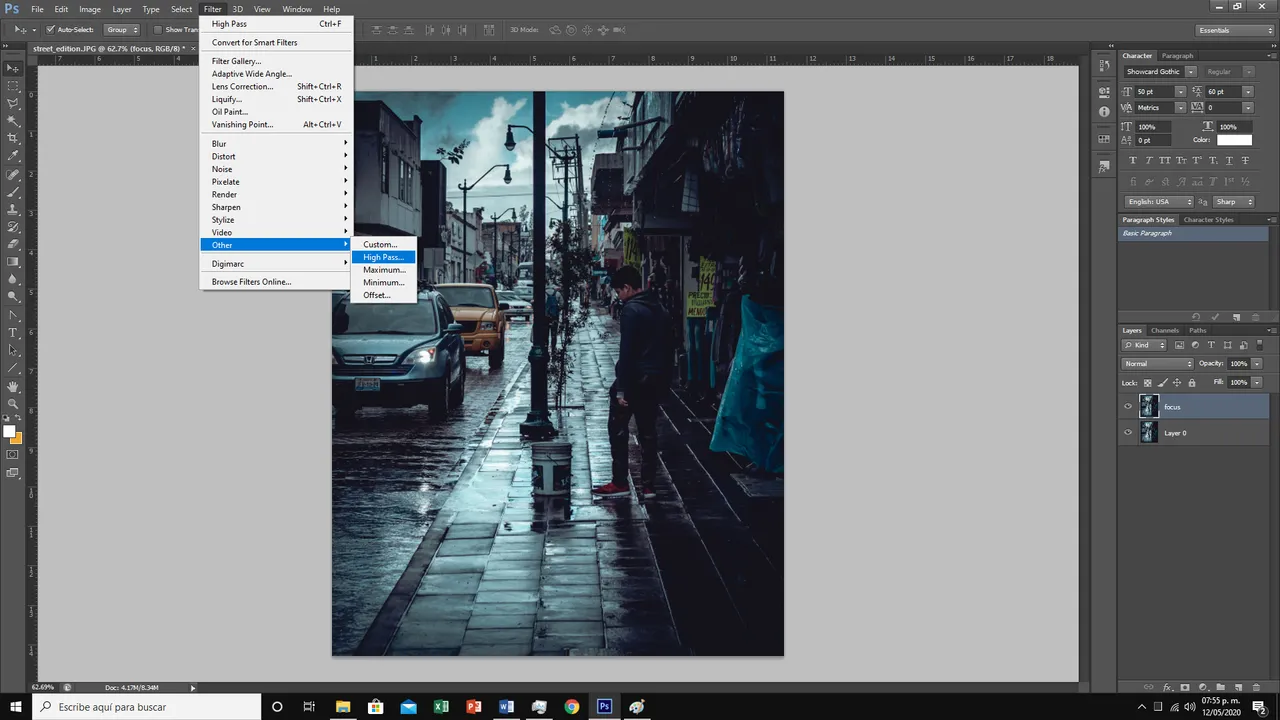
And we choose a radius between 0.5 and 2.0, depending on our image.

We click on ok and go to the right side of the layer panel, select overlay, with that our image should look a bit more focused, we can move the opacity of the new layer if the effect is too deep, sometimes it ends up damaging our image more than helping.

And now, I want to add some rain, since the picture was taken on a rainy day and it's what transmits the picture, so we create a new empty layer over which I'll put a few white dots.

Once this is done, we go to filter>blur>motion blur.

We choose the angle and distance of the movement and it's ready.

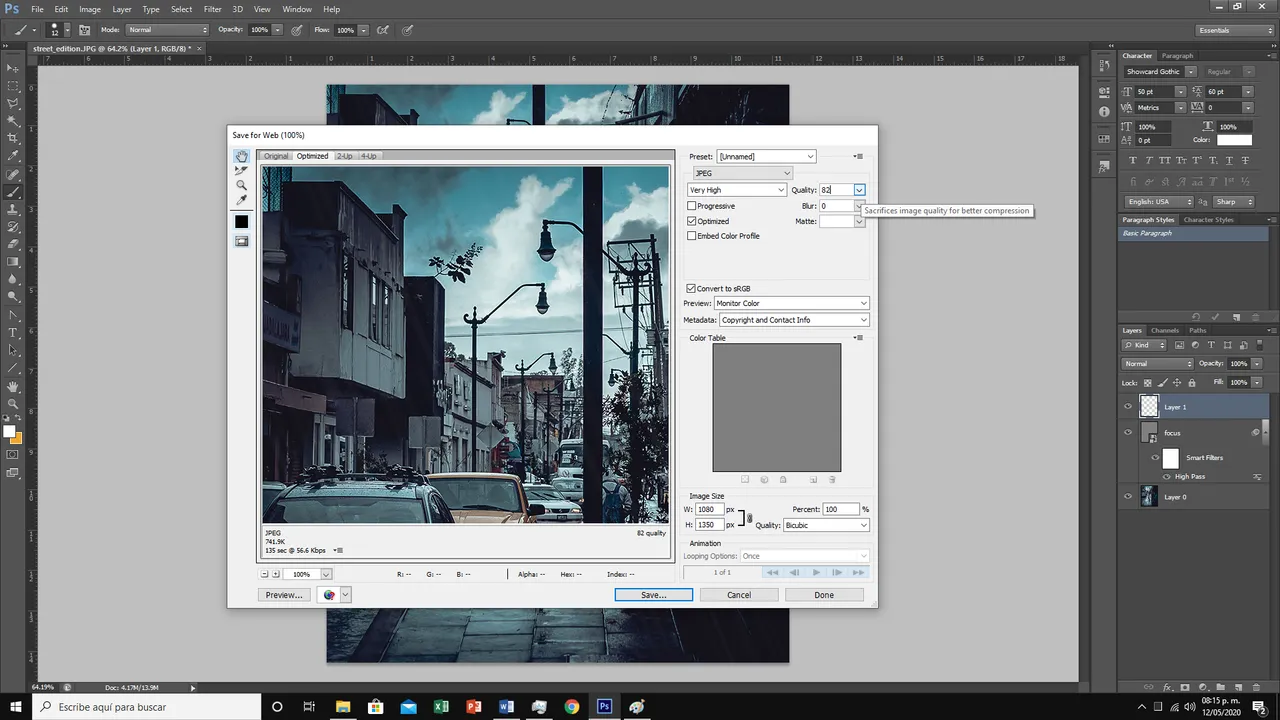
Now we just need to save it for the web.

A quality of 82% should be enough for the photo to look good and not lose too much quality when uploading to Instagram or any other social network
And that's it, I hope you liked it and that the tutorial is useful for you, see you soon!
