
Hello friends #hive everyone wherever you are I hope you are always fine.
Greetings to all of us who are in this beloved community, today I am back in front of your eyes to share some digital painting sketches that I managed to do today for digital painting. What I mean today is Beautiful girl's face.
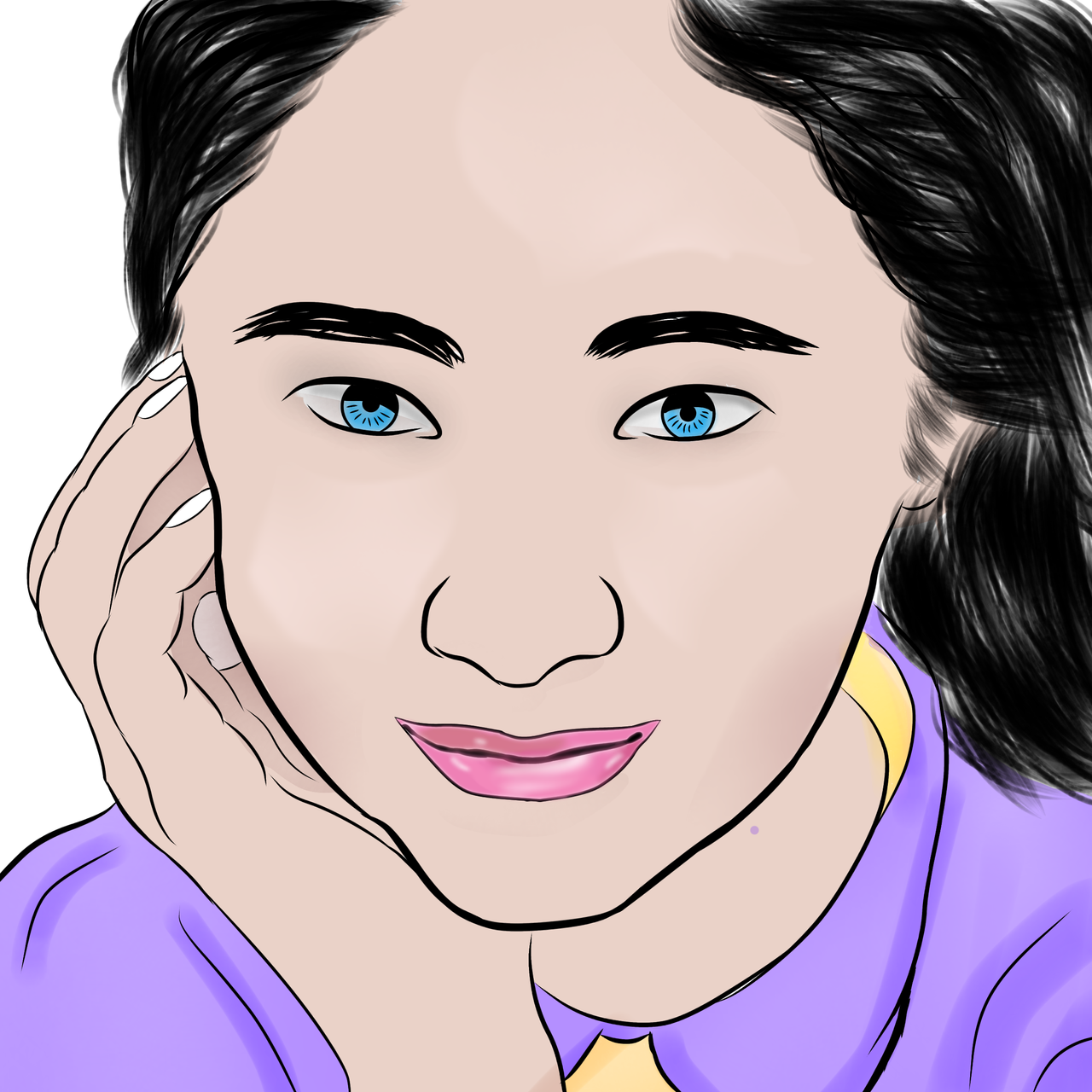
Digital Painting
Painting is one of the works of art that is usually done by many people. Of course, people who paint have interesting artistic skills. In the past, many of us used to paint using paper and pencil, but over time, we have been able to paint with computers. an application is provided for painting on android, sometimes painting on android is a little complicated due to screen limitations but if you are used to it, of course it becomes an easy thing.
Today I opened one of the android applications, namely Ibis Paint X and this application is available on the playstore and appstore, some time ago I downloaded and installed it on my smartphone, for the cellphone I used when installing the application was a samsung galaxy A7, the cellphone I used was old type so I have a little difficulty in painting on android but that's not a problem for me because I like to paint even though it sounds very difficult.
As you can see today I tried to paint a picture of a girl's face in a purple dress and her hair looks so straight with a pose that is beautiful and beautiful to look at. for the painting process I first open the Ibis Paint X application and after that I add a layer in the application, the first step I do is choose a brush and I adjust whether it is suitable for painting cute cat cartoon faces.
For the time I spent painting this girl's face maybe I spent about three hours and the results were not very satisfying because I was still in the learning stage.
Tools needed
- New Canvas Layer
- Coarse Dip Pen Brush
- Normal Airbrush Brush (Darkening)
- Eraser
- Blur effect
- Paint Bucket
Those are some of the tools I use when painting those digital images.
The first step I started painting on the easiest part first by making a circle on the face and after that I drew the second part of the eye, because I think the eye part is a symbol to make it easier for me to proceed to the next stage and after I draw the eye part With that, I easily drew the nose and mouth because with the face formation it would be easy to understand when I crossed out the next part.
As for more details regarding the steps I will take next, let's take a look at some of the digital painting images that I have prepared below, I hope you like it.


On this occasion maybe that's all I can share with all of you about my digital work, I'm sorry if there are word mistakes in my writing, please understand if there are shortcomings in my work because it's still in the learning stage, for today don't forget to be grateful and keep moving forward in showing the best work, see you again in my next post.
| ART | DIGITAL |
|---|---|
| Software | Ibis Paint X |
| Smartphone | Samsung A7 |
| Painter |  |
Thank you for your visit
Thank you for your visit