

Original Image Source: TheDigitalArtist- Pixibay- Modified by 
Just recently, Hive Learners has reached a new milestone for reaching 5k subscribers and I can credit it to the Featured Topics and Sunday Initiative that inspired people to interesting content and to the handwork of the mods and admins to look on each content. To celebrate this achievement, a contest to design a new cover for Hive Learners was made and anyone was free to participate in the contest even if they are not a member of the community where the top 7 designs will be sharing on the reward pool of 100 hive.
I have already made a design that you can check Here and this post is to show another one as I have other image that I downloaded before that I have not used in the first design so I used them on this one to also give the community as many options as they have for the cover.
Design Step Procedure
Step1: Making the background Image
This time, I go pure photoshop, starting with the dimension which is 1280 x 245 and chooses a yellow background for it.

Step 2: Collecting Source Images
Aside from downloading the Hive Learners logo from the discord channel, I also downloaded some of the previous covers from hive learners to get an idea what to do and to crop some images that I might be able to use for my layout. Aside from that, I also downloaded free images from Pixibay which are all sourced. As you can see, some of the image has background so Initially modified it with photoshop to make it transparent and to fit for my layout and I used some new image here that was not present for my first design.
 |  |  |  |  |  |  |
|---|---|---|---|---|---|---|
Step 3:
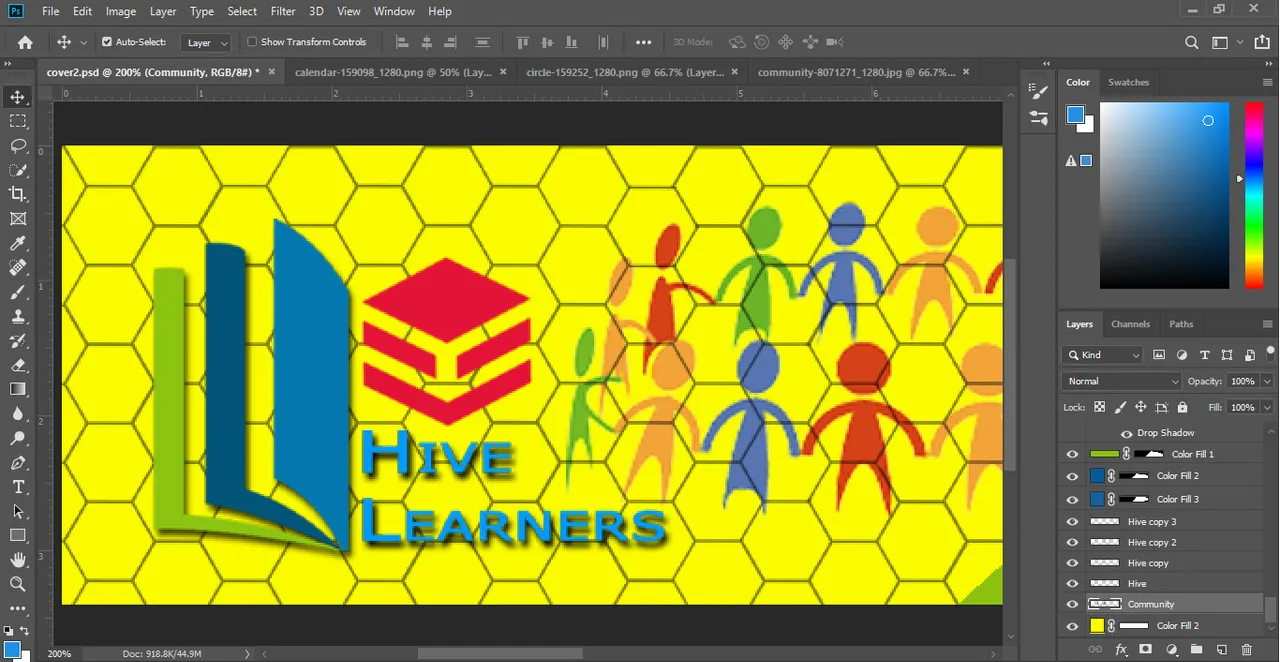
Here, I used the hive shapes to fill the whole area by making multiple copies of it. This is to emphasize Hive as we are on the Hive Blockchain. Then I used the pen tool to create to create multiple color fill layer which has the same color to the Hive Learners logo.

Step 4:
I placed the same image of the boy and girl with books but this time, I included the image that I got from the Creative Sunday post and placed it next to them. I also add calendar and make the bulb image smaller which together with the first image will symbolize with the Weekly Prompts.

Step 5:
I maintained my slogan "Write, Read, Engage" but this time I make them horizontally aligned because there was a lurking lazypanda image behind the slogan which I think looks great. I also placed a bee on the top of the letter W to further emphasize on Hive.

Step 6:
I placed the Hive Learners logo on the other edge of the cover and next to it was an image of people with different colors on them and would be used to describe a community as Hive Learners have members of different race on different parts of the world.
Finished Product

And that was it for this post. I congratulate Hive Learners for reaching 5k subscribers and was looking forward for it reaching 10k subscribers soon. If you have suggestions upon my work, feel free to put comment below.
I give consent to Hive Learners to officially use the image.
Thank you and see you at my next post.