Hi there lovely and creative people of Hive World,
Hope you all are fine and having a fine day
It was nice day for me as well and I also did my task. Hand drawing of #splinterlands game character and I GIF it too for #creative-sunday initiative by Hive learners.
I picked Splinterlands game character "Gobalano Soldier" for my hand drawing in pieces. Than I joined its pieces in Photoshop. And move some pieces in different frames to make a GIF of it.
I will also join the weekly Splinterlands Art contest with same GIF
Selfie with my Hand Drawing

Final image after joining pieces
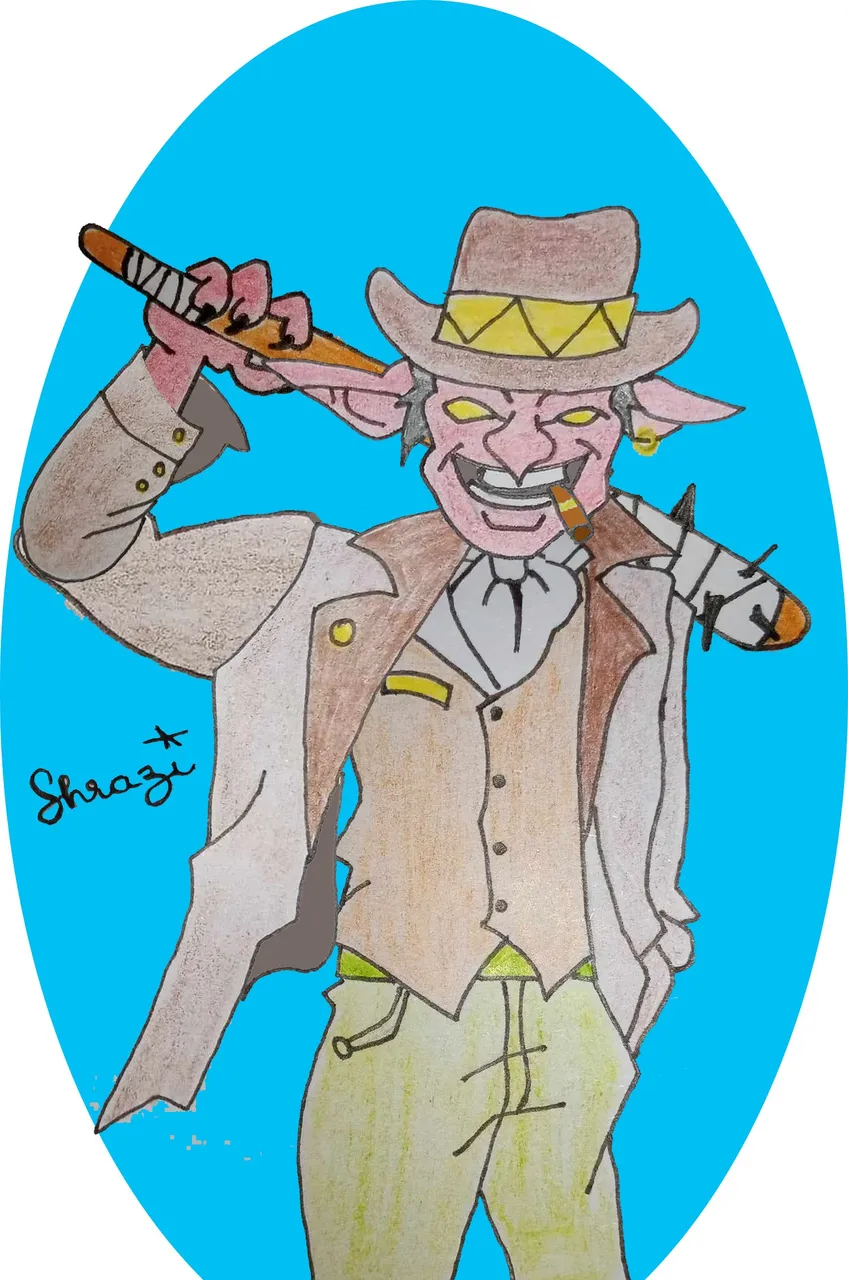
Gobalano Soldier GIF

Real Character Image in Splinterlands Lore 👇


Drawing tools and software I used :
For Drawing, I used pencil, paper, rubber, black pointer, pencil colors, etc.
Adobe Photoshop 2020 for joining those pieces and for creating GIF by frames
Steps of working :
I have a character to draw, so I just think in my mind that what part I have to draw separately...
Drawing Steps :
I draw a face first,
than draw half part of his coat and than other body parts,
One arm and hand in three pieces, HAHA

I used black pointer on my pencil...

Fill colors to my drawing...

You can check the first image of this blog, where I took a selfie with drawing 😁
Joining pieces steps :
For joining pieces, I put that coloring images to photoshop.
Remove the background and give separate layers to every piece.
put it on its right place and reduce/expand the size of it.


You can check the 2nd image of this blog as final piece after joining...
GIF making steps :
Now, I have one final image. I just moved his arm and hand to use in different frames to make my gif.

You can check the third image of this blog, to check the final GIF image created by ME HAHA.
Hope You like it, Enjoyed my working process as well.
Your comment will surely encourage me to make more entertaining GIF
As I am finishing my text for this blog and its only 36 minutes remaining for deadline. So its all good for me.
Thanks for the Visit