

Enter your post content here Hello Everyone!!! I hope you are having a great time over there? It's really nice to see you visit my blog today and I must say I'm really happy to have a great personality like you visiting my blog today 😊. Thank you once again 💕
There's actually no doubt that Leofinance isn't a new project to most of us here. Most of us may seem be quite more familiar with the project on Hive blockchain. This is really a great news for Hive bloggers as they can start earning themselves free LEO tokens the same way they keep earning Hive tokens just by publishing their content or posts in the Leofinance community platform using Hive or using the Leofinance webapp or mobile app itself to earn yourself free LEO tokens.

LeoFinance is a social platform where users get paid for creating or posting, upvoting and engaging or interacting with cryptocurrency and finance related contents. LeoFinance is a Web3 community that utilzies blockchain database technology to store content and transactions. The community content is focused majorly around cryptocurrency and finance with a connection to a blockchain allows authors to participate in a daily rewards pool. The rewards pool automatically pays the authors of the best quality content each day through the use of upvotes. This implies that users can earn free upvotes from 

The good news is that the team has done a great job by creating the new Leofinance App(early access) which can be download for both android and iPhone users. I decided to download the app on my android device via Google Playstore just to check out the app features and I noticed these features are really worth sharing.
Amazing Features I Found In the Leofinance Mobile App
I will advice that android users can download the Leofinance app on Google playstore via the link indicated at the end of this post or you can simply Google search "Leofinance.io" or "Leofinance" using the search icon on Google playstore to download the app as shown in the below image.

Click on the install button and get the app automatically downloaded on your mobile. As you can see from the below screenshot, the app is already downloading and getting ready to be installed.

The next step is to open the Leofinance App and login if you already have an existing account on Leofinance or better still you can sign up on Leofinance by clicking on the sign up button.

Since i already have an account on Hive, i prefer logging in with my Hive account and I'm quite most users will definitely want to sign in using Hive. The next step is to click on the Hivesigner button and you will be directed to the interface shown below.

The next step is to input your hive/Steemit username and then input your active posting key as this will help you connect your Hive account with Leofinance using Hivesigner.

After that Then you are meant to set up your personal Hivesigner password as seen above. Ensure you make use of the password you're very familiar with to avoid forgetting your Hivesigner password. Also, it's important to note that this password is different from your hive/Steemit posting or active key since this type of password isn't generated by the blockchain itself but it's created by you yourself.

As you can see from the above screenshot, I'm able to login using the Leofinance App and this happens to be a more extended view or interface. In this type of view, you tend to see a more detailed view of user contents or posts when you scroll through your blog or news feed easily unlike the compacted view style shown below even though the compacted view style happens to be my favourite.

This is the compacted view style as seen in the image above. The reason I love this is because it saves time and it also helps to economise data costs (most Africans will understand this concept better 😄). You can access the compressed view by clicking on the icon indicated by the arrow as shown in the above image.

The second amazing feature I love about the Leofinance App is the search tool which can be accessed by clicking on the search icon located at the lower part of the app as shown in the above image. I love the fact that the Leofinance App search tool can be used to search for users on the hive blockchain and at the same time you can also use it filter out blog contents that suits your interest.

This is me trying to search for my username on Hive and as you can see the search tool already indicated my name as the first on the list followed by other names related or very close in search to my name as shown above.
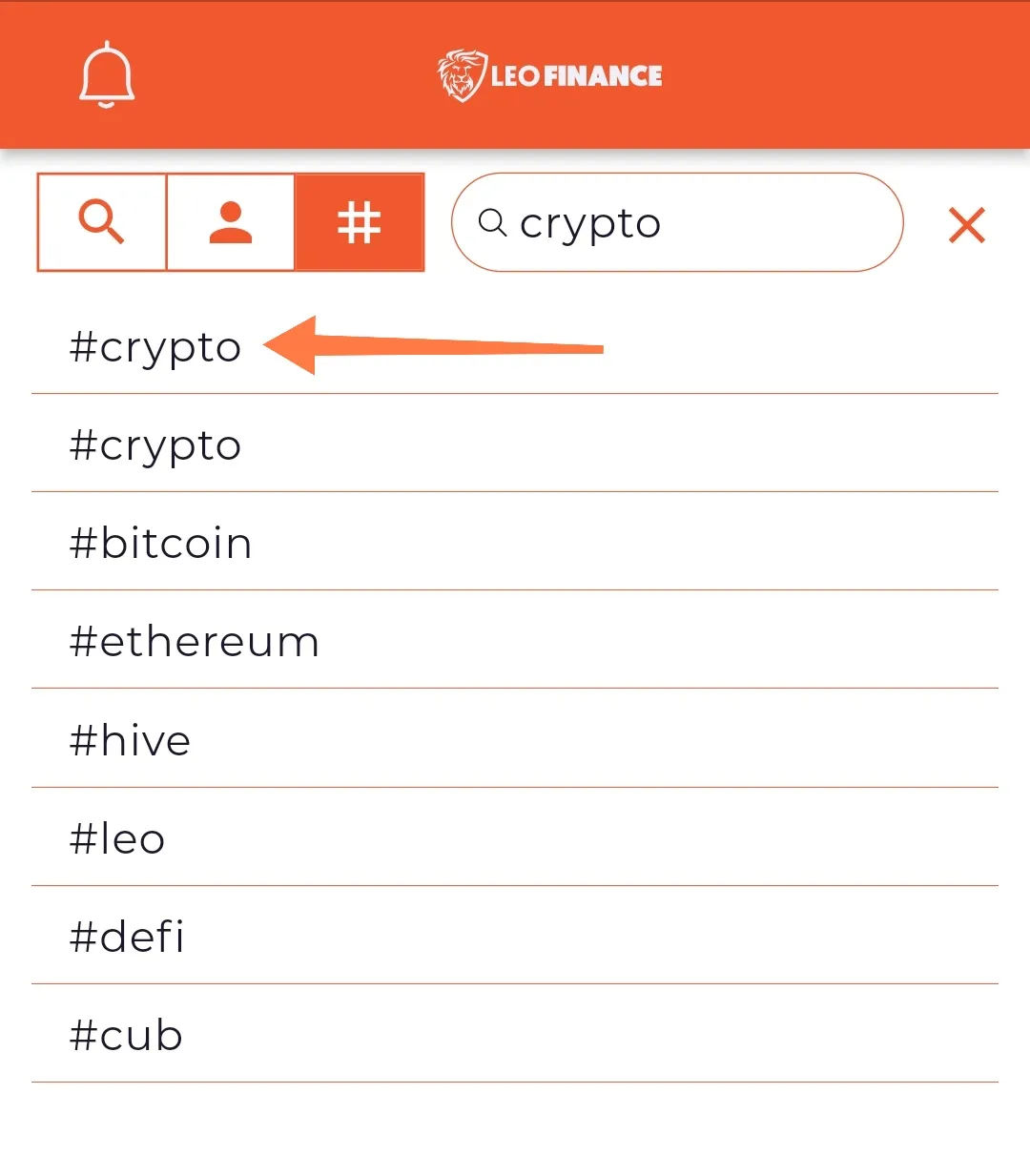
The same also applies when you need to search for tags or filter out content you find interesting such as crypto, Blockchain, Metaverse, etc. The search tool can also be used to achieve this process too as seen in the below image
Another unique feature I found very interesting using the Leofinance mobile Application is it's UI/UX Design. I love the fact that users can switch to light mode and dark mode while using the App.

The most interesting part of it all is that users also have the access to modify the App interface by changing the theme colour to their desired type as you can see from the below image.

The App also enables you to receive pop up notifications about any recent activities on your blog posts. You will automatically be notified whenever any user make comments on your posts as you can see from the image shown below.

The fact is that you can also access more notifications using the Leofinance App by clicking on the notification icon as shown below. In fact, this is the best and most preferred method I recommend for users unlike depending on the pop up notification displayed on the phone screen.

This wallet option in the App also shows your resource credit, your earned Leo tokens, your Hive power and your available Hive tokens as seen below

Another cute feature I love about the Leofinance mobile application is that you can set up your upvote percentage or rating on users post and you can also automatically enable a double tap option which automatically help you rate users content whenever you double tap on the upvote icon.

Exploring the Content Editor Feature on Leofinance Mobile App
This will be the last part of the Leofinance App I will be reviewing simply because I found some interesting features i came across while I was trying to publish my post via the App.

To access the post creator feature click on the "+" icon as shown in the above image. Then after that you click on the "new post" button as shown below

The next step is to write your article in the provided space using the text editor as shown in the image below

Another good advantage of using the Leofinance App is that users can make use of HTML tags/codes in writing their context as the system supports HTML codes. You also have the access to check your write up via the preview button as shown below.

Once you are done using the text editor tool, you will be directed to the page shown below where you can add tags related to your content and you can also set up your post beneficiary to other accounts as seen below. Also users have access to set up their post reward either by making use of the 50:50 payout, 100% Hive Power and the astonishing part is that you can set up 100% HBD post rewards.

It is also important to note that 5% beneficiary is automatically set to
Suggestion and Feedback
Firstly I want to commend the effort of

My only suggestion is that it will be more lovely if the team or Devs can include an undo and redo feature in the text editor as this will make writing more convenient for content writers or bloggers using the Leofinance mobile Application.
Stay Connected with Leofinance
Twitter: https://twitter.com/FinanceLeo
Discod: https://discord.gg/E4jePHe
Website: https://leofinance.io/
Download Leofinance Mobile App for IPhone (IOS) users: https://testflight.apple.com/join/cskYPK1a
Download Leofinance Mobile App for Android Users: https://play.google.com/store/apps/details?id=io.leofi.mobile
About Me

I am Adebola by name and I'm also a graduate of Agricultural Engineering (BSC). I am someone who cherish self development and being productive is in my DNA, this is why I am always open to learning from anyone and I love making research. I have been in the crypto space for the past five years and my level of enthusiasm for cryptocurrency and blockchain technology keeps increasing day by day. My hobbies are reading, writing, eating, engaging in agricultural operations, travelling, designing and blogging. My skills include Content writing, Graphic Design, UI/UX (Product) Deisgn, Copywriting, Internet Marketing, Blogging, Research and Coding (Novice). Feel free to connect with me via;
Email
Telegram
Discod: Hardaeborla#103
Twitter

If its your first time here?? Start blogging on Hive and start earning free Hive tokens and HBD.
Hive : This is a native cryptocurrency used to reward Hive bloggers. Hive has a thriving ecosystem of over a hundred apps, communities & projects and is home to some of the most-used Web3 apps in the world, such as 
HBD : Hive Backed Dollar is the stable coin used on Hive blockchain. It is pegged to the price of one US dollar and users can earn 20% APR on HBD savings.
Learn more about Hive blockchain here
Thank You for your time and I hope you have a great day ahead with love from 
💕❤️💕❤️💕
💕❤️💕❤️💕

