Oh damn... Crypto moves fast!!!!
I know I haven't ben around all that much, just writing bits of things here and there... and using Threads a bit more than this long form blogging we're used to on Hive. But damn! I missed two weeks (maybe three) of the 
So much has changed!!! When we don't pay attention, things can become daunting again.... things change, and without enough practice in this space, it's almost like starting over from the beginning again.
The Sooniverse is NOW
Do you have and CUB parked (staked) in the Cub Kingdom, from when before Polycub was launched, or from whenever really? Well if you do, there's been some changes, and you may want to go look at your account.
You must migrate your CUB to the new Cub Kingdom if you still want to collect rewards, and great APY's, because at the moment you're collecting ZERO!!!!

Quick Guide For Migration
I will try to provide all the links I used to help you quickly get through it. It took me a bit of figuring out, but it was only because I hadn't done these things a while!
- Go to Cubdefi, log in through your wallet (connect the wallet) so the page can read your funds and all that. Once there click on kingdoms to open up that page.
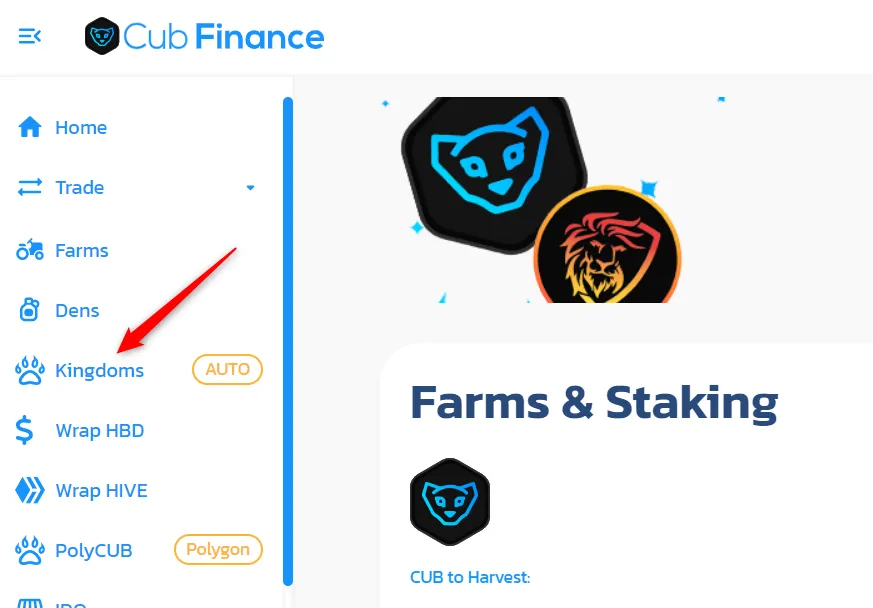
- Once you're in Kingdoms, expand the CUB kingdom box you are staked in by clicking anywhere within that box. This is where you will have to withdraw what you have staked, in order to migrate to the new kingdom.

- Your Deposited amount will move to your Balance. You can then expand the new CUB Kingdom box. It's the one that will have a larger TVL. Once you're there you will have to click on Approve Contract.

- This is where I got stuck a little, I could not load the next page when I clicked on Locked, the screen would go blank, but I found a work around. Though perhaps that's actually how I was supposed to do it, I don't know, but it worked for me. After you approve the contract these two buttons will appear. You may be able to click on Lock and deposit your funds right into the locked vault at you choice of weeks locked. Read the CUB Docs, on this new kingdom to understand why this may be advantageous for you.

The Work Around
- Click on the Flexible button.

- This next prompt will ask you to stake the amount you want to stake in this new kingdom.

- I decided to max it out, put everything in... Next click on Confirm.

- You will have to confirm the transaction in the wallet you're using, the wallet connected to CubDefi. Once that's all confirmed, back on the kingdom page, in the same cub kingdom box we were just staking in, you will see the option of locking your stakes to earn more APY by converting to Lock. Go ahead and click that button.

*The next prompt is for choosing how many weeks you would like to lock your funds for (the more weeks you have them locked the more APY you will earn). Choose what you wish and click Confirm. You will then have to confirm it again through your connected wallet as all transactions require.

Ok well that's it. If you have better luck within your browser to not have to use this work around that's great! I had to figure it out, but here it is! And now I feel better because my CUB isn't just sitting there collecting dust!!!!
A big thanks again to the
Let me know if this guide helped you out, I can make more as time goes on and I need to figure it out as well. We can learn together.
| Hive | Presearch | Odysee | Minds | Hipcamp |
Find me on Social Media:
LBRY: https://lbry.tv/$/invite/@MugwortExpress:5
Odysee: https://odysee.com/$/invite/@MugwortExpress:5
Minds: https://www.minds.com/register?referrer=NoMansLand