
Do you want to undelegate your Steem Power, but confused?
Do you want to ditch Steemit completely and run to Hive?
If you answered yes to one or all of the questions above, then follow below.
I hope everyone including you who is reading this now knows what is happening to the Steem blockchain.
From the look of things, the Steem price might tank anytime soon, so it is better you get out your Steem as early as possible.
I know many of you delegated to many Dapps and now want to undelegate and are confused about how to do it.
I know there are many guides on how to undelegate, but I found a very simple method which will be explained below.
1.Go To SteemWorld
This website Steemworld.org is operated by 
The website has lots of info, but we shall concentrate on only delegations.
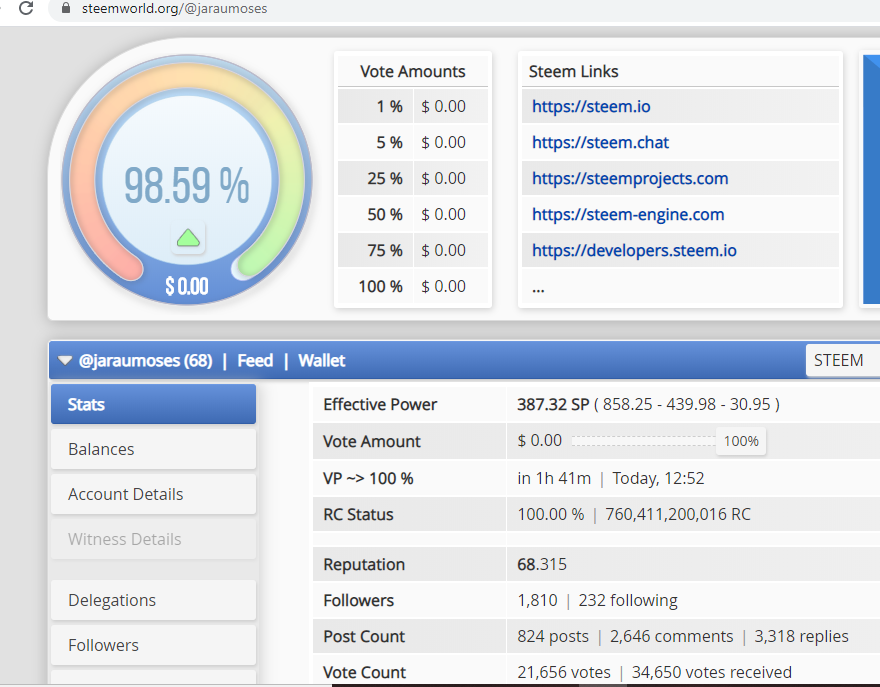
2.Click on Delegations
The website automatically shows the founders account(
You can now click on delegations, that will show both incoming and outgoing ones.
As you can see below, I have 3 outgoing delegations.

3 Click on X To Undelegate
As you can see above, I have 3 outgoing delegations, I now choose which account I want to undelegate from and boom, we are good to go.

4.Enter Your Active Key
In the dialogue, click on yes to continue and you will be prompted to enter your private Active Key.

5.Undelegation Finished
After you enter your Active key, the process will be completed, as you can see I now have only 2 outgoing delegations.

You can confirm by checking on Steemd.com/@yourusername

So folks, if you have many outgoing delegations, you can follow the same procedure for the remaining ones, thank you.
If you like this post, upvote and resteem.
Thrive on Hive
Love
Jarau Moses