


English Version
Quick Guide: Changing the Language on your Blood Pressure Monitor
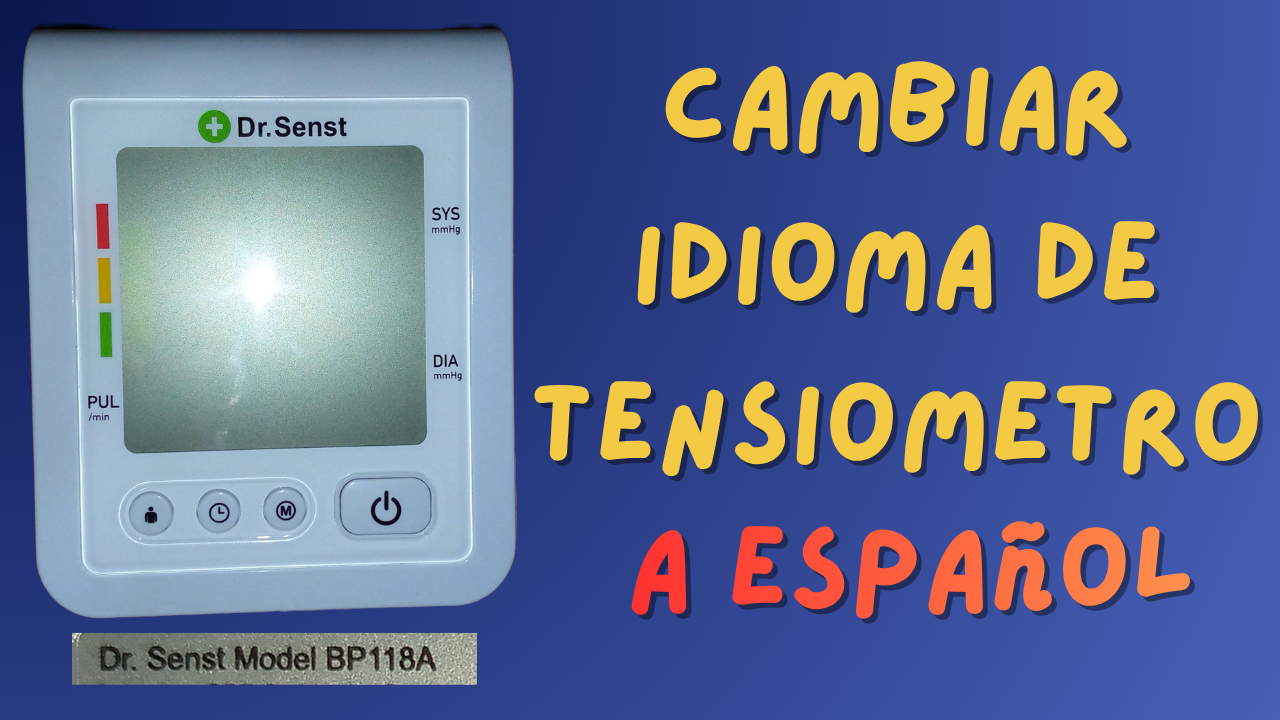
This post is a very brief explanation dedicated to one of my uncles, who asked for my help in setting a blood pressure monitor to Spanish. These health tools are also known as Blood Pressure Gauges, Sphygmomanometers (probably the least common name), or simply BP monitors.
Changing the language is actually very simple, but if you don't know how, you can spend hours trying without success. This video shows just how easy it is to do.
Device Specifications:
- Brand: "Dr. Sents"
- Model: BP118A (Made in China)
- Power: It can run on a 6V DC power adapter or 4 AA (1.5V) batteries, totaling 6V.
Note: In this case, I used a standard 5V cell phone charger and a cable that connects the device’s power port to the USB port on the charger (I believe the device comes with this cable).
Step-by-Step Instructions
As soon as you plug it in, it turns on. Just follow these steps:
1- Press and hold the main function button for approximately 3 seconds. You will see the letters "LAN" appear; it will be set to number 1 by default.
2- Press the small button with the "M" in a circle ⓜ. It will change to LAN 2, which corresponds to Spanish.
3- Press the main function button again to confirm and save the language.
4- And that’s it! (Done and dusted).
Available Languages:
• LAN 1: German
• LAN 2: Spanish
• LAN 3: Dutch
I found it quite interesting that it doesn't include English, as that is usually the primary language for almost all devices.
If you own one of these monitors, I hope you find this information helpful.
Much love to you all, God bless, and see you next time!
Versión en Español
Guía Rápida: Cambiar idioma de Tensiómetro
Esta publicación será una explicación muy breve, dedicado a uno de mis tíos, quien me solicito ayuda para colocar un tensiómetro en español.
Estas Herramientas de salud también tienen por nombres Monitor o Medidor de Presión Arterial, Baumanómetro, y Esfigmomanómetro (creo que es el menos conocido)
Es muy sencillo cambiarle el idioma, pero cuando alguien no sabe pueden pasar horas, invertirle mucho tiempo sin tener éxito, con este video se aprende lo fácil que es hacerlo.
Especificaciones del Dispositivo
- Marca: “Dr. Sents”.
- Modelo: BP118A (fabricado en China.)
- Energía: Puede Funcionar con un transformador de corriente DC de 6v o con 4 pilas AA de 1.5V, que hacen un total de 6 voltios.
Nota: En este caso lo use con un cargador común de celular de 5v y un cable que va del conector de corriente del dispositivo, hasta el USB que va en el cargador (creo que ese cable lo trae el dispositivo). A penas se enchufa enciende.
Debemos seguir los siguientes pasos:
1- Presionar y dejar presionado el botón de función principal por 3 segundos aproximadamente. Saldrán unas Letras que dicen LAN, que esta estará por defecto en número 1
2- Luego se debe presionar el botón pequeño que tiene una “M” en un círculo ⓜ, cambiará a LAN 2, que corresponde al español.
3- Para aceptar el idioma se presiona nuevamente el botón de función principal.
4- Listo el pollo.
Idiomas que trae:
- LAN 1, es para alemán.
- LAN 2, es para español
- LAN 3, es para neerlandés, también conocido como holandés
Me llamó la atención que no contiene el idioma inglés, normalmente este es el principal que traen casi todos los dispositivos.
Si tienes un tensiómetro de estos, espero que esta información te sirva de mucha ayuda.
Se les quiere mucho, DIOS los bendiga hasta la próxima
Imágenes usadas en el vídeo
Pictures used in the video


Tiempos del video / Times of Video
📺 Intoduction / Introducción 0:00
📺 Change Language / Cambiar Idioma 1:10
Mis Redes sociales / My socials networks:
🌎 https://www.youtube.com/@yelmerzoneVlogs
🌎 https://www.youtube.com/@YelmerZoneCryptos
🌎 https://www.youtube.com/@YelmerZone
🌎 https://cos.tv/channel/29235983598659584
🌎 https://www.tiktok.com/@yelmerzone
🌎 https://www.instagram.com/yelmerzone
☀️ Separator courtesy of
☀️ Video edited with Filmora 13
☀️ Cover image edited with CANVA
☀️ Subtitles created with YouTube
☀️ English translation with Gemini Free

☀️ Separador cortesía de
☀️ Vídeo editado con Filmora 13
☀️ Imagen de portada editada con Filmora 13
☀️ Subtítulos hechos con YouTube
☀️ Traducción al ingles hecha con Gemini Gratis

▶️ 3Speak