
Greetings everyone! Welcome to my blog again. For today's blog, we will be participating in this contest, which is what 
The last time that I participated was when the 
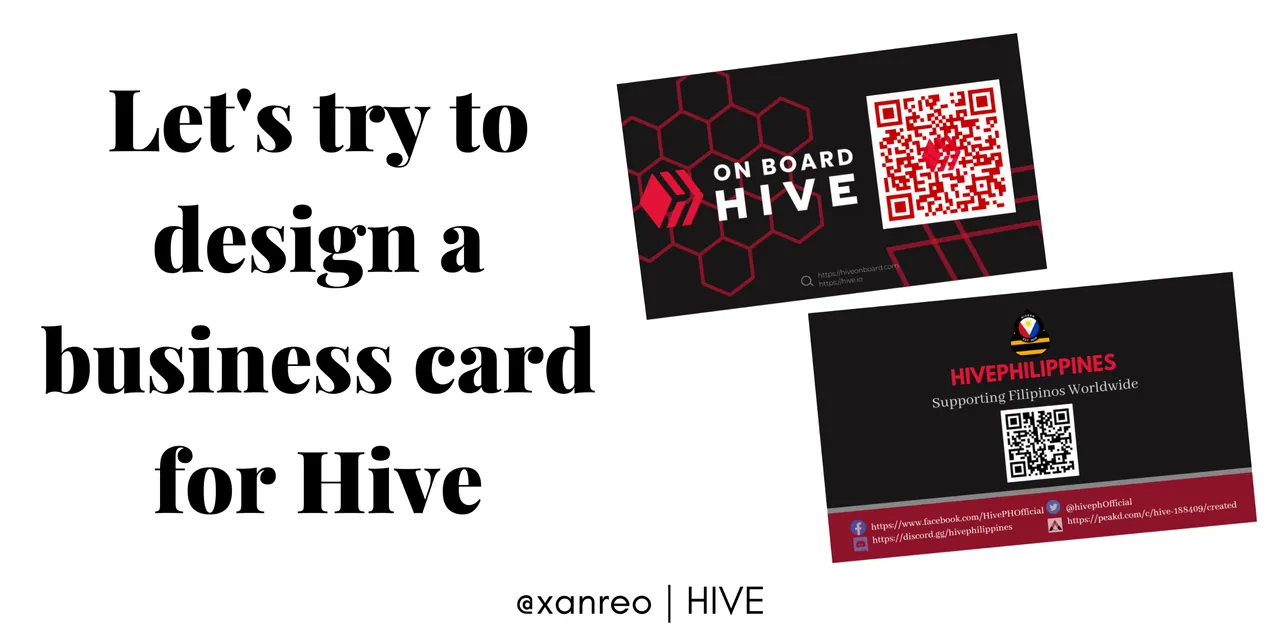
So here are the designs of my business card entry:
FRONT

So the first design that I imagined is like this. I used canva to design my businesscard because I can't think of any other applications that I can use to design.


- So first, I uploaded the Hiveonboard logo png that I downloaded via Google. At first, I liked it to be on the left side, but I think inserting or positioning it on the left is much better than on the other side.
- Then, the second design that I imagined has just a few simple lines. If you can see in the second image above, there are these: Shapes>Color>Border>Style. At first, I used a rectangle shape, then I adjusted the size. Then for the color, I got it from the Hive logo, and the same with the border's color. I also decided that the border color would be white since the word "hiveonboard" is white.

- Next, I uploaded the QR code of the Hive on Board website link and positioned it on the bottom part of the Hive on Board logo. Anyway, this is
's QR code; he said that we are free to use this qr code when we participate in designing business cards, and of course, though we already had an hiveonboard qr code, I also added text of the website address and positioned it on the bottom part of the qr code so that they would know that the qr code addressed from the hiveonboard.
BACK

For the design on the back. It's also the same in the front design. I also added the shape and put the same color shade, and the size is also the same, but I put it at a different angle. Since we will use 


After I put the Hiveph logo in the left side,
- I add HIVEPHILIPPINES and their Tag line, "Supporting Filipinos Worldwide" in the right side.
And you know what is most important when we make a business card? Our social media accounts. We need these to put on the back or front of our business card so that our target customers or those we will invite know where they can find and communicate with us. Especially when they have some questions, they can just search our social media accounts to know what we do, what our goal is, why we need them or why we invited them, and of course so that we have proof that we are all legit and not scammers.


- So that's why I also add the official social media website links of Hive Philippines, @Hiveph, not just their QR code for their official Discord server.
But you know, I am not satisfied with the design, so I made or tried another design that just changes the color and design of the QR codes.
FRONT

BACK

because the black color is not new in the QR codes of business cards. That's why I tried the red color so that it would be different, and I also added the logos of Hiveph and Hiveonboard in the middle. But for me, I don't think it would fit in the design, so nevermind.
The website that I used to make qr code is this one: Qrcodemonkey I got this website from Demotry.
Then I wanted to make another design again because there was another one in my mind.
FRONT

Or

BACK

Or

To be honest, I don't know which design is better to submit as my entry for this contest. That's why I uploaded all the designs that I created and I hope that you like them all!
So these are all the entries that I made yesterday and today! I hope you enjoyed reading this. If you want to join and participate in this contest, you can read
