

Build Android app with IONIC Framework | In this tutorial we will build android with ionic. To get started you can install the windows ionic in my previous tutorial here. It's easy to build your ionic into an Android app but to build iOS I will not discuss it here because it needs Xcode.

You can see I've downloaded JDK and Android Studio.
Install JDK that has been downloaded.
Follow each step to complete.

Now we will add the JDK that has been installed earlier into the system variables.
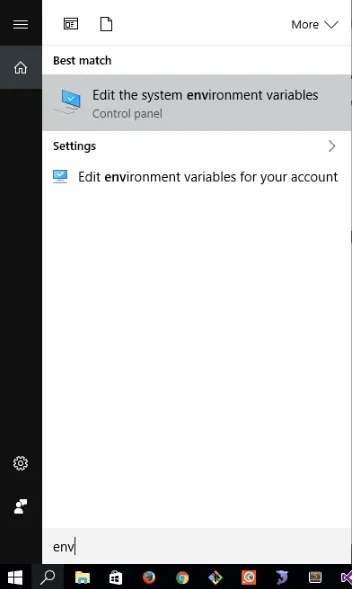
Not search keyword input "env" like picture below
Then select the Advanced tab -> Environment Variables ...

1. Click New ... -> # 2. Browse your JDK location ... -> # 3. Then click OK.
Install Android Studio.
Follow each step to complete.


Open Command Prompt to add the Android platform
Ionic add android platform is used to tell ionic that we want to make Android platfom. Press Enter and this requires an Internet connection.

If it is then there will be a new folder platforms in the ionic project

Reopen Command prompt to build Android into apk. After we add the platform with the Command prompt stepped before.

Wait until the build is complete and this requires a connection to the internet.
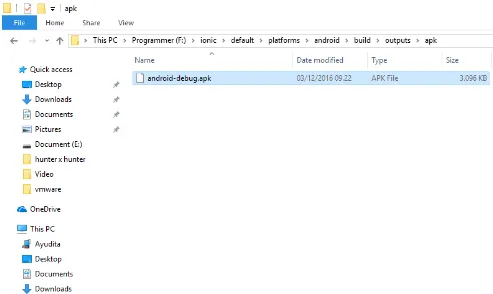
If you are finished you can find. Android apps that are ready to install here, for the next you can install on smartphone.F:\ionic\default\platforms\android\build\outputs\apk
In addition to ionic build android we can also membuild apk directly to the smartphone with ionic run android. The next dicutorial will I tell you how because your dismartphone android debug mode must be activated first and USD debug.
Thank you regards: D