

Hello guys!
This is Taiki ^^
Today, I made plum blossoms using 3D software 🌸
こんにちは!
taikiです^^
今回は3Dソフトウェアで春を感じさせるような作品を制作しました~😂
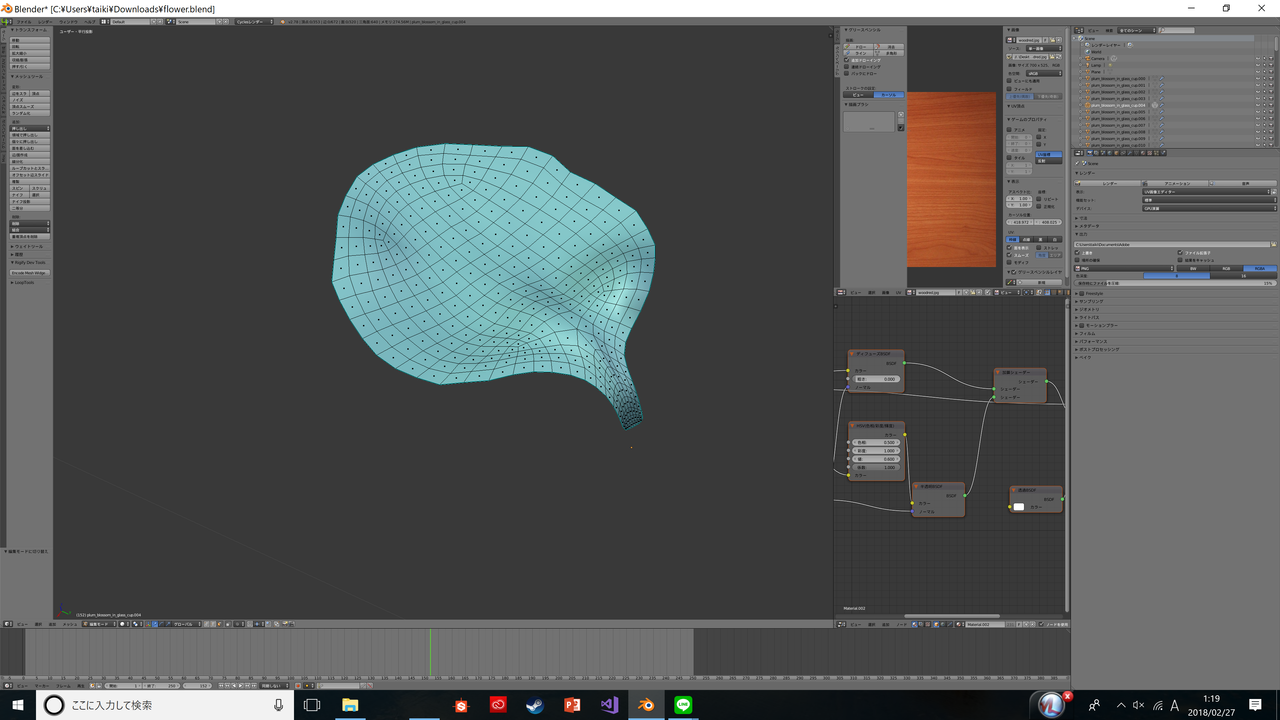
First, I will make a petal.
Make an object with a planar petal shape.
Then distort that object.
I will make it all to Ropoli!
Let's make 3 to 4 petals with different shapes and duplicate them ☺
まずは梅の花びらを制作していきます!
平面のオブジェクトを花びらに沿って型を作り、その後、面をゆがませます
すべてローポリ(四角面)で制作しましょう!
3~4枚ほど形が違う花びらを制作して複製させましょう☺

When the petals are completed, arrange them in a petal shape,
After that,Make Stamen and place it in the middle !^^
The flower object is complete with this!
花びらが完成したら、花びらの形になるように配置して、
その後、雄蕊をつくって真ん中に配置しましょう!^^
これで花のオブジェクトは完成です!

Next let's make the color and texture of the flowers.
Prepare a petal image and associate it with an object, so that the flower is colored.
Also let's adjust the texture with shaders!
Furthermore, loading the image of the manipulation into the photoshop, creating a normal map !
Let's give more realistic texture!
続いては、花の色と質感を出していきましょう。
花びらの画像を用意し、オブジェクトと対応付けすることで花に色が付きます。
また、シェーダーで質感を調整しましょう!
さらに、はなびらの画像をphotshopに読み込み、Nomal Map(法線マップ)を制作し、
よりリアルな質感を出しましょう!

Let's render!
A flower similar to plum blossoms was completed😂
一度レンダリングしてみます!
梅の花ぽいのが完成しましたw!

Next,To make sake.
Make a dish and insert a fluid object!
続いては、梅の花をよりよく見せるためお酒でも作ってみましょう!
受け皿を制作し、そこに流体オブジェクトを作って流し込みます。

This is not water. It is Sake 😂
お水じゃないよ!お酒だよおおw( ;∀;)

And, I make the usual logo...
そしていつものロゴを制作し...

Place all objects...
すべてのオブジェクトを設置して...

completed!!!
It may not look like a Sake...( ;∀;)
see you next time!!👋
完成です!!!
お酒には見えないかなw
それではまた次回!👋
最後まで読んでいただきありがとうございます! 気に入りましたら、フォローおよびVoteをどうぞよろしくお願いします! また、steemit用ツイッターを始めました! こちらもフォローのほうよろしくお願いします^^
https://twitter.com/taiki_steemit


