
I want to introduce you to the concept of encrypted wallet memos. First we cruise over to my wallet and you will notice that we are not logged in. There is a transfer from myself to myself for 0.001 SBD with no memo.

So now we log in with our active key.

You will notice circled in red that I have logged in.
Circled in purple you will notice what appears to be a blank memo from myself to myself.
Then I logged out and logged back in with my memo password and this is what my wallet looks like.
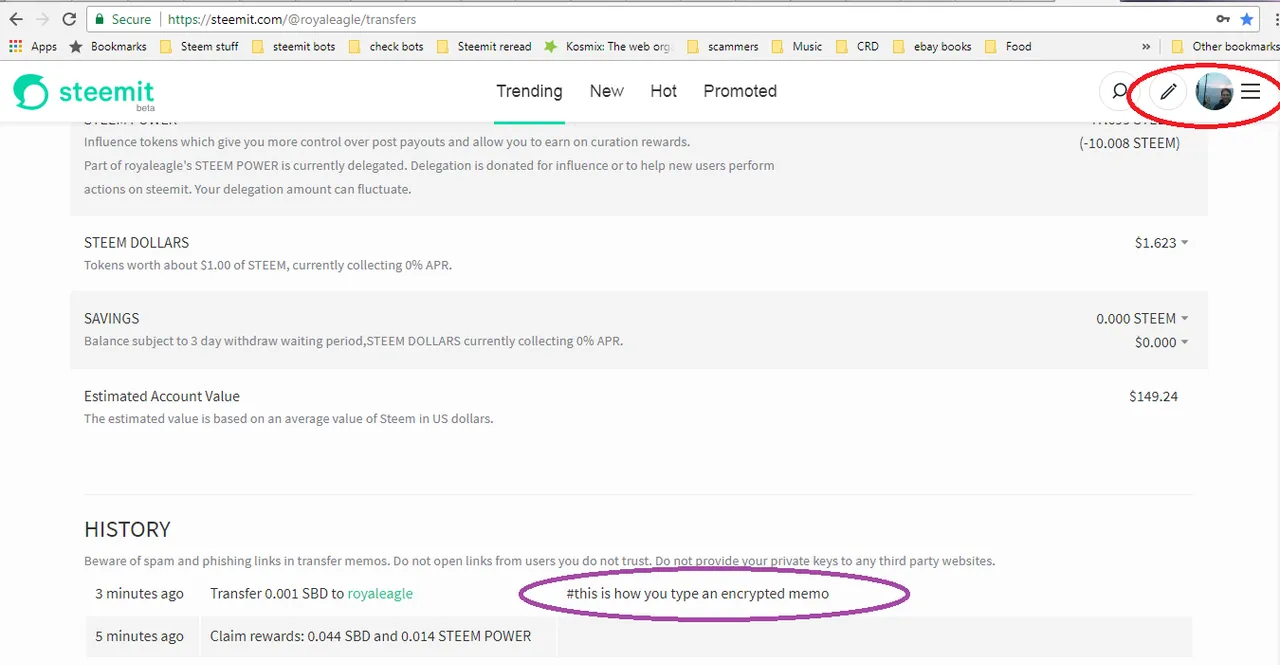
First notice in red that I am still logged in and it doesn't show a different icon when I use my memo key.
Circled in purple is the memo I have been talking about that is now visible.
You may wonder how to tell if you have a memo in your wallet without having to log in every time. You can utilize one of the other block-chain tools to tell. Here is both steemd.com and steemworld.org

You are looking for the #
If you want to send an encrypted memo you need to log in with your memo password.
Then click the transfer button and put a # before whatever you want encrypted.
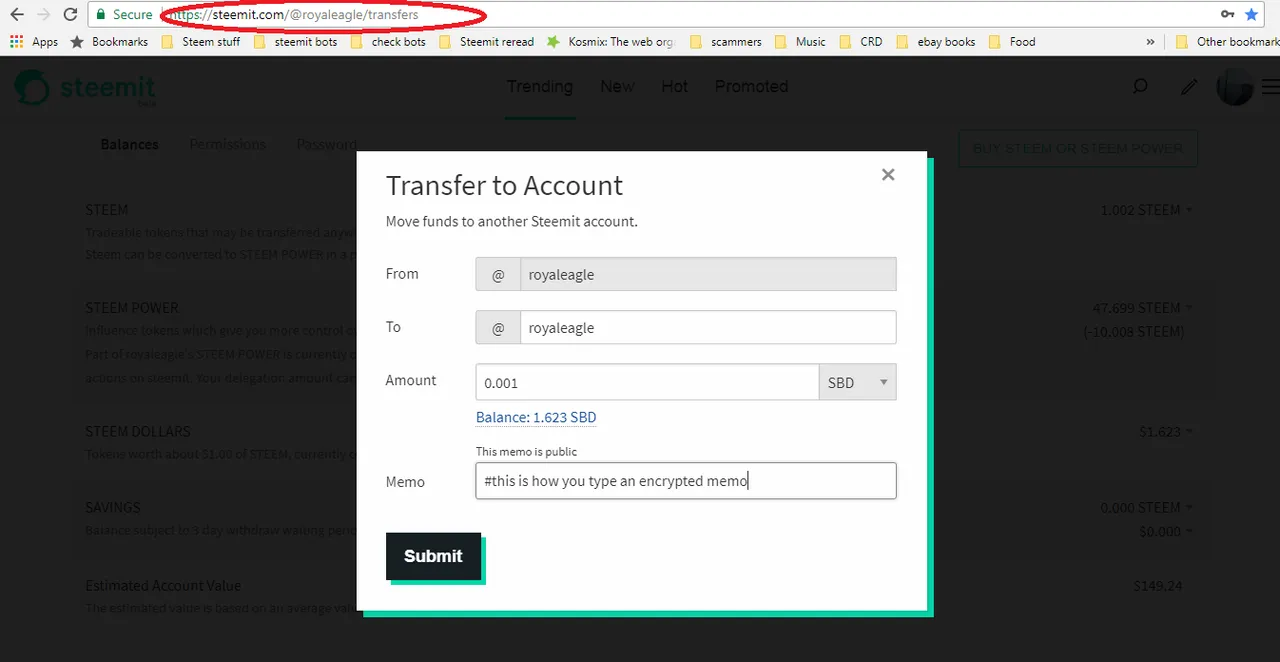
As a reminder always check where it is circled in red to make sure you are on the correct website before you enter a password.
If you haven't logged in with your active key it may ask you for your active key again when you send the memo.
You may wonder where all these passwords can be found. First you goto your wallet. Then you click on the permissions tab


You have 4 keys
Your Active is how you transfer things from your wallet.
Your posting key lets you post and upvote things.
Your memo key lets you read encrypted memos in your wallet