

You can find the source code on github. I pushed the first version also to pypi. Here you can also find the post about distribubot from 
Introduction
Distribubot can be used to allow token holder to distribute more token to other steem user by writing a comment with a specific command.
The BEER token already uses distribubot with the !BEER command:
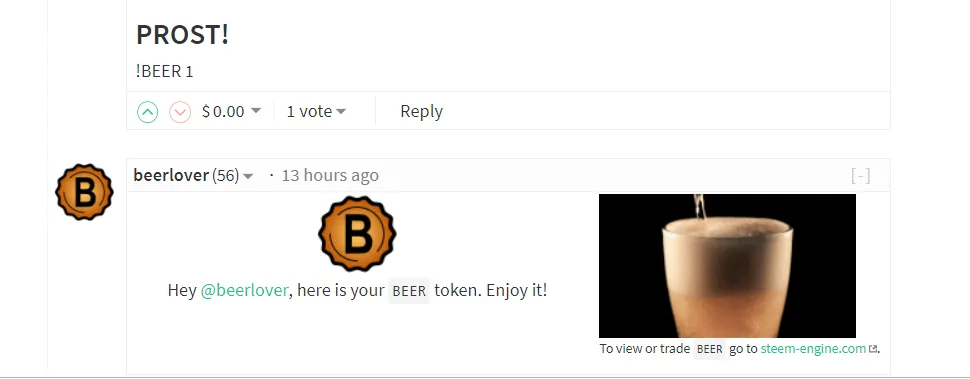
How does it work
Distribubot transfers the token, so it needs an account which holds the amount of token you want to distribute. Then you need to fill out the config.json and run the bot.
I'm running the bot for you
When you have a token and a token sender account, you can provide me the configuration and the active key and i will add both to my running distribubot instance.
Installation
pip3 install distribubot
Edit the config.json and add the active key to beempy:
beempy createwallet
beempy addkey
the bot can then be started by
distribubot /path/to/config.json --datadir=/writeable_datadir/
A data file is stored at /writeable_datadir.
Configuration
| Option | Value |
|---|---|
| token_account | steem account name, which should distribute the token |
| symbol | token symbol, which should be distributed |
| token_memo | memo which is attached to each token transfer |
| reply | when true, a reply comment is broadcasted |
| wallet_password | Contains the beempy wallet password |
| no_broadcast | When true, no transfer is made |
| min_staked_token | Minimum amount of token a comment writer must have |
| maximum_amount_per_comment | Maximum Amount of token that will be send at once |
| token_in_wallet_for_each_outgoing_token | Limits the amount of token a user can send every 24 hours |
| user_can_specify_amount | When true, the user can specify the amount to send up to maximum_amount, when false maximum_amount is always sent |
| default_amount | Default amount of token |
| sucess_reply_body | Reply body, when token are send |
| no_token_left_for_today | Reply body, when the user has not sufficient token in its wallet |
| fail_reply_body | Reply body, when no token are sent (not min_staked_token available) |
| no_token_left_body | Reply body, when no token are left to send |
| comment_command | Command which must be included in a comment, to activate the bot |
| usage_upvote_percentage | When set to a percentage higher than 0, the comment with the command will be upvoted by the scot_account |
Example
Lets assume we want to distribute PIZZA token by pizzalover. 10000 PIZZA should be distributed, so 10000 PIZZA are issued to pizzalover. The active key of pizzalover is stored in beempy. Only user how have 5 PIZZA token in their wallet should use the bot and they should be able to send 1 PIZZA per day for every 5 TOKEN they have. The maximum amount should 3 PIZZA to send at once. The command should be ``!PIZZA`.
When a user has 5 PIZZA, he can send 1 PIZZA per day by !PIZZA or !PIZZA 1. When a user has 50 PIZZA, he can write 10 comments with !PIZZA every day or 5 comments with !PIZZA 2.
{
        "config": [{
        "token_account": "pizzalover",
        "symbol": "PIZZA",
        "token_memo":"You got a Pizza",
        "reply": true,
        "sucess_reply_body": "Hey @{}, here is your tasty PIZZA.",
        "fail_reply_body": "Sorry, you need at least 5 PIZZA to give PIZZA to others.",
        "no_token_left_body": "Sorry, out of PIZZA, please retry later...",
        "no_token_left_for_today": "You need to own more PIZZA (5 PIZZA in your wallet allows you to send 1 PIZZA per day)",
        "comment_command": "!PIZZA",
        "user_can_specify_amount": true,
        "default_amount": 1,
        "maximum_amount_per_comment": 3,
        "token_in_wallet_for_each_outgoing_token": 5,
        "min_token_in_wallet": 5,
        "usage_upvote_percentage": 0
        }],
        "no_broadcast": false,
        "print_log_at_block": 300,
        "wallet_password": "walletpass"
}
Accounts which are muted by the token_account are not allowed to use the bot.
Let me know if you need help or want to add your token to my running distribubot instance.