Repository
https://github.com/KDE/kdenlive
Introduction

Kdenlive is a free and open source video editing software that can compete very closely with big editors. Here on my Steem blog, and on this Kdenlive series, I always try to show the many advantages of choosing open source software. By going open source you help the community and the developers to learn what are your needs and to improve.
Cutting costs
You also gain from going open source because open software often has very frequent updates, bug fixes, and new features, as the whole community and anyone can access the code and implement what they have in mind for the future of the program. As a professional, you also gain from choosing free and open source software in another front, by using free software, you are, effectively, reducing the producing costs involved in your work, and by reducing the costs for doing the work you can, either or both, increase your profits and get more work done, in case you are a freelancer, by charging less you can get more clients!
No downtime
The open source advantages are not just related to finances. By choosing an open source and multi-platform software, like Kdenlive, you can avoid downtime of your freelance business, in case you are a freelancer. Proprietary software often have restrictions on what operating systems they can run and what are the minimum hardware resources necessary for running them, on normal conditions those variables do not really matter, but if you have some sort of issue with your main workstation, and you need to get a backup one from your friends, if their machine does not fit on your software requirement you will get into trouble, effectively reducing your profits!
Kdenlive, on the other hand, for being a multi-platform software, can run on any machine with the same workflow. So there is indeed a tangible advantage of mastering it, even if just a backup tool for your workflow! Because if you ever need to use it, better have the knowledge in hand.
Personalization
Not all video editors have the same needs. In my case, I use a lot the cut feature, picture in picture, and texts above the video, I do not have the need to do color correction, image stabilization, image tacking, nor any other of those more advanced and "pro" features. But if that is what you are looking for, another advantage for going open source is that the software is "hackable". If there is a feature you need, chances are someone needed it before you, and most likely there is an addon, plugin or script to change the native Kdenlive workflow to be more comfortable to you.
Proprietary software does not have such a degree of personalization and some may even go as far as banning you for "hacking into the software".
Not just pros
Yet another group of people that can be benefitted from a free and open source editing environment, is the group of people that are not paid, editors. In this group of people, there may be people that want to learn how to edit videos for a personal reason, for example, to be able to edit family videos at the end of the year for the family meeting. In this group, there can also be another kind of person, and sometimes I feel like this, the ones that would like to give a try to edit videos professionally, for a living.
In both cases described above, if you fit in one of those categories, you most likely would love to cut costs, no one likes to have expensive hobbies, and I, personally, do not like to make investments that are not certain. If your goal on learning a video editing tool is personal, like the person that wants to edit family videos for the family meeting, by using a free and open source program, like Kdenlive, your starting costs are literally zero, considering you already have a desktop computer.
If you would like to give it a shot in becoming a professional video editor, you also would, most likely, to cut starting costs, and, just like on the example above, by choosing a free and open source software you are literally cutting your starting costs to zero too in case you already have a desktop computer! Kdenlive runs on any operating system and is free. So there is no reason if that is what you want, why not download it right now and start learning right away, in a few weeks, if you really commit into it, you can already risk trying to get a freelance job.
The competitors
Let us take a closer look at what the "competitors" of Kdenlive.
Adobe Premiere - Starts at 240 USD Dollars/year
Adobe Premiere is one of the most widely used video editors, professionally, and maybe one of the most advanced. It is totally out of scope for people like me and for most users, that have very basic editing needs both for the complexity and for the restrictive price, but might be a good choice for professionals that need advanced tools, though, the price is hard to justify unless you really can not afford to learn Kdenlive

Sony Vegas Pro - Starts at 200 USD dollars/year
Sony Vegas is less expensive. The software is made by Sony, but from what I have read has fewer features and is less efficient than Premiere from Adobe, it has a smaller user base but a lower starting price (found on Amazon)


Apple Final Cut Pro/Pro X - 300 USD Dollars
One of the most expensive ones and the most restrictive, it works on Mac computers only. It has a much smaller user base and its main competition is Premiere from Adobe. The extra price may pay itself for high-end professionals because the performance on Mac has no comparison with the competition. Apple makes its own software and hardware, which allows Final Cut Pro X have a better performance and faster render times than the competition, even if the competition runs on a much newer and faster computer.


TechSmith Camtasia - 250 USD dollars for 2018 version
Camtasia, by TechSmith, is, from my experience, the easiest and most intuitive from the paid software. Its focus is for amateurs and it is very common to see amateur YouTubers that use Camtasia to edit their videos. The license is valid forever but does not guarantee updates, you can, however, pay an extra 50 dollars to add the 2019 version and support, which puts its price on par with the most expensive Apple software. The performance is not as high as the others above, and it has clearly fewer features, but for amateurs, it undoubtedly has the simpler and beginner friendlier interface.


I am calling those software "competitors", but of course, it is not a fair comparison. Kdenlive is a free and open source, a paid software has to have more features or better performance. It would be a better description to call them complimentary tools, not competitors, because maybe, not surely, there might have a feature on a paid software that no one, yet, has "copied" and implemented, as an addon or script, on the open source editor.
Also, it is not fair to call it a competition because a free software will be a better choice for most people, in terms of "functionality per dollar spent", paid software is, obviously, more expensive, thus they need to "run for their money" and justify the extra cost, which in my opinion, for my use case, and for most people, can't be justified. It is just not worth paying just to crop, snap and render video. I have used some of that software, but after trying the open source alternatives, I do not think that the extra cash is worth it, I would much better prefer to spend that on better hardware and donate to open source projects to help them on the development
Resources
Sony Vegas
https://www.vegascreativesoftware.com/us/
TechSmith Camtasia
https://www.techsmith.com/video-editor.html
Apple Final Cut Pro
https://itunes.apple.com/us/app/final-cut-pro/id424389933?mt=12
Adobe Premiere
https://www.adobe.com/products/premiere
Kdenlive repository
https://cgit.kde.org/kdenlive.git/
Kdenlive main website
https://kdenlive.org/
Feature list
https://kdenlive.org/en/features/
User manual
https://userbase.kde.org/Kdenlive/Manual
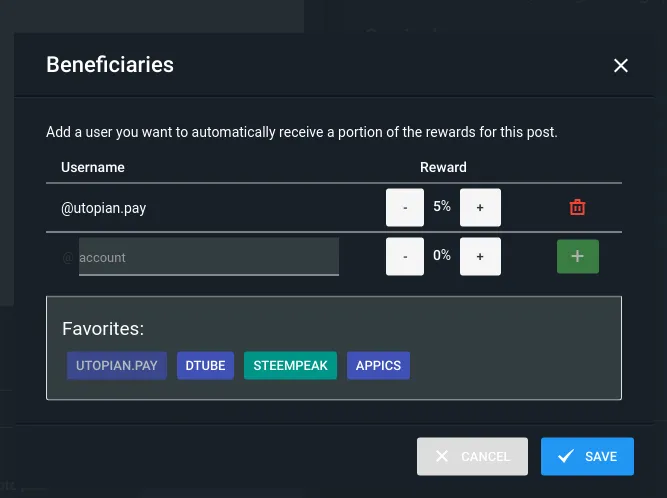
Beneficiaries
This post has as beneficiaries
@utopian.pay with 5%
using the SteemPeak beneficiary tool