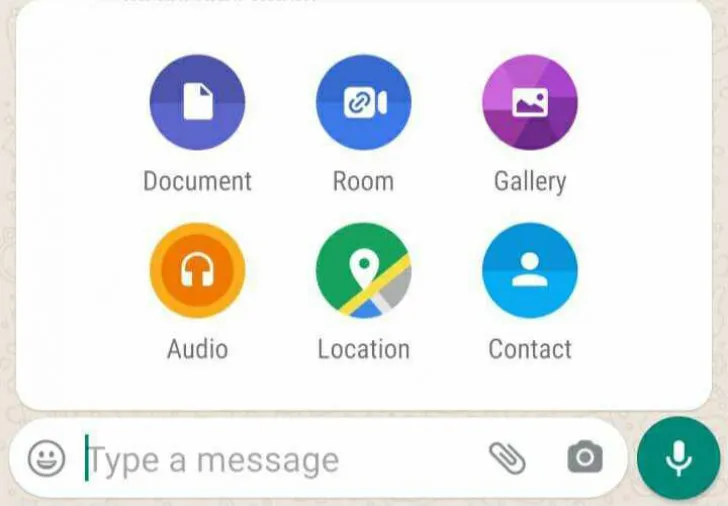
There are two ways in which Messenger Room can be created in WhatsApp.
The first way is by clicking three dots on the top straight hand and the second way is by going to a chat.
First way
To create a chat room in the first way, click on the three dots at the top of the WhatsApp web and select the option with Create A Room given there.
After this, a popup will be written in which Continue with Messenger will be written, as soon as you click on it, a new page will open, on which you will get the option with Continue with Facebook account.
Here you also get the option to create a room from another account.
Another way

If you want, you can create a messenger room by going to a chat and clicking on the attached option.
How to join a room as the invitee?
First open WhatsApp on your Android device.
Then, go to the person or group chat in which you have obtained the Messenger Room link.
Now, tap on the received link.
It will ask you to choose whether you want to open the link in your mobile browser or the Messenger app.
After you have selected, it will direct you to your mobile browser from WhatsApp and Messenger app or Messenger website.
note -
Messenger is a separate app and website, so Facebook's terms and conditions will apply.
You will need to install a new version of the Messenger app on your device or update the Messenger app.
Log in to Messenger with your Facebook account.
If you do not have a Facebook account, you will have to enter your name and review the given rules.
If asked, tap on try it.
Then tap on Join as {name} 'or Join as a guest.
Note: Room builder must be present to initiate a call.