
Hi all this is my first blog post so please bear with me!
Goal: Add Dark Energy Crystal (DEC) to my Splinterlands account
Disclaimer: Just Started playing this last night (06/12/2021)

What I have:
- Binance Account
- Trust Wallet (Android)
- Brave Browser
- Metamask
- Splinterlands
What's Needed:
- Dark Energy Crystal (DEC) contract address :
0xe9d7023f2132d55cbd4ee1f78273cb7a3e74f10a
https://poocoin.app/tokens/0xe9d7023f2132d55cbd4ee1f78273cb7a3e74f10a
Steps I did:
- I have money on Binance Account so I bought BUSD which is needed for the smart contract.
- Then I transferred the BUSD to my Trust Wallet (Android).
- Within the Trust Wallet (Android) go to DAPPS and select pancake swap.
- On pancake swap use v1 (old) for some reason it's not working on v2.
- Select BUSD to Dark Energy Crystal (DEC) (contract address provided above).
- You might want to increase slippage to 10% to avoid failing.
- Now you have Dark Energy Crystal (DEC) on your Binance Smart Chain (BSC) wallet, but the problem is how to put it on Splinterlands.
- Since Splinterlands only allows MetaMask, we need to add the Trust Wallet to MetaMask
- You can follow this guide here: https://docs.splinterlands.com/other-blockchains/binance-smart-chain-bsc/setting-up-bsc-on-metamask
- After that click here:

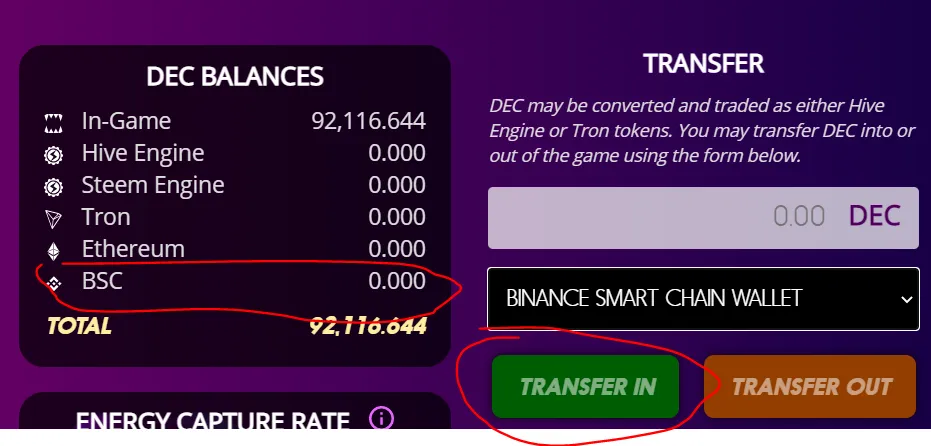
- It should show your Dark Energy Crystal (DEC) and select Binance Smart Chain Wallet and click Transfer In it should add up to your in game Dark Energy Crystal (DEC)
- With that I was able to buy my chicken!!! :)

Come and try playing Splinterlands it's fun! You can try it for FREE here!
