
Hello, Steemians! I just want to share to you how I created my animated GIFs. ^_^ I'm not a pro in creating such but at least I know how and I can create such for my own use. I just learned this recently out of curiosity. Haha! ^_^ I just want to share with you what I learned.
I didn't watch any tutorial about this so please bear with the processes I'm going to share with you. Haha! This is just my own way of making animated GIFs. ^_^
My GIF #1

I used an anime creator for this one.
Step 1 : Have a body of your choice. ^_^

Step 2: Choose the hair you like.

Step 3: Choose the eyes you want.

Step 4: Choose a mouth.

Step 5: Choose the dress you like. ^_^ (If you want your character to wear shoes/sandals, you can also choose from the choices. :D )


Step 6: Add accessories if you like. ( I added cat ears and a tail because I'm a cat lover. :D )


Step 7: Once you're done. Click the whole character (you'll see a red box once you click it), move it to the direction you want. Save each on your PC or print screen each for these will be used in the animation process.


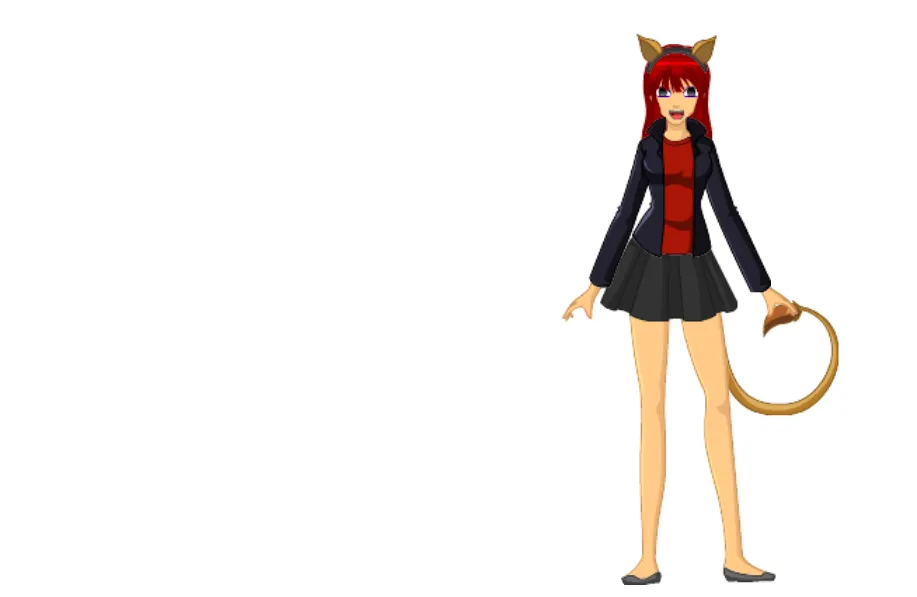
Once you're done saving them go to this link. Once you get there, click the 'CREATE' button.
Step 8: Choose the photos for your animated GIF, the ones you saved on the previous step.

I use numbers in naming them so I won't find it hard to arranged them in the animation process.

Step 9: Adjust the slideshow speed.


Once you're done, click 'CONTINUE TO DECORATE'.
Step 10: Decorate your animated GIF. Choose whatever stickers, captions, effects, etc. you like.

Step 11: Once you're done, click 'Continue to Upload' button, add tags (source is optional), and click 'Upload to Giphy'.

Step 12: Click 'Copy Link', choose the GIF link and now you can paste it in your posts. ^_^ You can also download them if you want. :)

And we're done! I hope you've learned from this simple tutorial. ^_^ If you have comments or questions, feel free to express them below. :)
More blessings to you! ^_^
P.S. I'll be posting soon how I made my other GIF without the use of anime creator. I'll be posting how I made the GIF below. :D

IF YOU LIKED MY TUTORIAL, PLEASE SUPPORT ME THROUGH COMMENTING 'VOTE' IN MY COMMENT ON THIS POST.
THANK YOU! ^_^