
lately some friends asked me about that gif sign i had in the end of my posts.
tonight im going to tell how i made it in photoshop , i will show it by pictures step by step .
its pretty easy to make such gif .


im using photoshop CC 2017
, it works for every version ,
but for old versions you must go to Adobe image ready , ill attach the photo ,
this picture was for old versions.

lets start
first you need to have your image jpg format , with 2 layers ,
for the first layer i used a white surface ,
and second layer is my image .

tap on 3D

you will face this page , if you couldnt see the bottom , go to window / timeline
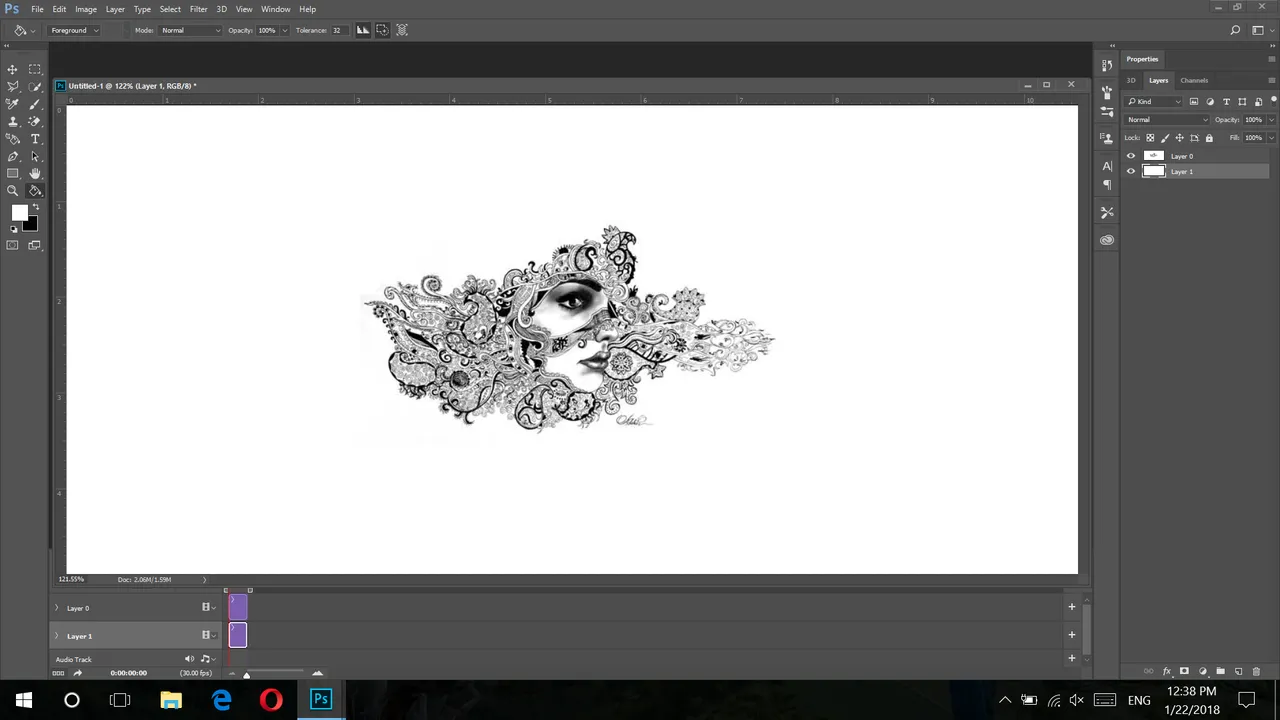


convert to frame animation ,
ok set the duration on 0.1 second .
you can choose other options but it will act slowly ..

now add layers. i show it in picture , tapp on the little layer icon , i added 20 layers .

let the first layer and tap on second layer of that 20.
and set the opacity on 90%
so we have 90% opacity for layer 2, look at the image,

now you need to repeat it for these layers with lower opacity
layer 3 = 80 % opacity
layer 4 = 70%
layer5 = 60 %
layer6 = 50%
layer7 = 40%
layer8 =30%
layer9 =20%
layer10 =10%
layer11 = 0 (you can set the time of this layer on 0.2 second )
layer12 = 10%
layer13 =20%
layer14 =30%
layer15 =40%
layer16 =50%
layer17 =60%
layer18 =70%
layer19 =80%
layer20 =90%
Ok
now select forever ,its about the repeatation of your gif ,
you can also add different pictures in different layers .

tap on first layer and write , if you choose other layers you will not have your text in previous layers,

and DONE !
but dont remember for saving use save for web , if you choose other ways it will not save as a gif .


