

It is now easy to mine Superior Coin with your web browsers. Just go to http://minesuperiorcoin.net/ and enter your wallet address then click "Start".

You are not able to mine to your Kryptonia web wallet address or Exchanges like BTC-Alpha.
These are the 3 addresses you can use:
GUI Wallet Address: Download and install the Windows GUI Wallet.
Paper Wallet Address: Offline wallet generator to start mining and collect your coins later.
IMPORTANT NOTICE: Remember to keep your Mnemonic seed and Private keys safe because you will need these later to get your coins. If you lose these then your coins are lost and can NEVER be recovered.
Checking the status of your mining
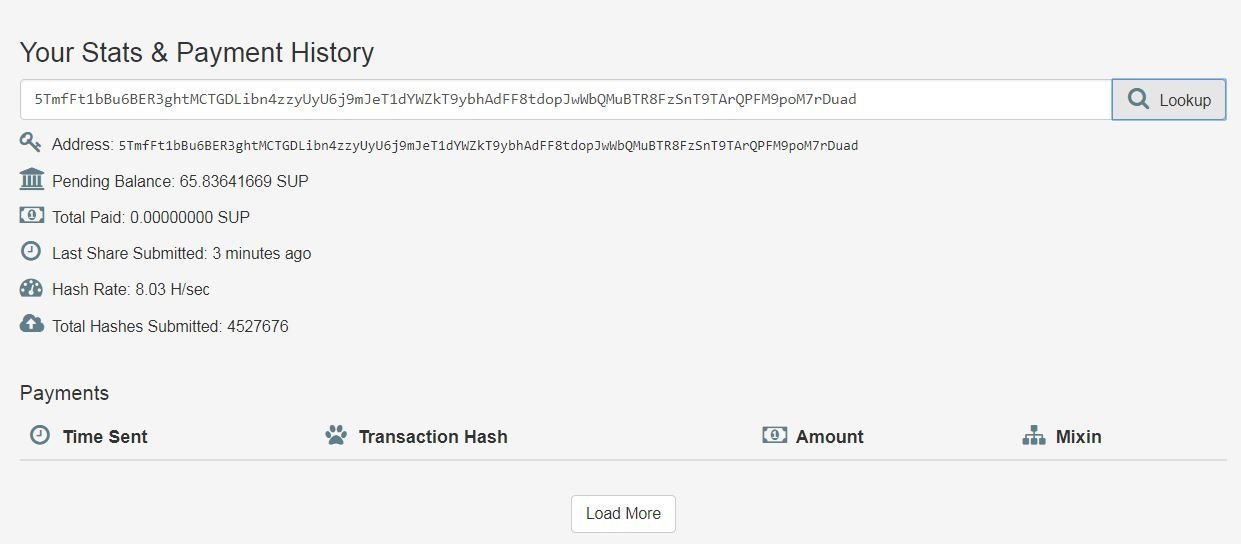
You can check the status of the mining on the same page by entering the wallet address in the field "Your Stats & Payment History" and pressing "Lookup". But please note it can take up to 2 hours to see the mining stats when you first start mining. Until then you will see "Not found".
Possible Antivirus Issues
Some Antivirus software flag the web page because of the JavaScripts name, since it was a common practice to use without people knowing while visiting some web pages in the past.
Mine with your friends
If you have a group of friends who want to mine Superior Coin you can all mine to the same wallet address so mining coins faster. Coins are sent once 200 or more coins have been mined.
My Superior Coin Mining Syndicate
If anyone would like to mine to my wallet address then I would give them a share in my Superior Coin Mining Syndicate. This way they do not need to setup their own mining wallet address and wait for the 200 coin limit before receiving their mined coins. I run mining stat updates a few times a week and provide people a web page to show the coins they have mined in the pool. People can request payouts which I send to their Kryptonia web wallet.
If anyone is interested they can contact me of my Facebook Messenger or Telegram.
Useful sites
Kryptonia.io where you can earn Superior Coin by completing tasks
