
Create a new Virtual Machine in VirtualBox for Ubuntu Linux, and set the required configuration according to Ubuntu Linux requirements....
Step 1_ Klik Virtual Box and klik new

Step 2_ Fill in the name vhd

Step 3_ Determine the amount of memory

Step 4_ choose Create Virtual hardisk Now

Step 5_ Choose Dynamically allocated. Then click Next.


Step 6_ Well, we have succeeded in creating a virtual computer. Now click Start to operate it.
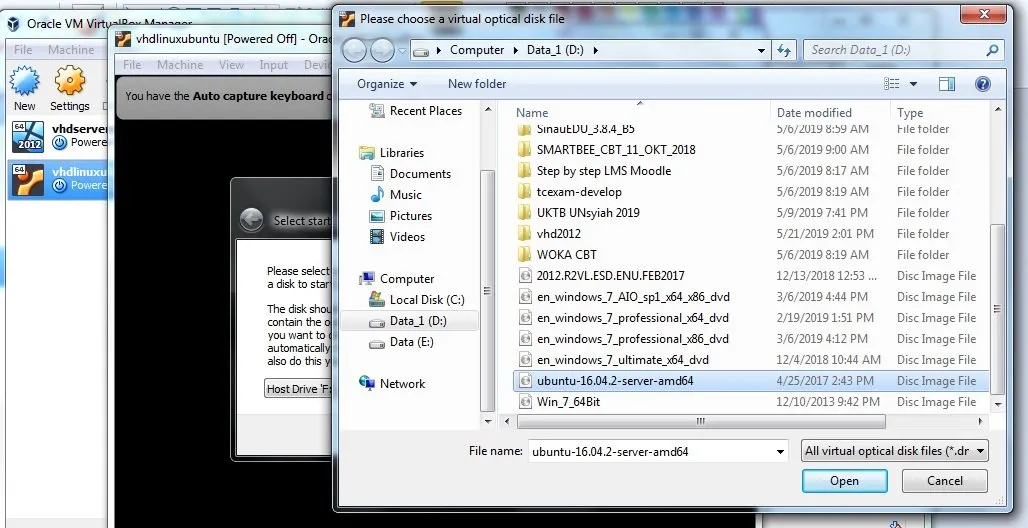
Well, I think you can handle this part. Next we just have to do the installation as usual. I will give a snapshot of the pictures.


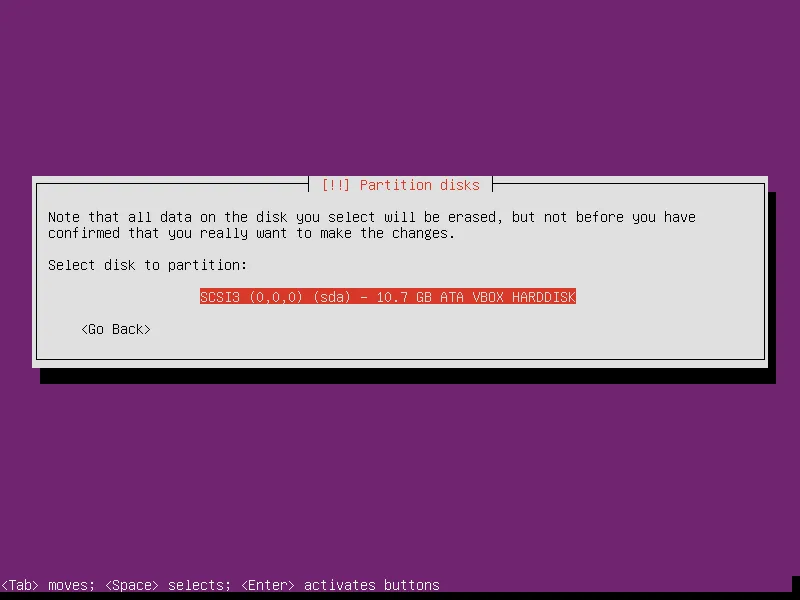


The installation process is complete. Now it's just how we use it.
If we already feel / or will not use a virtual computer again, we can delete it. The trick, right-click on the virtual computer, then select Remove. If the confirmation box appears, select Delete All Files, to delete the related files.
Well, that's how to install Ubuntu Linux on VirtualBox. I think it's quite easy.