
This is a quick guide to try to format a pendrive, sd, etc, that when you try to do it the normal way gives you the message windows was unable to complete the format, I used these steps on windows vista but the process is similar with other versions; well, let’s start.
- Click on Start (windows icon)
- Search Computer (equipment)
- Right click on it
- Click on Manage
- Go to Disk Management
- On the unit you want to format, right click and then Format
And that’s it, if you see something like this it you did great, in my case I’m formatting the D: Unit .
Self image
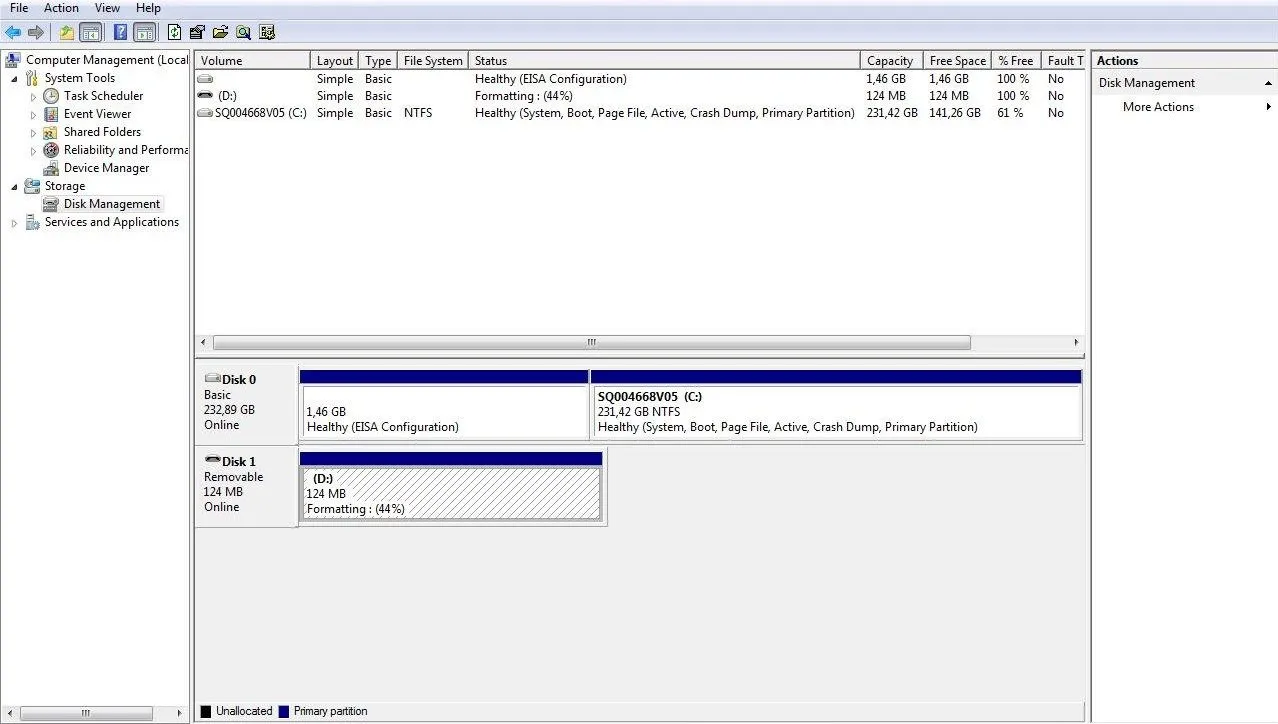
You can use this procedure for example, if the unit says that it doesn’t have space either used or free, like this.
Self image

And that’s it; hope you can do it, greetings.