
SIMPLE STEPS ON HOW TO CONVERT KARMA OR PGL TO WAX TOKEN AND VICE VERSA USING NEWDEX ON A MOBILE DEVICE
STEP ONE:
- Open any web browser you use on your mobile device in surfing the internet.
- Click on the Browser Settings to switch the Browser from Mobile View to Desktop View.
STEP TWO:
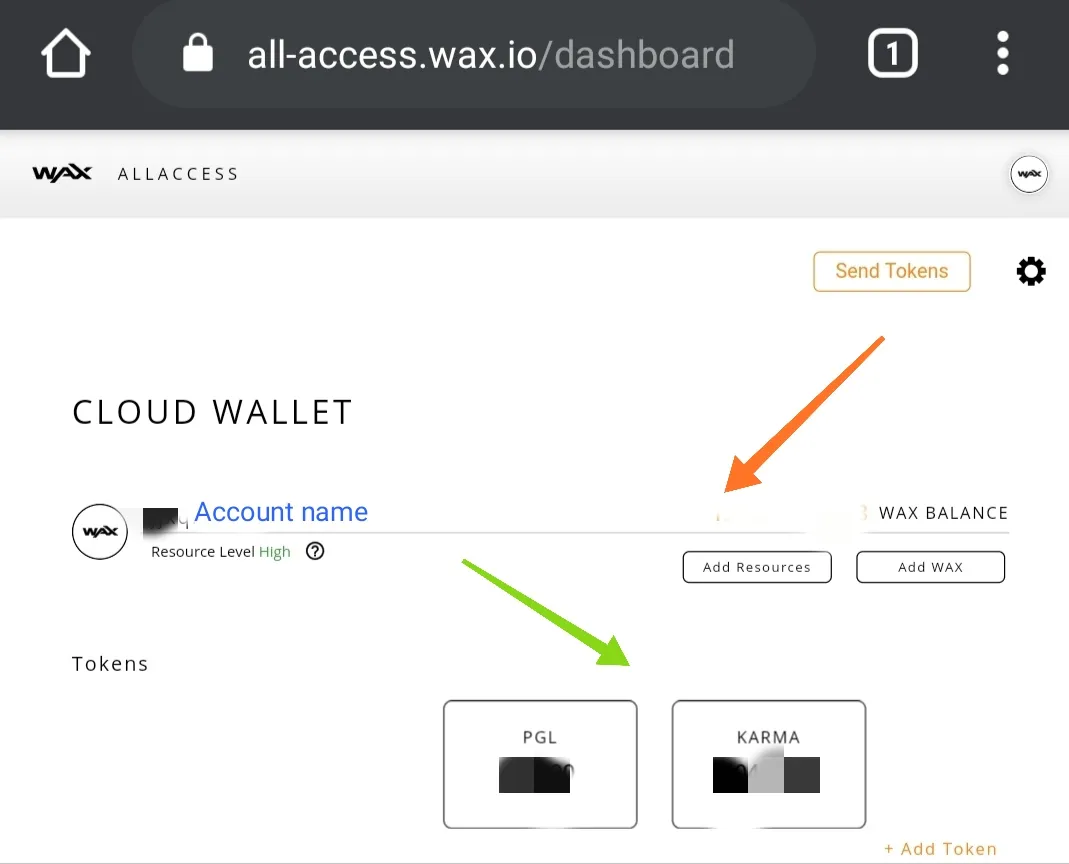
- Visit https://all-access.wax.io to Access your Wax account.
- Login through Facebook,Google, Discord or Email option

- Confirm your account Login was successful.
STEP THREE:
- After successfully logging into your WAX account, open a new tab on your browser.
- Visit https://newdex.vip, Click on Sign in.

STEP 4:
- Once you click on Sign in link, a small page will pop-up. Click on the drop down button as shown on the image below.

- Select WAX from the option

- After selecting WAX from the option, a new page will pop-up, Click on Login via Wax Cloud Wallet. You will be logged in automatically on NEWDEX.

STEP 5:
- Scroll down and click on EOS SIDE as seen on the image below.

- Click on WAX directly below EOS Side link. Then click on the token you wish to convert. Currently WAX has only 4 (Four) pairings on NEWDEX;
- EOS/WAX
- PGL/WAX
- KARMA/WAX
- BET/WAX.
For the purpose of this tutorial will be using PGL/WAX

STEP 6:
- After clicking on PGL/WAX, you will be redirected to a new page showing PGL/WAX chart.
- Scroll down to BUY and SELL section to perform your desired transaction.
