

hello everyone, i am an audacity user, i often use this app to edit my favorite audio.
for those of you who do not know what is audacity, click here
Well, Here we learn how to more things about audacity, such as:
how to cut a song
how to combine songs
Requirements
Audacity software can be run or installed with your laptop / computer specifications using Windows Vista OS, Windows 7 and Windows 8
Information
For more information on audacity, you can visit the official website hereDownload
for those who have not installed or have this software, you can download it hereNews
For this tutorial, i use OS WIndows 8:

and for software i use Audacity 2.2.1
Difficulty
- Intermediate
Discription :
for this difficulty I think it depends on you, do you already understand how to operated this software, if you are accustomed to, then this becomes easy for you to do
Tutorial Contents
for the process of cutting this music requires a little thoroughness you to cut the song in accordance with the tempo or the time and rhythm of a music to fit the music you want to combine then. okay, let's get started
first you input the first song you will combine with the next song by selecting the menu** FILE> IMPORT> AUDIO **or by way of **CTRL + SHIFT + I **
Chose the song you mine, and than clik OPEN
Then re-input the second song to be merged, the same way as above! Before that you should point the cursor down first under the static song above, so the song is not stacked ..
like the picture below


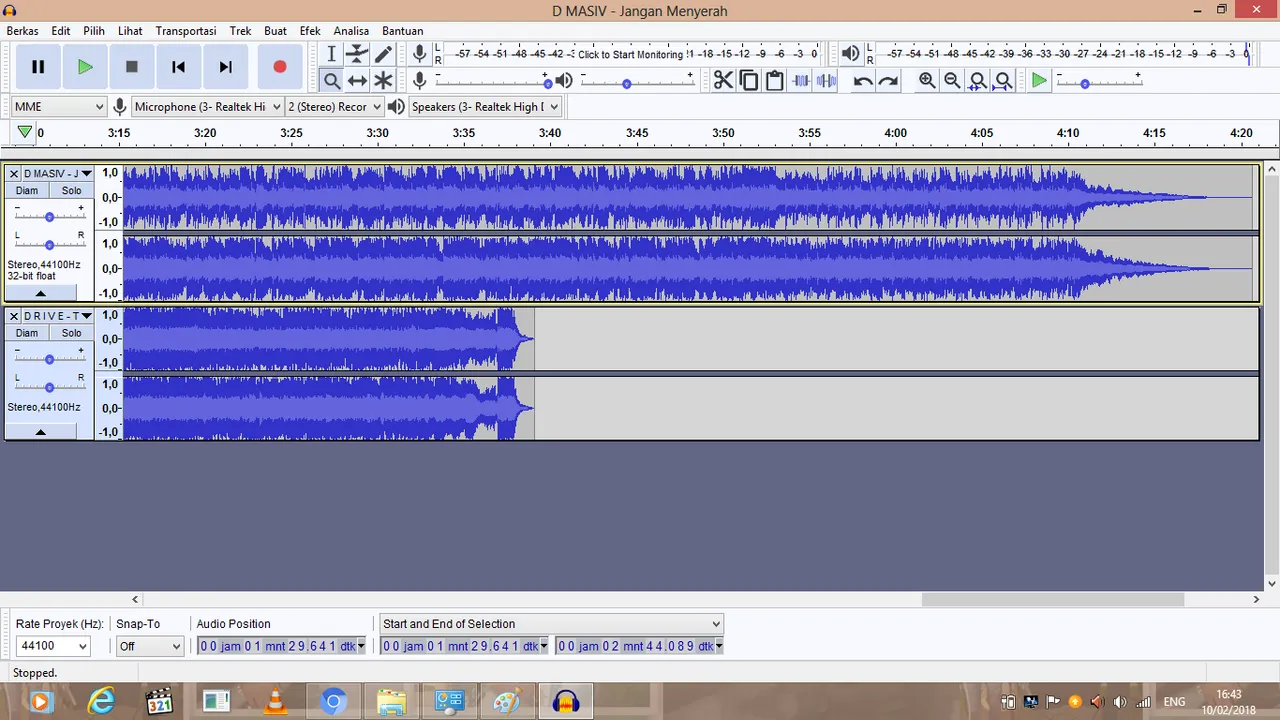
4.if you are this part cut in the first song that has been entered or just want to take the intro song or reff, and others will be removed, simply by block the song part will be removed then press the DEL or DELETE or can also click edit, and select delete or (CTRL + K), the following sections will be removed by block.

and will look like the picture below
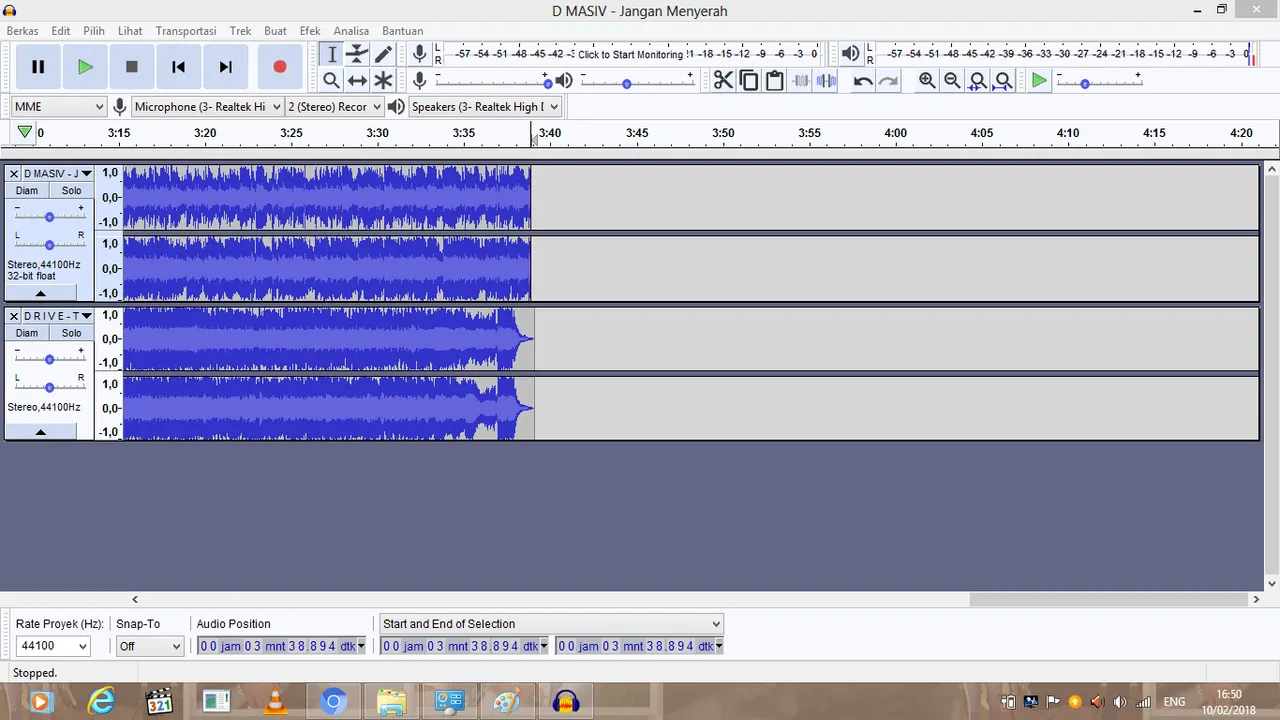
- we have finished cutting the song in the last part of the first song, then we enter the profit step of combining the second song with the first song by blocking all parts of the second song and then press **CTRL + X **to cut or cut the second song ,, or can by select menu ****EDIT> CUT.

- after finished in the cut then paste the second song in the desired section by selecting the menu EDIT> PASTE or by way of CTRL + V, here I move to the back of the first song following the image I've pastekan. merging this song can be done with some songs ,, but the more songs are combined and the longer the duration of the song the greater the capacity

and it will look like this

so far, we've finished combining or cutting the song, then we can save the file we have cut and combine it by selecting menu FILE> EXPORT or by pressing CTRL + SHIFT + E.
Select the storage media as desired, and under the storage name select the format in use, WAV or MP3 or other, then select SAVE.


Curriculum
here's my short tutorial this time about cutting and combining a song .. hopefully useful for readers, thank you.
you can download my project here
Download my project at googledrive
Posted on Utopian.io - Rewarding Open Source Contributors