
I have added the Steemit logo to the social media button library bootstrap-social.
Bootstrap-social is based on the web development toolkit bootstrap and the font library Font-Awesome and makes it possible to add nice buttons for social media links.
After I added Steemit logo to Font-Awesome (also on utopian.io, currently in review) I could also add Steemit social media buttons to bootstrap-social.
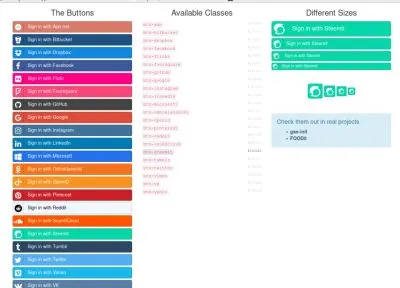
Here is an example on how it can be used:

I use it on my about page on my web site. If you clone the repository you can open index.html for more examples like this:
My fork can be found here
How to use it on a website
Clone my forked version of bootstrap-social
$ git clone https://github.com/bhjortsberg/bootstrap-social.git
It contains font files from Font-Awesome in assets/fonts (which are copies from my forked version of Font-Awesome) and the Font-Awesome css file in assets/css.
Copy assets/css/font-awesome.css and the assets/font directory to the root of your web site.
Then on your web page you add in <head> section:
<link href="/font-awesome.css" rel="stylesheet">
<link href="/bootstrap-social.css" rel="stylesheet">
and in the <body> section where you want your Steemit button:
    <a class="btn btn-social-icon btn-steemit">
        <span class="fa fa-steemit"></span>
    </a>
Enjoy your new Steemit button!
Posted on Utopian.io - Rewarding Open Source Contributors