

In this linux article or tutorial we will learn how to Install Ubuntu Linux 14.04 Trusty Tahr step by step. Ubuntu 14.04 was released On April 17, 2014 with the code name Trusty Tahr.
How To Install Ubuntu 14.04 Trusty Tahr
1. Prepare USB Flashdisk, CDROM or DVD Installer Ubuntu 14.04
You can get the Ubuntu 14.04 Ubuntu installer CD-ROM or flash on the official Ubuntu Website. Or you can also download and transfer ISo files to Flashdisk or CD-ROM.
Download Ubuntu 14.04
2. Booting a PC via a Flashdisk or CD-ROM
Boot over a Flashdisk or CD-ROM. The trick is to press the F8 or F12 (depending on the BIOS version) to select the boot source or boot priority.
3.Wait until the Language Select Menu appears
Select the language you want, then press Enter

4. Next Select Install Ubuntu

5. Next just wait for Install Process

6. Click Continue when the Welcome dialog appears

7. Check all options, Click Continue

8. Select How to Install and partition
If you are new and want a single (not dualboot) installation on your PC, we recommend using First choice. but if you want a custom partition for something and other things, you can use other options.

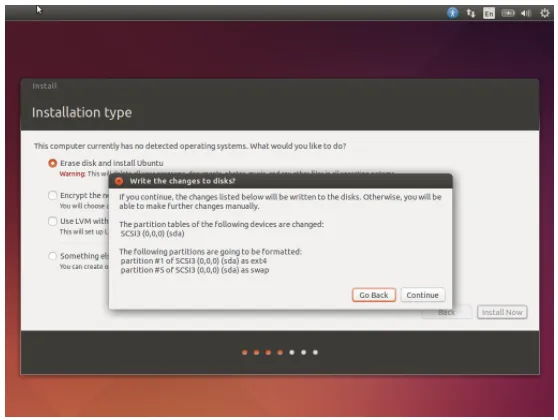
9. If in step 9 you choose the first option, then the partition will be done automatically. Click Continue
10. Next please Select Time Zone

11. Select Keyboard Layout then click Continue

12. Fill in Name, Hostname, Username and password

13. Next you just need to wait Install Process

14. last you will be prompted to Reboot when the install process is complete

DONE
Hopefully the above tutorial useful for you, I say thank you guys who have read my post. And also thanks to 
THANK YOU

Posted on Utopian.io - Rewarding Open Source Contributors