
Components
3D Model Viewer is an open source application for android devices that works to display 3D images and see how to do it with this app. I've been using this app to display 3D images for several days, and have used the "model" feature to display 3d images obj, stl and dae. And after trying to use it, I did not find an interesting 3D Object model draw, which makes me want to contribute to suggesting to developers to add the "OBJ Samples" feature in the menu options provided, as it is needed by 3D model viewer application users.
Proposal
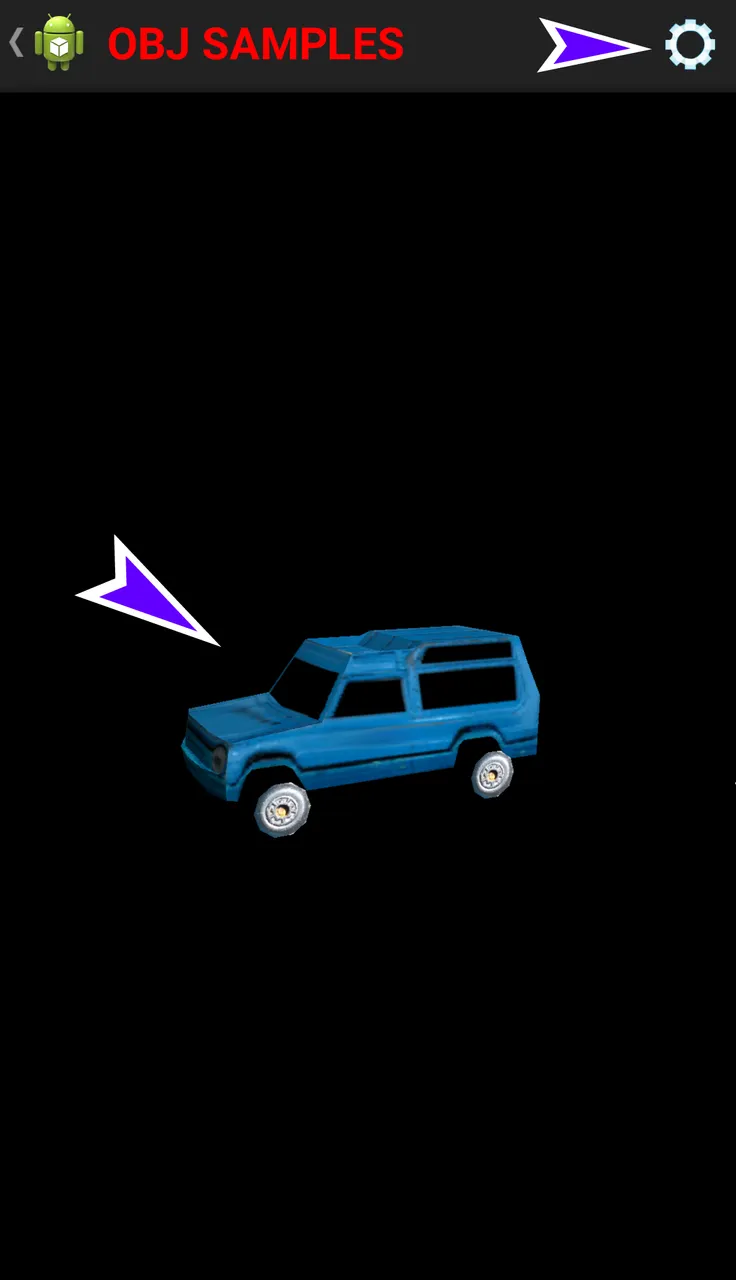
Propose the "OBJ Samples" feature in the menu options section, so that users can use the feature, without having to go into the model selection to select the obj image, and modify the obj piece part to add some interesting obj list options. And the developer should add the Settings feature in the top toolbar section to give the user access to set the background, two-sided, light, rotation. And gives users quick access to manage these features.
Mockups / Examples
Users will get a view image in the viewer's 3D model app after the developer adds the feature I propose, like the example illustrations below.




Benefits
The presence of the "OBJ Samples" feature in 3D viewer model applications, will give users a huge benefit, as users can display interesting 3D obj images, without the need to access the "model" feature to get 3D images, so users no longer have trouble accessing or load 3D images, especially the OBJ format images. And it's amazing and useful for users. Users can also adjust the settings of the obj image, such as setting the background, two-sided, light, and rotation as desired. So users feel very happy, and will notify other users or friends to install 3D model viewer application.
Posted on Utopian.io - Rewarding Open Source Contributors