
What Will I Learn?
Hello Guys, Today In this Tutorial I am going to teach how to go live on dlive Using OBS studio.
- You Will Be able to Stream Live on dlive
Requirements
You Need
- OBS studio You can Download Here
Difficulty
Either choose between the following options:
- Intermediate
What To Do?
1)Download The OBS studio Into your Machine and Make sure it is working.
2)Go to dLive and Click On Go Live
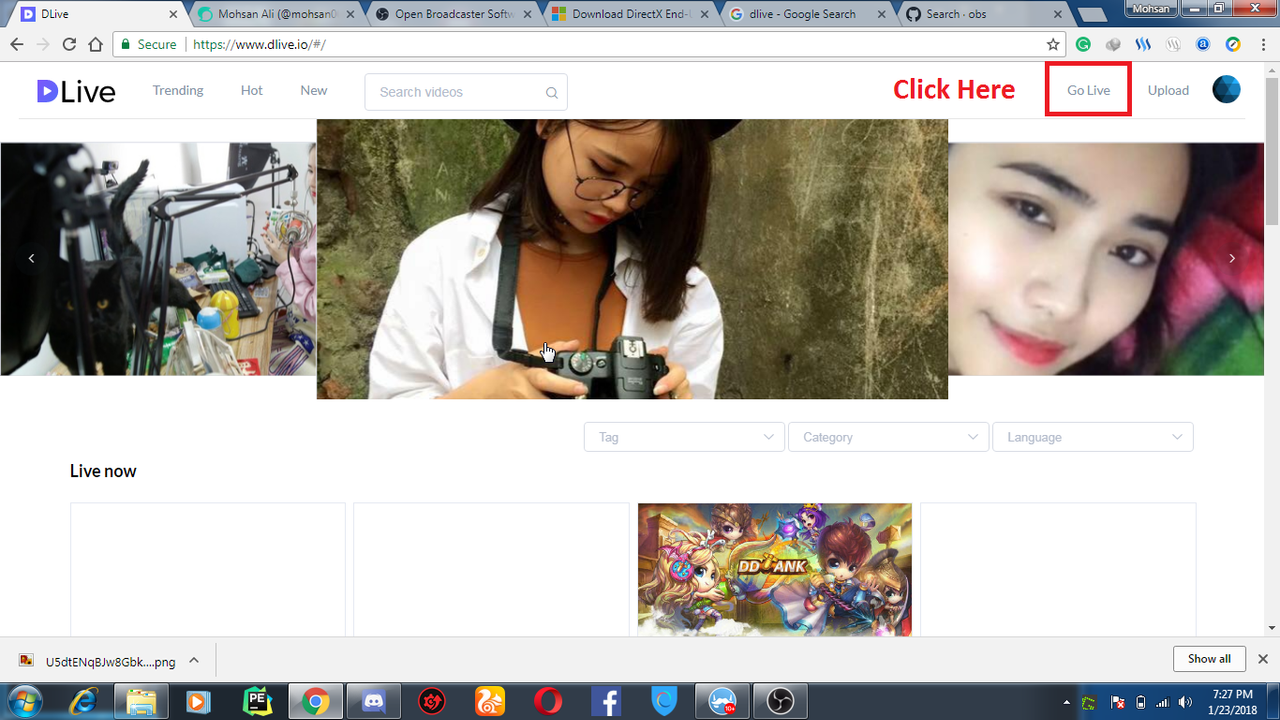
3)Fill All The Details Here.

4)After Completing the Last Step Just leave that and Open OBS studio:

5)After OBS has Opened Simply Click On Settings

6)Click On Stream

7)Select Custom Streaming Server from The Drop Down List

8)Optional Check That Use Authentication:

9)After You Have Complete The Step 7 or May be 8 Just Minimize the OBS studio and Come to The dLive Were You left after compeleting the 2nd Step. Copy all these Details and Paste it in The OBS Studio As Shown
From Dlive
To OBS Studio


after filling this Just Save it and come back to the Home of OBS Studio.
10)Now go to dlive and And do some basic stuff:

11)In this Step Just Click On Start

12)After Compeleting 11th Step You will not Be live Come Back to The OBS studio Just Click on Start Streaming

After You have compelet this step You Will Be Live As You Can See I am Live:

Boom!!! We are Done!
Posted on Utopian.io - Rewarding Open Source Contributors