
Repository
https://github.com/SourMesen/Mesen
Introduction
(source)
Mesen is a high-accuracy NES and Famicom emulator. You can play old classic games on Windows and Linux by using it if you download these games (ROM-files) from the Internet.

Mesen is an open-source software. Its core is written in C++, and the interface is built with the C# language. So, it combines high performance and beautiful interface. The emulator interface is translated into 9 languages (English, Russian, Ukrainian, Chinese, French, Japanese, Portuguese, Spanish and Catalan).
Post Body
Mesen supports all features of modern emulators:
Save/load game. In addition to the usual save to a file, the emulator supports integration with Google Drive to use the save in the cloud function the game can be continued from any of the devices.
Recording and replaying walkthrough. This feature is not fully implemented. During the recording of the game, the player cannot use the save function, but the developer promises to add this feature in the near future.
Acceleration/deceleration of emulation speed. Also supported frame-by-frame emulation for high-precision recording and unwinding game back-in-time.
Emulation of various devices - joypads, light gun, devices for using cheat codes.
Netplay.
Support for game patches in IPS files. You can use the game patch file without changing the ROM file to play the modified version.
For example, here’s the Chip & Dale hack: Tale Spin Levels (article about it) loaded into the emulator:

Playing NSF files. NSF-formatted files contain music from games, so the emulator can be used as a player of such files.
The console country setting, as well as a wide selection of video filters, which allow both to improve the graphics using bilinear or trilinear filtering or display it in an old-television style.
This option is important for gamers, who originally played games in a specific region (PAL/NTSC). Gameplay is then little different for different modes.

Furthermore, I want to highlight the important features of the emulator:
Active development. The developer constantly improves the emulator, responds to questions and suggestions from the community (links cover the topic on Nesdev, mail, issues on Github). The emulator is created, in fact, by one person with the nickname Sour.
Support for HD packs games. The emulator supports a special way of describing improved graphics and music for games. There are several prepared packs, where you will get graphics of such quality the original console could never have.
For example, here is the HD pack for the game Castlevania

Many HD packs can be found here. There are packs for games: Metroid, Super Mario, Pacman, Ninja Gaiden 1-2, Kung-Fu, Nuts’n Milk.
Powerful tools for debugging and researching games - debugger, code and data logger, memory editor and video memory viewer. This is not very interesting for the average user, but homebrew developers can use the emulator to debug their projects. Also, the emulator provides high accuracy - it works as close as possible to the real console.
Embedded Lua scripting allows users to use all debugging tools, allowing you to create additional utilities for researching or modifying games. There are several examples of Lua scripts included within the emulation.
I used the Lua scripts system to show the effect of splitting the screen into layers, which is performed using the horizontal scrolling PPU (script). Now, this script is included in the Mesen distribution.
Here are a few gif-images created with it (I created gif files also using the lua-script!):


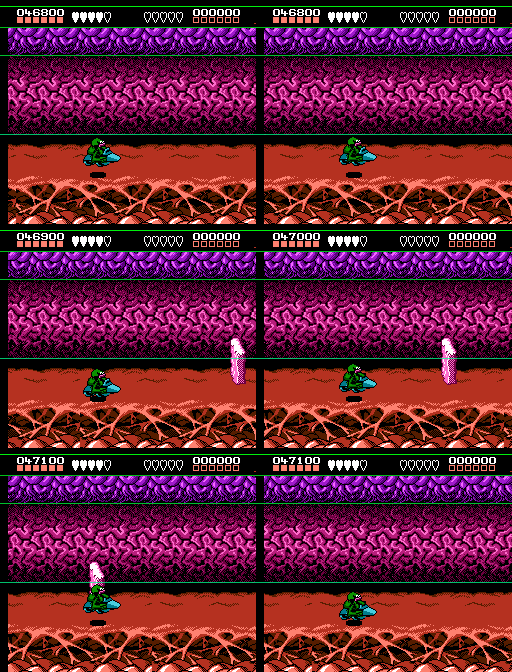
Also, I used the Lua script for allowing me to record the passage of the HD pack of the Castlevania game without taking damage (the emulator does not allow saving the game while recording the game by default):

I asked the Mesen developer to add the LuaSocket library (commit) to Lua. This will allow the user to control the emulator remotely from other languages, as I did with the Fceux emulator (link).
Almost any of the features of the emulator can be described in more detail. Generally, Mesen emulator is probably the best NES emulator at the moment, which I highly encourage you to try it on your own. Finally, I’d like you to provide you with a compiled list of my favorite NES games.
Additionally, thanks 