
Hi everyone,
Welcome back in episode Based Latex programming tutorial.This is a English tutorial for How to Write Normal,Italic,Small And Big text In LaTeX.This is the 2nd Episode for Latex.
Let,s start
First you have to know how to write a document in latex.We know that latex is based on commands.So, you have to the main command to run latex.
So , write a document you need to follow the command :The \begin{document} command indicates the end of the preamble and the beginning of your text. A corresponding \end{document} command always ends your files.
Now we see How to Write Normal,Italic,Small And Big text
1.Write a normal text:
write a normal text in latex is very simple.First you need to begin by the command is \begin{document}.
Then write your text normally.Then end the document by the command is \end{document}.
For example :
                                                                          \documentclass{article}
                                                                            \begin{document}
                                                 This is a English tutorial for latex programming and this is the normal text
                                                                            \end{document}
The commands looks like in winedt
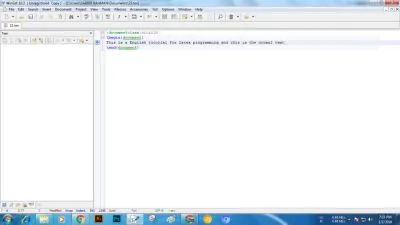
Then click on the texify button to save and see preview

The preview is here

2.Write a italic text:
write a ITALIC text in latex is very simple.Write down the command \textit to write a italic text in latex.For example:
                                                                      \documentclass{article}
                                                                             \begin{document}
                               \textit {This is a English tutorial for latex programming and this is the italic text}
                                                                               \end{document}
The commands looks like in winedt

Then click on the texify button to save and see preview

The preview is here

3.Write a small text :
write a small text in latex is very simple.Write down the command \small to write a italic text in latex.For example:
                                                                   \documentclass{article}
                                                                       \begin{document}
                         \small {This is a English tutorial for latex programming and this is the small text}
                                                                        \end{document}
The commands looks like in winedt

Then click on the texify button to save and see preview

The preview is here

4.Write a big text :
write a big text in latex is very simple.Write down the command \large to write a italic text in latex.For example:
                                                                          \documentclass{article}
                                                                            \begin{document}
                             \large {This is a English tutorial for latex programming and this is the big text}
                                                                              \end{document}
The commands looks like in winedt

Then click on the texify button to save and see preview

The preview is here

That's it.Hope you enjoy this tutorial.Thanks for Visiting.
Regards,

Posted on Utopian.io - Rewarding Open Source Contributors