
The purpose of this project is to resize an existing image without loss of quality.
You can resize your image with new width or height value.
You want to resize your lovely photo but loss of quality bothers you.
Now with your own project you can resize your image without any quality change.
Do not forget to create an upload file for your resized images.
The code in index.php is for posting and displaying.
Upload.php resizes your image and saves to the upload file that you have created.
You can upload images that are JPG, PNG or JPEG and under 4MB.
index page
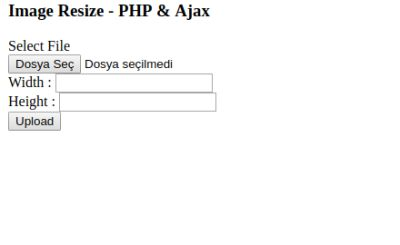
index example page

index.php

upload.php:
    <?php
$width = $_POST["width"];
$wint = (int)$width;
$height = $_POST["height"];
$hint = (int)$height;

if(isset($_FILES["image_upload"]["name"]))
{
 $name = $_FILES["image_upload"]["name"];
 $size = $_FILES["image_upload"]["size"];
 $ext = end(explode(".", $name));
 $allowed_ext = array("png", "jpg", "jpeg");
 if(in_array($ext, $allowed_ext))
 {
  if($size < (2048*2048))
  {
   $new_image = '';
   $new_name = md5(rand()) . '.' . $ext;
   $path = 'upload/' . $new_name;
   list($width, $height) = getimagesize($_FILES["image_upload"]["tmp_name"]);
   if($ext == 'png')  {  $new_image = imagecreatefrompng($_FILES["image_upload"]["tmp_name"]); }
   if($ext == 'jpg' || $ext == 'jpeg') { $new_image = imagecreatefromjpeg($_FILES["image_upload"]["tmp_name"]);  }
        $new_width=$wint;
        $new_height = $hint;
        $tmp_image = imagecreatetruecolor($new_width, $new_height);
        imagecopyresampled($tmp_image, $new_image, 0, 0, 0, 0, $new_width, $new_height, $width, $height);
        imagejpeg($tmp_image, $path, 100);
        imagedestroy($new_image);
        imagedestroy($tmp_image);
        echo '<img src="'.$path.'" />';
  }
  else {  echo 'Resim Boyutu Maksimum 4 MB Olmalı';  } }
 else {  echo 'Geçersiz Resim Dosyası'; }
}
else { echo 'Lütfen Resim Seçin'; }
?>
Github Profile :

Github Link :
https://github.com/kansiper/Image-Resize-PHP-Ajax
Posted on Utopian.io - Rewarding Open Source Contributors