hello! everyone. I am going to share a script with complete method to get a password protect folder anywhere in windows. You can store your private files in that folder and hide it moreever you can Set your own password.

Things you required
1. script for notepad given below just copy it ( start from "cls"and end with ":end")
cls
@ECHO OFF
title Folder Locker
if EXIST "Control Panel.{21EC2020-3AEA-1069-A2DD-08002B30309D}" goto UNLOCK
if NOT EXIST Locker goto MDLOCKER
:CONFIRM
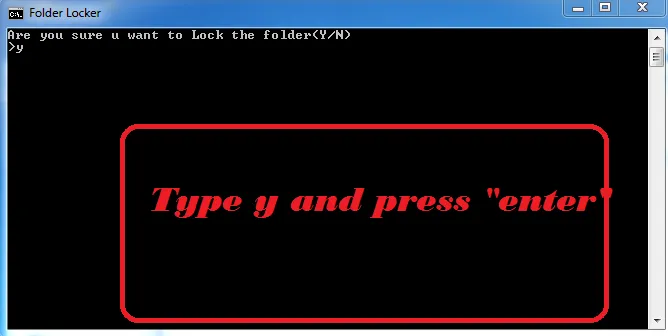
echo Are you sure u want to Lock the folder(Y/N)
set/p "cho=>"
if %cho%Y goto LOCK
if %cho%y goto LOCK
if %cho%n goto END
if %cho%N goto END
echo Invalid choice.
goto CONFIRM
:LOCK
ren Locker "Control Panel.{21EC2020-3AEA-1069-A2DD-08002B30309D}"
attrib +h +s "Control Panel.{21EC2020-3AEA-1069-A2DD-08002B30309D}"
echo Folder locked
goto End
:UNLOCK
echo Enter password to Unlock folder
set/p "pass=>"
if NOT %pass%==yourpassword goto FAIL
attrib -h -s "Control Panel.{21EC2020-3AEA-1069-A2DD-08002B30309D}"
ren "Control Panel.{21EC2020-3AEA-1069-A2DD-08002B30309D}" Locker
echo Folder Unlocked successfully
goto End
:FAIL
echo Invalid password
goto end
:MDLOCKER
md Locker
echo Locker created successfully
goto End
:End
Now follow these steps
- copy the code ( start from "cls"and end with ":end")
- run notepad Press "win" key and "r" together. A new dialog box will appear just type "notepad" and hit "enter" key. "notepad" will run
- paste the script code in "notepad"
- locate to line
"if NOT %pass%==yourpassword goto FAIL" and set your password by erasing "yourpassword"
 If you want get back your folder again click on script file that you created by "notepad" . This time you need password to restore folder type your password and hit "enter" key your folder is back :) when you again click on script(.bat) file again your folder will hide


type your password and Press enter